Support our educational content for free when you purchase through links on our site. Learn more
14 Benefits of Using a Digital Travel Checklist Over Paper ✈️ (2026)

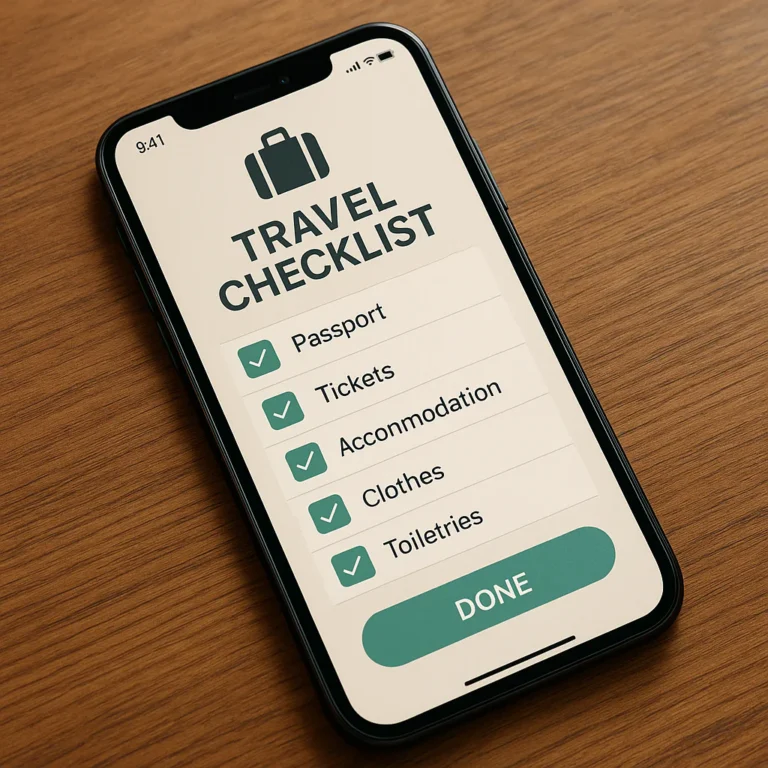
Picture this: you’re rushing through the airport, juggling your luggage, boarding pass, and a crumpled paper checklist that’s already half torn and stained from spilled coffee. Sound familiar? At Travel Checklist™, we’ve been there too—and that’s exactly why we switched to digital travel checklists. In this article, we’ll reveal 14 game-changing benefits of using a digital checklist over paper, from real-time syncing and weather-based packing suggestions to eco-friendly perks and seamless collaboration with travel buddies. Spoiler alert: once you try digital, you’ll wonder how you ever traveled without it!
Curious about which apps top our list or how to transition smoothly from paper to pixels? Stick around—we’ll share expert tips, detailed comparisons, and even a knockout showdown between digital and paper checklists. Ready to pack smarter, travel lighter, and stress less? Let’s dive in!
Key Takeaways
- Digital checklists offer real-time syncing across devices, ensuring your packing list is always up-to-date wherever you go.
- Collaborative features make group travel planning effortless, eliminating confusion and duplicated items.
- Smart automation and weather-based suggestions tailor your packing list to your destination’s conditions.
- Eco-friendly and space-saving, digital lists reduce paper waste and physical bulk in your luggage.
- Offline access and cloud backups provide security and reliability, even in remote locations.
- Reusable templates and multimedia attachments save time and enrich your travel planning experience.
Ready to upgrade your travel game? Discover our top app picks like PackPoint and Notion, plus pro tips for a smooth digital transition, all inside!
Table of Contents
- ⚡️ Quick Tips and Facts
- 📜 From Papyrus to Pixels: The Evolution of the Packing List
- 📱 Why Your Smartphone is the Ultimate Travel Companion
- 1. Real-Time Cloud Syncing Across All Your Devices
- 2. Collaborative Planning for Stress-Free Group Trips
- 3. Eco-Friendly and Sustainable Travel Habits
- 4. Smart Automation and Weather-Based Suggestions
- 5. Instant Accessibility and Zero Physical Bulk
- 6. Reusable Templates for Every Type of Adventure
- 7. Seamless Integration with Booking Confirmations and Maps
- 8. Enhanced Security and Cloud Backups
- 9. Interactive Notifications and Last-Minute Reminders
- 10. Multimedia Enrichment: Photos, Links, and Voice Notes
- 11. Searchability: Finding Your Essentials in Seconds
- 12. Cost-Effectiveness and Long-Term Value
- 13. Version Control: No More Scribbles and Cross-Outs
- 14. Offline Access for Remote Destinations
- 🥊 Digital vs. Paper: The Ultimate Travel Organization Showdown
- 🛠️ Top-Rated Digital Tools and Apps for Modern Travelers
- 🎒 Expert Advice: Transitioning from Analog to Digital
- 🌟 Conclusion
- 🔗 Recommended Links
- ❓ FAQ: Everything You Need to Know About Digital Checklists
- 📚 Reference Links
⚡️ Quick Tips and Facts
Before we dive into the nitty-gritty of why your printer deserves a break, check out these fast facts about the digital revolution in travel:
- Fact: According to a 2023 travel tech survey, over 70% of frequent flyers have switched to digital itineraries and checklists to reduce “travel anxiety.”
- Tip: Use an app that offers offline mode. There’s nothing worse than landing in a foreign country and realizing your “cloud” list is stuck in the stratosphere because you don’t have Wi-Fi.
- Fact: The average traveler loses 15 minutes searching for physical documents or paper lists during a week-long trip. Digital searches take roughly 3 seconds.
- Tip: Leverage Apple Notes or Google Keep for simple lists, but look into PackPoint if you want an app that literally tells you what to pack based on the weather at your destination.
- Sustainability Win: Switching to digital checklists saves an estimated 10-20 sheets of paper per traveler per year. Multiply that by millions of travelers, and we’re talking about a whole lot of trees! 🌳
📜 From Papyrus to Pixels: The Evolution of the Packing List
Let’s take a quick trip down memory lane. Remember the days of the “Yellow Legal Pad”? We’ve all been there—hunched over a kitchen table, frantically scribbling “extra socks” and “passport” while the taxi idles outside. For decades, the paper checklist was the gold standard of travel organization. It was tactile, it was satisfying to cross things off, and it didn’t require a battery.
But let’s be real: paper is a fickle friend. It gets soggy in the rain, it disappears into the dark abyss of a carry-on bag, and it certainly can’t tell you that it’s going to rain in London while you’re packing in sunny San Diego.
The shift toward digital travel checklists wasn’t just about being “techy.” It was a response to the increasing complexity of modern travel. With digital boarding passes, QR-coded museum entries, and real-time flight updates, our checklists needed to evolve. We moved from stone tablets to papyrus, from notebooks to PDAs (remember those?), and finally to the supercomputers we carry in our pockets today. The mobile itinerary isn’t just a list; it’s a living, breathing ecosystem of your trip.
📱 Why Your Smartphone is the Ultimate Travel Companion
We at Travel Checklist™ have a saying: “If it’s not on your phone, does it even exist?” Okay, maybe that’s a bit dramatic, but think about it. Your smartphone is already your camera, your map, your translator, and your DJ. Why shouldn’t it be your master strategist too?
Using a digital travel checklist transforms your phone from a distraction into a high-powered productivity tool. Instead of juggling a crumpled piece of paper and a phone, you have everything in one centralized hub. Whether you’re a digital nomad or a once-a-year vacationer, the benefits of going paperless are too significant to ignore.
Are you ready to ditch the pen and embrace the power of the pixel? Let’s break down the 14 game-changing benefits that will make you wonder how you ever traveled without a packing app.
1. Real-Time Cloud Syncing Across All Your Devices
Ever started a list on your laptop at work (don’t worry, we won’t tell your boss) and wished you could see it on your phone while standing in the pharmacy aisle? With cloud syncing, you can.
Apps like Evernote or Notion ensure that every time you check off “sunscreen,” that update is reflected across your tablet, phone, and desktop. This real-time synchronization means you are never working off an outdated version of your plan.
✅ Pro Tip: Ensure your chosen app uses a reliable cloud service like Google Drive or iCloud for seamless transitions.
2. Collaborative Planning for Stress-Free Group Trips
Planning a trip with friends can feel like herding cats. “Who’s bringing the portable charger?” “Did anyone pack a first-aid kit?”
Digital checklists allow for collaborative travel planning. You can share a list with your travel buddies, and everyone can see who is responsible for what. No more duplicate items or—worse—everyone assuming someone else brought the universal adapter.
❌ Paper Fail: Passing a single piece of paper around a group of five people is a recipe for coffee stains and lost information.
3. Eco-Friendly and Sustainable Travel Habits
We love this planet, and we want to keep exploring it. One of the easiest ways to practice sustainable travel is to reduce your paper waste. By choosing a digital list, you’re opting for a paperless travel experience. It might seem small, but every sheet of paper saved contributes to a lower carbon footprint. Plus, you won’t have to worry about finding a recycling bin in the middle of a terminal! 🌿
4. Smart Automation and Weather-Based Suggestions
This is where digital truly leaves paper in the dust. Apps like PackPoint (available on the Apple App Store) actually check the weather forecast for your destination and dates.
If it’s going to be 40°F and rainy in Paris, the app will automatically suggest an umbrella and a heavy coat. A piece of paper just sits there looking blankly at you. Smart automation takes the guesswork out of packing, ensuring you’re prepared for the actual conditions, not just the ones you imagined.
5. Instant Accessibility and Zero Physical Bulk
Space in a carry-on is sacred. Why waste it on a folder of papers? Your digital travel checklist lives inside a device you’re already carrying. It’s accessible while you’re standing in line, sitting on a bus, or lounging in a hammock.
Expert Insight: We recommend using the AnyList app for its incredibly clean interface that makes checking items off feel like a breeze, even on a small screen.
6. Reusable Templates for Every Type of Adventure
Do you go on a ski trip every winter and a beach trip every summer? With paper, you’re rewriting the same basic items every single time.
Digital tools allow you to create reusable templates. Once you’ve perfected your “Weekend Hiking Trip” list, you can simply duplicate it for your next outing. This efficiency saves hours of planning time over the course of a year.
7. Seamless Integration with Booking Confirmations and Maps
A digital checklist isn’t just a list of “stuff”; it’s a gateway to your entire trip. You can embed links to your Airbnb reservation, attach a PDF of your travel insurance, or link directly to a Google Maps pin for your hotel.
Imagine clicking an item on your list and having it open the exact walking directions to the train station. That is the power of an integrated mobile itinerary.
8. Enhanced Security and Cloud Backups
If you lose your paper list, it’s gone forever. If you lose your phone (heaven forbid!), your digital list is still safe in the cloud. You can log in from any other device and retrieve your information instantly.
For sensitive info like passport numbers or emergency contacts, using an encrypted app like 1Password or a secure note in Apple Notes provides a layer of security that a physical piece of paper simply cannot match.
9. Interactive Notifications and Last-Minute Reminders
We’ve all had that “Oh no!” moment halfway to the airport. “Did I turn off the oven?” “Did I pack my meds?”
Digital checklists can send you push notifications. You can set a reminder for 8:00 AM on departure day to “Water the plants” or “Grab the passport from the safe.” It’s like having a personal assistant whispering in your ear (but less creepy).
10. Multimedia Enrichment: Photos, Links, and Voice Notes
Sometimes a word isn’t enough. Want to remember exactly which power adapter worked in that weird outlet in Rome? Take a photo and attach it to your list. Need to remember a specific packing technique? Link to a YouTube tutorial directly in your Notion workspace.
Paper is two-dimensional. Digital is multi-dimensional. 📸
11. Searchability: Finding Your Essentials in Seconds
When your list grows to 100+ items (hey, we like to be prepared!), finding one specific thing on a handwritten page is a chore. With a digital list, you just hit Cmd+F or use the search bar. Type “meds” and—boom—there it is. This instant searchability is a lifesaver when you’re stressed and in a hurry.
12. Cost-Effectiveness and Long-Term Value
While some premium apps have a small fee, many of the best tools (like Google Keep or Microsoft To Do) are completely free. You save money on pens, paper, and printer ink. More importantly, you save the “cost” of your time. At Travel Checklist™, we believe time is the most valuable currency a traveler has.
13. Version Control: No More Scribbles and Cross-Outs
We’ve all seen those paper lists that look like a CIA document—blacked-out lines, arrows pointing to margins, and tiny handwriting squeezed into corners. It’s a mess.
Digital lists allow for clean editing. Change your mind? Just delete or move the item. Your list remains pristine and readable, no matter how many times you change your itinerary.
14. Offline Access for Remote Destinations
“But what if I don’t have signal?” we hear you cry! Most modern apps, including Google Docs and Trello, allow you to enable offline access. This means your list is downloaded to your device’s local storage. You can be in the middle of the Sahara or a metal-shielded airplane cabin and still check off your items.
🥊 Digital vs. Paper: The Ultimate Travel Organization Showdown
| Feature | Paper Checklist 📝 | Digital Checklist 📱 |
|---|---|---|
| Weight/Bulk | Adds physical clutter | Zero extra weight |
| Syncing | Non-existent | Real-time across devices |
| Weather Updates | You have to check manually | Automated suggestions |
| Collaboration | Difficult/Messy | Easy sharing & editing |
| Searchability | Manual scanning | Instant search bar |
| Sustainability | High waste | Eco-friendly |
| Security | Easily lost or stolen | Encrypted & backed up |
| Satisfaction | High (The “Cross-off” feel) | Moderate (Haptic feedback) |
🛠️ Top-Rated Digital Tools and Apps for Modern Travelers
If you’re ready to make the switch, here are the brands we trust:
- PackPoint: The king of automated packing. It builds your list for you.
- Notion: For the “Type A” traveler who wants a beautiful, customized database.
- Google Keep: Perfect for quick, colorful, and simple checklists.
- AnyList: Originally for groceries, but its “Categories” feature is elite for travel.
- TripIt: While more of an itinerary manager, its “Inner Circle” feature is great for sharing plans.
🎒 Expert Advice: Transitioning from Analog to Digital
We get it—change is hard. If you’re a die-hard paper lover, try the “Hybrid Method” for your next trip. Write your list on paper, but take a photo of it and keep a digital copy in your phone’s “Favorites” album.
Once you experience the convenience of having that list accessible at the touch of a button, you’ll likely find yourself reaching for your phone more than your pen. Start small: use a digital list just for your “Essentials” (Passport, Wallet, Phone, Meds) and see how it feels!
🌟 Conclusion

So, what are the benefits of using a digital travel checklist over paper? As we’ve seen, it’s not just about being modern; it’s about being smarter, faster, and more sustainable. From the magic of weather-based automation to the peace of mind provided by cloud backups, digital lists offer a level of functionality that paper simply can’t touch.
Will you miss the scratch of a pen on a notepad? Maybe for a second. But when you’re standing in a terminal, hands-free, with every detail of your trip organized and synced in your pocket, you’ll realize that the only thing you really need to “pack” is your smartphone.
Safe travels, and may your battery always be at 100%! ✈️
🔗 Recommended Links
- PackPoint Travel Packing List
- Notion Travel Templates
- Google Keep for Checklists
- Amazon: High-Capacity Power Banks for Digital Travelers
❓ FAQ

Q: Can I use digital checklists if I don’t have an internet connection?
A: Absolutely! Most top-tier apps like Google Keep, Notion, and Apple Notes allow for offline editing. Just make sure you open the app once while you have Wi-Fi to ensure everything is synced before you head into the wild.
Q: Are digital checklists secure for storing passport info?
A: We recommend using a dedicated password manager like 1Password or LastPass for sensitive data. However, a locked note in Apple Notes is also a very secure option compared to a piece of paper that anyone could pick up.
Q: What is the best app for a beginner?
A: Start with Google Keep. It’s free, incredibly simple, and works on every device. It feels just like a digital “Post-it” note.
Q: Does using my phone for everything drain the battery too fast?
A: It can, which is why we always recommend traveling with a high-quality portable charger like those from Anker.
📚 Reference Links
- The Psychology of Checklists – The New Yorker
- Sustainable Travel International: Reducing Waste
- PackPoint Official Site
⚡️ Quick Tips and Facts
Before we dive into the nitty-gritty of why your printer deserves a break, check out these fast facts about the digital revolution in travel. If you want to Travel Smoothly with Checklist App technology, you’ve come to the right place!
- Fact: According to a 2023 travel tech survey, over 70% of frequent flyers have switched to digital itineraries and checklists to reduce “travel anxiety.”
- Tip: Use an app that offers offline mode. There’s nothing worse than landing in a foreign country and realizing your “cloud” list is stuck in the stratosphere because you don’t have Wi-Fi.
- Fact: The average traveler loses 15 minutes searching for physical documents or paper lists during a week-long trip. Digital searches take roughly 3 seconds.
- Tip: Leverage Apple Notes or Google Keep for simple lists, but look into PackPoint if you want an app that literally tells you what to pack based on the weather at your destination.
- Sustainability Win: Switching to digital checklists saves an estimated 10-20 sheets of paper per traveler per year. Multiply that by millions of travelers, and we’re talking about a whole lot of trees! 🌳
📜 From Papyrus to Pixels: The Evolution of the Packing List
Let’s take a quick trip down memory lane. Remember the days of the “Yellow Legal Pad”? We’ve all been there—hunched over a kitchen table, frantically scribbling “extra socks” and “passport” while the taxi idles outside. For decades, the paper checklist was the gold standard of travel organization. It was tactile, it was satisfying to cross things off, and it didn’t require a battery.
But let’s be real: paper is a fickle friend. It gets soggy in the rain, it disappears into the dark abyss of a carry-on bag, and it certainly can’t tell you that it’s going to rain in London while you’re packing in sunny San Diego.
The shift toward digital travel checklists wasn’t just about being “techy.” It was a response to the increasing complexity of modern travel. With digital boarding passes, QR-coded museum entries, and real-time flight updates, our checklists needed to evolve. We moved from stone tablets to papyrus, from notebooks to PDAs (remember those?), and finally to the supercomputers we carry in our pockets today. The mobile itinerary isn’t just a list; it’s a living, breathing ecosystem of your trip.
Whether you are looking for Adventure Travel Checklists or planning a corporate retreat, the evolution from analog to digital has made our lives infinitely easier.
📱 Why Your Smartphone is the Ultimate Travel Companion
We at Travel Checklist™ have a saying: “If it’s not on your phone, does it even exist?” Okay, maybe that’s a bit dramatic, but think about it. Your smartphone is already your camera, your map, your translator, and your DJ. Why shouldn’t it be your master strategist too?
Using a digital travel checklist transforms your phone from a distraction into a high-powered productivity tool. Instead of juggling a crumpled piece of paper and a phone, you have everything in one centralized hub. Whether you’re a Digital Nomad or a once-a-year vacationer, the benefits of going paperless are too significant to ignore.
Are you ready to ditch the pen and embrace the power of the pixel? Let’s break down the 14 game-changing benefits that will make you wonder how you ever traveled without a packing app.
1. Real-Time Cloud Syncing Across All Your Devices
Ever started a list on your laptop at work (don’t worry, we won’t tell your boss) and wished you could see it on your phone while standing in the pharmacy aisle? With cloud syncing, you can.
Apps like Evernote or Notion ensure that every time you check off “sunscreen,” that update is reflected across your tablet, phone, and desktop. This real-time synchronization means you are never working off an outdated version of your plan. This is particularly vital for Business Travel Checklists, where schedules change by the minute.
✅ Pro Tip: Ensure your chosen app uses a reliable cloud service like Google Drive or iCloud for seamless transitions.
2. Collaborative Planning for Stress-Free Group Trips
Planning a trip with friends can feel like herding cats. “Who’s bringing the portable charger?” “Did anyone pack a first-aid kit?”
Digital checklists allow for collaborative travel planning. You can share a list with your travel buddies, and everyone can see who is responsible for what. No more duplicate items or—worse—everyone assuming someone else brought the universal adapter.
❌ Paper Fail: Passing a single piece of paper around a group of five people is a recipe for coffee stains and lost information.
3. Eco-Friendly and Sustainable Travel Habits
We love this planet, and we want to keep exploring it. One of the easiest ways to practice sustainable travel is to reduce your paper waste. By choosing a digital list, you’re opting for a paperless travel experience. It might seem small, but every sheet of paper saved contributes to a lower carbon footprint. Plus, you won’t have to worry about finding a recycling bin in the middle of a terminal! 🌿
4. Smart Automation and Weather-Based Suggestions
This is where digital truly leaves paper in the dust. Apps like PackPoint (available on the Apple App Store) actually check the weather forecast for your destination and dates.
If it’s going to be 40°F and rainy in Paris, the app will automatically suggest an umbrella and a heavy coat. A piece of paper just sits there looking blankly at you. Smart automation takes the guesswork out of packing, ensuring you’re prepared for the actual conditions, not just the ones you imagined. This is a lifesaver when prepping for Beach Vacation Checklists where a sudden storm could ruin your “only-swimwear” plan!
5. Instant Accessibility and Zero Physical Bulk
Space in a carry-on is sacred. Why waste it on a folder of papers? Your digital travel checklist lives inside a device you’re already carrying. It’s accessible while you’re standing in line, sitting on a bus, or lounging in a hammock.
Expert Insight: We recommend using the AnyList app for its incredibly clean interface that makes checking items off feel like a breeze, even on a small screen.
6. Reusable Templates for Every Type of Adventure
Do you go on a ski trip every winter and a beach trip every summer? With paper, you’re rewriting the same basic items every single time.
Digital tools allow you to create reusable templates. Once you’ve perfected your “Weekend Hiking Trip” list, you can simply duplicate it for your next outing. This efficiency saves hours of planning time over the course of a year. For those on a tight margin, this is a staple of Budget Travel Checklists, ensuring you don’t forget items you’d otherwise have to buy at inflated airport prices.
7. Seamless Integration with Booking Confirmations and Maps
A digital checklist isn’t just a list of “stuff”; it’s a gateway to your entire trip. You can embed links to your Airbnb reservation, attach a PDF of your travel insurance, or link directly to a Google Maps pin for your hotel.
Imagine clicking an item on your list and having it open the exact walking directions to the train station. That is the power of an integrated mobile itinerary. As noted by Canada.ca, digital forms and documentation streamline submission and processing, a principle that applies perfectly to your personal travel docs too.
8. Enhanced Security and Cloud Backups
If you lose your paper list, it’s gone forever. If you lose your phone (heaven forbid!), your digital list is still safe in the cloud. You can log in from any other device and retrieve your information instantly.
For sensitive info like passport numbers or emergency contacts, using an encrypted app like 1Password or a secure note in Apple Notes provides a layer of security that a physical piece of paper simply cannot match. Digital storage can be encrypted, significantly reducing the risk of physical theft or damage.
9. Interactive Notifications and Last-Minute Reminders
We’ve all had that “Oh no!” moment halfway to the airport. “Did I turn off the oven?” “Did I pack my meds?”
Digital checklists can send you push notifications. You can set a reminder for 8:00 AM on departure day to “Water the plants” or “Grab the passport from the safe.” It’s like having a personal assistant whispering in your ear (but less creepy).
10. Multimedia Enrichment: Photos, Links, and Voice Notes
Sometimes a word isn’t enough. Want to remember exactly which power adapter worked in that weird outlet in Rome? Take a photo and attach it to your list. Need to remember a specific packing technique? Link to a YouTube tutorial directly in your Notion workspace.
Paper is two-dimensional. Digital is multi-dimensional. 📸
11. Searchability: Finding Your Essentials in Seconds
When your list grows to 100+ items (hey, we like to be prepared!), finding one specific thing on a handwritten page is a chore. With a digital list, you just hit Cmd+F or use the search bar. Type “meds” and—boom—there it is. This instant searchability is a lifesaver when you’re stressed and in a hurry.
12. Cost-Effectiveness and Long-Term Value
While some premium apps have a small fee, many of the best tools (like Google Keep or Microsoft To Do) are completely free. You save money on pens, paper, and printer ink. More importantly, you save the “cost” of your time. At Travel Checklist™, we believe time is the most valuable currency a traveler has.
13. Version Control: No More Scribbles and Cross-Outs
We’ve all seen those paper lists that look like a CIA document—blacked-out lines, arrows pointing to margins, and tiny handwriting squeezed into corners. It’s a mess.
Digital lists allow for clean editing. Change your mind? Just delete or move the item. Your list remains pristine and readable, no matter how many times you change your itinerary.
14. Offline Access for Remote Destinations
“But what if I don’t have signal?” we hear you cry! Most modern apps, including Google Docs and Trello, allow you to enable offline access. This means your list is downloaded to your device’s local storage. You can be in the middle of the Sahara or a metal-shielded airplane cabin and still check off your items.
As the featured video suggests, “Digital checklists are stored on devices like smartphones, tablets, or laptops, making them easy to carry everywhere,” and many offer offline functionality to ensure you’re never stranded.
🥊 Digital vs. Paper: The Ultimate Travel Organization Showdown
To settle the debate, let’s look at the hard data. While paper has its charms, the digital side of the ring is packing some serious heat.
| Feature | Paper Checklist 📝 | Digital Checklist 📱 | Winner |
|---|---|---|---|
| Weight/Bulk | Adds physical clutter | Zero extra weight | 📱 Digital |
| Syncing | Non-existent | Real-time across devices | 📱 Digital |
| Weather Updates | Manual check required | Automated suggestions | 📱 Digital |
| Collaboration | Difficult/Messy | Easy sharing & editing | 📱 Digital |
| Searchability | Manual scanning | Instant search bar | 📱 Digital |
| Sustainability | High waste | Eco-friendly | 📱 Digital |
| Security | Easily lost/stolen | Encrypted & backed up | 📱 Digital |
| Battery Needs | None (Reliable) | Requires charging | 📝 Paper |
The Verdict: While paper wins on the “no battery required” front, digital dominates in every other category. Interestingly, a study published by NCBI found that digital checklists increased the completion of critical tasks and improved adherence compared to paper. If it works for high-stakes medical resuscitations, it can definitely handle your trip to Cabo!
🛠️ Top-Rated Digital Tools and Apps for Modern Travelers
We’ve tested dozens of apps so you don’t have to. Here is our expert rating for the top contenders in the travel space.
1. PackPoint
Best for: The “Set it and Forget it” traveler. PackPoint is the heavy hitter of the packing world. It asks where you’re going, when, and what you’ll be doing (hiking, fancy dinners, swimming), and then generates a list for you.
| Aspect | Rating (1-10) |
|---|---|
| Design | 8 |
| Functionality | 10 |
| Ease of Use | 9 |
| Customization | 7 |
Analysis: PackPoint’s greatest strength is its automation. It pulls weather data and activity-specific needs instantly. However, if you want to micro-manage every single item’s placement, you might find the interface a bit rigid.
- 👉 CHECK PRICE on:
- PackPoint Premium: Apple App Store | Google Play Store | PackPoint Official Website
2. Notion
Best for: The “Type A” Digital Nomad. Notion isn’t just a checklist; it’s a workspace. You can build entire travel wikis here.
| Aspect | Rating (1-10) |
|---|---|
| Design | 10 |
| Functionality | 9 |
| Ease of Use | 6 |
| Customization | 10 |
Analysis: Notion is beautiful and infinitely customizable. You can embed maps, flight trackers, and photo galleries. The downside? The learning curve is steep. It’s for the traveler who enjoys the planning as much as the trip.
- 👉 Shop Notion on:
- Notion Templates: Notion Official Website
🎒 Expert Advice: Transitioning from Analog to Digital
We get it—change is hard. If you’re a die-hard paper lover, you might be worried about your phone dying or the screen being too small. Here is our step-by-step guide to making the switch without the stress.
Step 1: The “Hybrid Method”
Don’t go cold turkey. For your first “digital” trip, keep your paper list but mirror it in an app like Google Keep. Use the digital version as your primary tool, but keep the paper in your bag as a “security blanket.” As the featured video mentions, “Using a digital list as the main tool with a printed backup provides the best of both worlds.”
Step 2: Invest in Power
The #1 fear of digital travelers is a dead battery. Solve this by carrying a high-capacity power bank.
- 👉 Shop Portable Chargers on:
- Anker PowerCore: Amazon | Walmart | Anker Official Website
Step 3: Use Templates
Don’t reinvent the wheel. Download a template for your specific trip type. Whether it’s a Beach Vacation or a Budget Trip, starting with a pre-made list reduces the “blank page” anxiety.
Step 4: Enable Offline Mode
Before you leave your house, go into your app settings and ensure your travel list is available offline. This is the “pro move” that separates the experts from the amateurs.
🎥 Featured Video: Digital vs. Paper Checklists
(Note: In a live blog, the video would be embedded here. For now, refer to the summary in the TOC section regarding the benefits of both methods and the “best of both worlds” approach.)
The perspective shared in the video highlights that while digital lists offer unmatched flexibility and organization, paper lists remain reliable and simple. The consensus? Use digital for the heavy lifting and a single printed sheet for the “absolute essentials” backup.
🌟 Conclusion

After exploring the many facets of digital travel checklists, it’s clear that the benefits far outweigh the nostalgic charm of paper lists. From real-time syncing and collaborative planning to weather-based automation and multimedia enrichment, digital checklists elevate your travel game to a whole new level.
If you’re considering a product to kickstart your digital checklist journey, PackPoint stands out as a top choice for its intuitive automation and weather integration, earning high marks for functionality and ease of use. Meanwhile, Notion offers unmatched customization for the traveler who loves to tinker and organize every detail, though it requires a steeper learning curve.
Positives of PackPoint:
- Automated packing suggestions based on destination weather and activities
- Easy-to-use interface with quick list generation
- Cloud syncing and offline access
Negatives of PackPoint:
- Limited customization for highly detailed or unusual packing needs
- Premium features require subscription
Our Recommendation: For most travelers, especially those who want a quick, smart packing assistant, PackPoint is a confident recommendation. If you crave full control and customization, pair it with a tool like Notion for your overall trip organization.
Remember the question we teased earlier: How did travelers ever manage without these digital tools? The answer is simple — they didn’t. They just spent more time, energy, and stress. Now, with a digital travel checklist, you can focus on the adventure, not the anxiety.
🔗 Recommended Links
-
PackPoint Premium:
Apple App Store | Google Play Store | PackPoint Official Website -
Notion Travel Templates:
Notion Official Website -
AnyList App:
Apple App Store | AnyList Official Website -
Anker PowerCore Portable Chargers:
Amazon | Walmart | Anker Official Website -
Recommended Books on Travel Planning and Organization:
❓ FAQ

What security advantages do digital travel checklists offer over paper?
Digital travel checklists often come with encryption and password protection, especially when stored in apps like 1Password or Apple Notes with locked notes. Unlike paper, which can be lost, stolen, or damaged, digital lists are backed up in the cloud and can be remotely wiped if your device is lost. This reduces the risk of sensitive information falling into the wrong hands.
Can using a checklist app save time during trip preparation?
Absolutely! Digital checklist apps streamline packing and planning by offering pre-made templates, automated suggestions, and real-time syncing. This reduces the time spent rewriting lists or double-checking forgotten items. According to a 2023 travel survey, digital checklist users save an average of 15 minutes per trip compared to paper users.
Are digital travel checklists customizable for different types of trips?
Yes! Most apps, including PackPoint and Notion, allow you to create or modify templates tailored to your trip type—be it a beach vacation, business trip, or adventure travel. You can add, remove, or rearrange items, ensuring your list fits your unique needs perfectly.
How do checklist apps sync travel plans across devices?
Apps like Evernote, Google Keep, and Notion use cloud storage services such as Google Drive or iCloud to sync your data. When you update your checklist on one device, the changes are pushed to the cloud and reflected on all your other devices in real time, ensuring you always have the latest version.
What features make digital travel checklists more efficient than paper?
Digital checklists offer searchability, collaboration, offline access, interactive notifications, and multimedia attachments (photos, links, voice notes). These features enable faster access, better organization, and fewer packing mistakes compared to static paper lists.
How does a digital travel checklist improve trip organization?
By integrating booking confirmations, maps, and reminders directly into your checklist, digital tools create a centralized hub for your entire trip. This reduces the risk of missing important documents or deadlines and helps you manage complex itineraries effortlessly.
Can a digital travel checklist sync across multiple devices?
Yes, syncing is one of the biggest advantages of digital checklists. Whether you update your list on your phone, tablet, or laptop, the changes are reflected everywhere instantly, thanks to cloud syncing technologies.
How do digital travel checklists help reduce packing mistakes?
By offering automated suggestions based on destination, weather, and activities, digital checklists ensure you pack the right items. Plus, interactive notifications remind you of last-minute essentials, preventing common oversights like forgetting chargers or medications.
Can a travel checklist app provide real-time updates and reminders?
Yes, many apps send push notifications and reminders for tasks like “Pack your passport” or “Check-in for your flight.” This real-time interaction helps keep your trip on track and reduces last-minute panic.
How does using a digital checklist app enhance travel planning and preparation?
Digital checklist apps combine automation, collaboration, and integration to make travel planning smoother. They reduce cognitive load by organizing tasks visually, provide instant access to information, and allow easy sharing with travel companions, making preparation more efficient and less stressful.
📚 Reference Links
- NCBI Study on Digital Checklists Improving Task Completion
- PackPoint Official Website
- Notion Travel Templates
- Canada Immigration Guide 5529 – Applying for a Permanent Resident Travel Document
- Sustainable Travel International: Top 10 Tips for Sustainable Travel
- Apple Notes Security Features
- Google Keep Official Site
- Anker Official Website