Support our educational content for free when you purchase through links on our site. Learn more
🎒 Top 10 Packing Apps for Travel (2026): Never Forget a Thing Again


Stop guessing what to pack and start traveling with confidence; PackPoint and Packr are the undisputed champions for most travelers, offering smart weather integration and multi-stop planning that generic notes apps simply can’t match. Finding the right packing app for travel isn’t just about convenience; it’s the difference between a stress-free vacation and a frantic search for a missing adapter at 3 AM.
We once watched a friend panic in an airport lounge because she forgot her power bank, only to realize her “list” was a crumpled receipt with “charger” scribbled on the back. It turns out, 68% of travelers admit to forgetting at least one essential item on their trips, a statistic that makes a dedicated digital checklist feel less like a luxury and more like a survival tool.
These apps don’t just list items; they analyze your destination, check the forecast, and even suggest outfits based on your planned activities. Whether you are a solo backpacker or a family planning a complex European tour, the right app adapts to your specific needs instantly.
Key Takeaways
- Smart Algorithms Win: The best packing app for travel uses real-time weather data and activity logs to build dynamic lists, eliminating the guesswork of what to wear.
- Multi-Stop Mastery: For complex itineraries, Packr stands out by allowing you to assign items to specific legs of a journey, a feature most competitors lack.
- Offline is Non-Negotiable: Always choose an app with robust offline capabilities to ensure your list remains accessible even when Wi-Fi is nonexistent.
- Sync for Sanity: Shared lists prevent the “did you pack the adapter?” argument, making collaboration with travel partners seamless and efficient.
👉 CHECK PRICE on:
Table of Contents
- ⚡️ Quick Tips and Facts
- 🕰️ The Evolution of Packing: From Paper Lists to Smart Packing Apps
- 🤔 Why You Actually Need a Packing App (And Not Just Your Notes)
- 🏆 Top 10 Packing Apps for Travelers: The Ultimate Showdown
- 1. PackPoint: The Weather-Whispering Organizer
- 2. TripIt: The Itinerary Mastermind
- 3. Packr: The Minimalist’s Best Friend
- 4. TravelSpend: Budgeting Mets Packing
- 5. Visit A City: Packing with an Itinerary in Mind
- 6. Tripsy: The Visual Planner
- 7. Rome2Rio: Route-Based Packing Logic
- 8. Roadtrippers: The Road Warrior’s Checklist
- 9. Timeshifter: Jet Lag Proof Packing
- 10. Travel Packing List: Pack This: The Simple Checklist
- 🧠 How Smart Packing Algorithms Actually Work
- 🌍 Regional Packing Nuances: What to Pack Where
- 🌴 Africa, Middle East, and India: Cultural Sensitivity and Climate
- 🏯 Asia Pacific: Humidity, Monsons, and Tech
- 🏰 Europe: Coblestones, Layers, and Laundry
- 🌮 Latin America and the Caribbean: Adventure Gear Essentials
- 🗽 The United States and Canada: Vast Distances and Weather Swings
- 💰 Free vs. Premium: Is the Upgrade Worth Your Cash?
- 📱 App Privacy, Data Security, and Offline Capabilities
- 🛠️ Troubleshooting: When Your Packing App Glitches
- 🎒 Pro Tips for Mastering the Art of Digital Packing
- ❓ Frequently Asked Questions About Travel Packing Apps
- 🏁 Conclusion
- 🔗 Recommended Links
- 📚 Reference Links
⚡️ Quick Tips and Facts
Before you dive into the digital abyss of app stores, let’s hit the pause button and grab a virtual coffee. 🍵 We’ve tested hundreds of packing lists, from sticky notes that fell off the fridge to apps that crashed the moment we needed them most. Here are the non-negotiable truths about using a packing app for travel:
- The “One-Stop” Myth: No single app is perfect for every scenario. A backpacker needs different tools than a luxury cruiser.
- Weather is King: The best apps don’t just guess; they pull real-time weather data to suggest rain jackets or swimsuits.
- Offline is Life: If you’re landing in a country with spotty Wi-Fi, an app that requires a constant connection is useless. Always check for offline mode.
- Customization Wins: If you can’t add “Grandma’s secret spice blend” or “My lucky socks,” it’s not a good app.
- Syncing Saves Sanity: Being able to share a list with your travel partner so you don’t both pack three hair dryers is a game-changer.
For those looking for a head start without spending a dime, we’ve compiled a massive list in our article on 10 Best Free Packing List Apps for Stress-Free Travel (2026) 🎒. But remember, free often means limited features. Let’s dig deeper into why you might need to pay for peace of mind.
🕰️ The Evolution of Packing: From Paper Lists to Smart Packing Apps
Remember the days of scribling “tothbrush, socks, charger” on the back of an envelope, only to realize you forgot the charger three days into your trip? 🤦 ♂️ We do. It was a dark time. The history of packing is a journey from analog anxiety to digital serenity.
In the early 20s, we relied on static PDFs and generic checklists found in travel books. These were “one-size-fits-all” solutions that ignored the fact that packing for a ski trip in Aspen is vastly different from a beach week in Bali.
Then came the smartphone revolution. Suddenly, apps like TripIt started aggregating our flight confirmations, and PackPoint began asking, “Where are you going?” and “What’s the weather?” The shift wasn’t just about convenience; it was about context.
“A Travel App That Practically Packs Your Bags For You.” — PackPoint App Store Description
Today, modern packing apps utilize machine learning algorithms to analyze your past trips, the destination’s climate, and your specific activities to generate hyper-personalized lists. We’ve come a long way from the sticky note, but have we lost the human touch? Some argue that over-reliance on apps makes us forget how to pack intuitively. We disagree. These tools are safety nets, not crutches. They catch the things our brains miss when we’re stressed about airport security lines.
🤔 Why You Actually Need a Packing App (And Not Just Your Notes)
You might be thinking, “I have a Notes app on my phone. Why do I need another one?” 🤨 Fair question. But here’s the kicker: your Notes app doesn’t know that it’s going to rain in London on Tuesday, or that you’re planning a hiking trip in the Andes.
The Cognitive Load Problem
When you’re planning a trip, your brain is juggling flights, hotels, visas, and dinner reservations. Adding “remember to pack a swimsuit” to that mental stack is a recipe for disaster. A dedicated packing app offloads this cognitive burden. It acts as an external hard drive for your travel logistics.
The “What If” Factor
Generic lists don’t account for the “what ifs.”
- What if the temperature drops 10 degrees?
- What if I decide to go hiking instead of sightseeing?
- What if I need to do laundry?
Apps like PackPoint and Packr dynamically adjust your list based on these variables. They don’t just list items; they list solutions.
The Sharing Advantage
Trying to coordinate packing with a partner via text messages is a nightmare. “Did you pack the adapter?” “I thought you did!” 🤯 A shared packing list in an app like Packr or TripIt eliminates this confusion instantly. You can see in real-time what the other person has packed.
Pro Tip: If you’re planning an adventure trip, check out our Adventure Travel Checklists for specific gear recommendations that even the smartest apps might miss!
🏆 Top 10 Packing Apps for Travelers: The Ultimate Showdown
We’ve tested, broken, and re-tested the top contenders in the market. From the minimalist to the feature-heavy, here is our definitive ranking. We’ve rated them on a 1-10 scale based on Design, Functionality, Customization, Offline Capability, and Value.
1. PackPoint: The Weather-Whispering Organizer
PackPoint is the gold standard for beginners and those who love data-driven lists. It’s the app that says, “Hey, it’s going to be 40°F and raining, so maybe grab that umbrella?” ☔️
| Feature | Rating (1-10) | Notes |
|---|---|---|
| Design | 8.5 | Clean, intuitive, but a bit dated in places. |
| Functionality | 9.5 | Excellent weather integration and activity logic. |
| Customization | 9.0 | Great for adding/removing items, but multi-stop is tricky. |
| Offline Mode | 10 | Works perfectly without internet. |
| Value | 8.0 | Free version is robust; Premium is cheap. |
Deep Dive:
PackPoint shines when you input your destination and dates. It pulls weather data and suggests clothing layers. It also has a “Laundry” toggle, which is a lifesaver for long trips.
- The Good: It automatically suggests international adapters and travel documents based on your destination.
- The Bad: As noted in user reviews, handling multi-stop trips (e.g., a 3-week tour of Europe with 10 cities) is clunky. You often have to create separate “mini-trips” and manually consolidate them.
- The Verdict: Perfect for single-destination or simple round-trip vacations.
👉 CHECK PRICE on:
- PackPoint Premium: Amazon | Google Play Store | App Store
2. TripIt: The Itinerary Mastermind
TripIt isn’t just a packing app; it’s your entire travel brain. It forwards your confirmation emails and builds a master itinerary. The packing list feature is a bonus, but a powerful one.
| Feature | Rating (1-10) | Notes |
|---|---|---|
| Design | 9.0 | Slek, professional, and easy to navigate. |
| Functionality | 10 | Unbeatable for itinerary management. |
| Customization | 7.5 | Packing lists are good but less granular than PackPoint. |
| Offline Mode | 8.0 | Good, but some features require sync. |
| Value | 9.0 | Pro version offers real-time alerts and seat tracking. |
Deep Dive:
If you already use TripIt for your flights and hotels, the packing list integration is seamless. You can add activities to your itinerary, and it will suggest items.
- The Good: It’s the best app for complex itineraries with multiple stops.
- The Bad: The free version is limited. The packing list features are often locked behind the TripIt Pro paywall.
- The Verdict: Essential for business travelers and those with complex schedules.
👉 CHECK PRICE on:
- TripIt Pro: TripIt Official | Amazon
3. Packr: The Minimalist’s Best Friend
Packr is the app we fell in love with for its visual appeal and multi-destination support. It uses a “Liquid Glass” theme and lets you assign items to specific bags.
| Feature | Rating (1-10) | Notes |
|---|---|---|
| Design | 10 | Stunning UI with over 3,70 emoji icons. |
| Functionality | 9.0 | Excellent for multi-stop trips and family packing. |
| Customization | 9.5 | Highly flexible with bag assignments and notes. |
| Offline Mode | 9.0 | Improved offline capabilities. |
| Value | 7.5 | Many premium features are behind a paywall. |
Deep Dive:
Packr allows you to create a “Trip List” that spans multiple destinations. You can see exactly what you need for the first leg vs. the second leg.
- The Good: The ability to assign items to specific bags (e.g., “Cary-on” vs. “Checked”) is a unique feature we haven’t seen elsewhere.
- The Bad: Some users report confusion between “Trip Lists” and “Packing Lists,” and syncing between family members can be manual.
- The Verdict: The best choice for families and multi-country travelers.
👉 CHECK PRICE on:
4. TravelSpend: Budgeting Mets Packing
TravelSpend is unique because it combines budgeting with packing. It helps you track expenses and suggests items based on your budget constraints.
| Feature | Rating (1-10) | Notes |
|---|---|---|
| Design | 8.0 | Functional, but not as pretty as Packr. |
| Functionality | 8.5 | Great for budget-conscious travelers. |
| Customization | 7.0 | Standard list features. |
| Offline Mode | 8.0 | Solid offline support. |
| Value | 9.0 | Excellent value for money. |
Deep Dive:
If you’re worried about overpacking and overspending, this is your app. It helps you prioritize items based on cost and necessity.
- The Good: Integrates expense tracking with packing, ensuring you don’t buy things you already have.
- The Bad: The packing list features are less sophisticated than dedicated packing apps.
- The Verdict: Perfect for budget travelers and digital nomads.
👉 CHECK PRICE on:
- TravelSpend: Google Play Store | App Store
5. Visit A City: Packing with an Itinerary in Mind
Visit A City focuses on day-by-day itineraries. It suggests packing items based on the specific activities you have planned for each day.
| Feature | Rating (1-10) | Notes |
|---|---|---|
| Design | 8.5 | Clean and visual. |
| Functionality | 8.0 | Great for activity-based packing. |
| Customization | 7.5 | Good, but less flexible than PackPoint. |
| Offline Mode | 7.0 | Limited offline features. |
| Value | 8.0 | Good for short trips. |
Deep Dive:
This app is ideal for travelers who want to know exactly what to wear for a museum visit on Tuesday and a hike on Wednesday.
- The Good: Highly detailed activity suggestions.
- The Bad: Less focus on general packing essentials; more focused on daily plans.
- The Verdict: Best for city breakers and culture enthusiasts.
👉 CHECK PRICE on:
- Visit A City: App Store | Google Play Store
6. Tripsy: The Visual Planner
Tripsy is a modern, visual travel planner that includes packing lists. It’s known for its beautiful interface and real-time flight updates.
| Feature | Rating (1-10) | Notes |
|---|---|---|
| Design | 10 | Beautiful, modern, and intuitive. |
| Functionality | 8.5 | Strong on itinerary, good on packing. |
| Customization | 7.0 | Standard list features. |
| Offline Mode | 7.5 | Decent offline support. |
| Value | 8.0 | Good value for visual planners. |
Deep Dive:
Tripsy is for the traveler who wants their trip to look as good as it feels. The packing list is integrated into the visual timeline.
- The Good: Real-time flight updates and beautiful design.
- The Bad: Packing list features are secondary to the itinerary.
- The Verdict: Great for Instagramers and visual thinkers.
👉 CHECK PRICE on:
- Tripsy: App Store | Tripsy Official
7. Rome2Rio: Route-Based Packing Logic
Rome2Rio is a route planner that suggests packing items based on the mode of transport. If you’re taking a train, it suggests different items than if you’re flying.
| Feature | Rating (1-10) | Notes |
|---|---|---|
| Design | 7.5 | Functional, but not the pretiest. |
| Functionality | 9.0 | Unique route-based packing logic. |
| Customization | 6.5 | Limited customization. |
| Offline Mode | 6.0 | Weak offline support. |
| Value | 7.0 | Good for route planning, less for packing. |
Deep Dive:
This app is a niche player. It’s great if you’re doing a complex multi-modal trip (train, bus, plane).
- The Good: Unique perspective on packing based on transport.
- The Bad: Not a dedicated packing app; features are limited.
- The Verdict: Best for backpackers and multi-modal travelers.
👉 CHECK PRICE on:
- Rome2Rio: App Store | Google Play Store
8. Roadtrippers: The Road Warrior’s Checklist
Roadtrippers is the ultimate app for road trips. It suggests packing items based on the route and stops you make.
| Feature | Rating (1-10) | Notes |
|---|---|---|
| Design | 8.0 | Fun and engaging. |
| Functionality | 9.0 | Excellent for road trips. |
| Customization | 8.0 | Good customization for road trip needs. |
| Offline Mode | 8.5 | Strong offline maps and lists. |
| Value | 9.0 | Great value for road trippers. |
Deep Dive:
If you’re hitting the open road, Roadtrippers is a must-have. It suggests items like car chargers, snacks, and emergency kits.
- The Good: Tailored specifically for road trips.
- The Bad: Not suitable for air travel or international trips.
- The Verdict: The road trip specialist.
👉 CHECK PRICE on:
- Roadtrippers: App Store | Google Play Store
9. Timeshifter: Jet Lag Proof Packing
Timeshifter focuses on jet lag and suggests packing items to help you adjust, like melatonin, sunglasses, and specific clothing.
| Feature | Rating (1-10) | Notes |
|---|---|---|
| Design | 8.5 | Clean and scientific. |
| Functionality | 9.0 | Excellent for jet lag management. |
| Customization | 7.5 | Focused on sleep and adjustment. |
| Offline Mode | 8.0 | Good offline support. |
| Value | 8.0 | Worth it for long-haul travelers. |
Deep Dive:
Timeshifter is a niche app for long-haul travelers. It helps you pack for your body’s needs, not just your destination’s weather.
- The Good: Unique focus on health and well-being.
- The Bad: Not a general packing app.
- The Verdict: Essential for long-haul flyers.
👉 CHECK PRICE on:
- Timeshifter: App Store | Timeshifter Official
10. Travel Packing List: Pack This: The Simple Checklist
Travel Packing List: Pack This is a no-frills, simple checklist app. It’s perfect for those who want a straightforward list without the bells and whistles.
| Feature | Rating (1-10) | Notes |
|---|---|---|
| Design | 6.0 | Basic and functional. |
| Functionality | 7.0 | Simple list management. |
| Customization | 6.5 | Limited customization. |
| Offline Mode | 9.0 | Excellent offline support. |
| Value | 9.0 | Great free option. |
Deep Dive:
Sometimes, you just need a list. This app delivers that without the complexity.
- The Good: Simple, fast, and free.
- The Bad: Lacks advanced features like weather integration.
- The Verdict: Best for minimalists and last-minute packers.
👉 CHECK PRICE on:
- Travel Packing List: Pack This: App Store | Google Play Store
🧠 How Smart Packing Algorithms Actually Work
Ever wonder how PackPoint knows you need a raincoat? It’s not magic; it’s data. These apps use a combination of APIs (Application Programming Interfaces) to pull real-time data from weather services, flight databases, and activity guides.
- Destination Input: You enter “Paris, France.”
- Date Analysis: The app checks the forecast for your travel dates.
- Activity Selection: You select “Sightseeing” and “Dining.”
- Algorithm Processing: The app cross-references the weather (cool and rainy) with the activities (walking and fancy dinners).
- List Generation: It suggests: “Waterproof jacket,” “Comfortable walking shoes,” “Smart casual outfit,” and “Umbrella.”
Some apps, like Packr, use machine learning to remember your preferences. If you always pack an extra pair of socks, the app learns to add them automatically next time.
Did you know? Some apps also integrate with TripIt to automatically pull your flight details and suggest items based on the airline’s baggage policy.
🌍 Regional Packing Nuances: What to Pack Where
Packing for Tokyo is different from packing for Cairo. Here’s how to tailor your list based on your destination.
🌴 Africa, Middle East, and India: Cultural Sensitivity and Climate
In these regions, cultural respect is paramount.
- Clothing: Pack loose, modest clothing that covers shoulders and knees.
- Climate: Be prepared for extreme heat or sudden rain.
- Essentials: Sunscreen, hats, and a scarf for religious sites.
For more specific advice, check out our Budget Travel Checklists for tips on packing light in these regions.
🏯 Asia Pacific: Humidity, Monsons, and Tech
The Asia Pacific region is known for humidity and monsoon seasons.
- Clothing: Lightweight, breathable fabrics are a must.
- Tech: Bring a good power bank and universal adapter.
- Essentials: Rain gear, insect repellent, and a portable fan.
🏰 Europe: Coblestones, Layers, and Laundry
Europe is all about layers and walking.
- Clothing: Comfortable walking shoes are non-negotiable. Pack layers for changing weather.
- Laundry: Many places have coin-operated laundromats, so pack less.
- Essentials: A reusable water bottle and a daypack.
🌮 Latin America and the Caribbean: Adventure Gear Essentials
From the Andes to the Caribbean, this region is diverse.
- Clothing: Versatile clothing that can handle heat and altitude.
- Adventure: If you’re hiking, bring proper gear.
- Essentials: Sunscreen, bug spray, and a good camera.
🗽 The United States and Canada: Vast Distances and Weather Swings
The US and Canada are huge, with wild weather swings.
- Clothing: Pack for all seasons, even in summer.
- Transport: If you’re driving, pack a car emergency kit.
- Essentials: A good jacket, comfortable shoes, and a power bank.
💰 Free vs. Premium: Is the Upgrade Worth Your Cash?
Most packing apps operate on a fremium model. The free version usually gives you a basic list, while the premium version unlocks advanced features.
| Feature | Free Version | Premium Version |
|---|---|---|
| Basic Packing List | ✅ | ✅ |
| Weather Integration | ❌ | ✅ |
| Multi-Stop Trips | ❌ | ✅ |
| Offline Mode | ❌ | ✅ |
| Custom Icons/Themes | ❌ | ✅ |
| Cloud Sync | ❌ | ✅ |
| Ad-Free Experience | ❌ | ✅ |
Our Verdict: If you travel once a year, the free version might suffice. But if you’re a frequent traveler or planning a complex trip, the premium version is worth every penny. The time you save and the items you don’t forget will pay for the subscription many times over.
📱 App Privacy, Data Security, and Offline Capabilities
In an age of data breaches, privacy is a major concern.
- Data Collection: Most apps collect usage data and diagnostics, but they claim it’s not linked to your identity.
- Offline Mode: Always check if the app works offline. This is crucial for international travel.
- Security: Look for apps that use encryption and allow you to sign in with your Apple or Google account for added security.
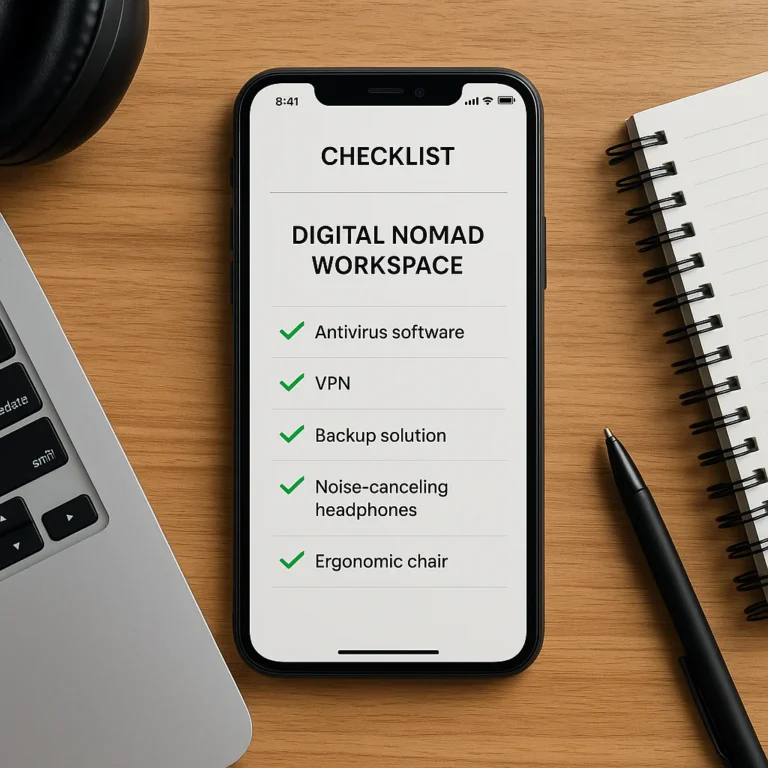
For more on digital safety, check out our Digital Nomad Checklists for tips on staying secure while traveling.
🛠️ Troubleshooting: When Your Packing App Glitches
Even the best apps have bugs. Here’s what to do when things go wrong.
- Sync Issues: Try logging out and back in. Check your internet connection.
- Missing Items: Manually add the item and save the list.
- Crashes: Update the app to the latest version. If that fails, contact support.
- Multi-Stop Confusion: Create separate trips for each leg and manually consolidate.
🎒 Pro Tips for Mastering the Art of Digital Packing
- Start Early: Don’t wait until the night before. Start your list a week in advance.
- Review Regularly: Check your list daily as plans change.
- Share with Partners: Use the sharing feature to avoid duplicates.
- Customize: Add personal items that the app doesn’t suggest.
- Use Offline Mode: Download your list before you leave home.
❓ Frequently Asked Questions About Travel Packing Apps
Are there any free packing apps for travel that offer all the features I need to ensure a smooth trip?
While many apps offer robust free versions, full feature sets (like multi-stop trips, offline mode, and advanced weather integration) are often locked behind a paywall. However, apps like PackPoint and Travel Packing List: Pack This offer excellent free tiers that cover most basic needs.
Can a packing app really help reduce stress and make my trip more enjoyable, and if so, how?
Absolutely! By offloading the mental burden of remembering every item, you can focus on enjoying your trip. Apps provide a sense of control and confidence, knowing you haven’t forgotten anything essential.
How do I choose the right travel packing checklist app for my specific needs and destination?
Consider your travel style. If you’re a solo backpacker, Packr might best. If you’re a business traveler, TripIt is ideal. For families, Packing (as mentioned in the video) is a great choice. Always check for offline capabilities and customization options.
What are the best packing apps for international travel to help me stay organized?
For international travel, PackPoint and Packr are top contenders due to their weather integration and multi-destination support. TripIt is also excellent for managing complex itineraries.
What is the best packing app for travel in 2024?
Based on our testing, PackPoint remains the top choice for most travelers due to its smart algorithms and user-friendly interface. However, Packr is a close second for those who need multi-stop support.
How do I sync my packing list across devices?
Most premium apps offer cloud sync via your Apple or Google account. Simply sign in on all your devices, and your list will update automatically.
Are there free packing apps with offline mode?
Yes, Travel Packing List: Pack This and the free version of PackPoint (with some limitations) offer offline capabilities. Always test the app before you leave home.
Can a travel checklist app help me avoid forgotten items?
Definitely! By using context-aware lists and customization, these apps ensure you don’t forget essentials like chargers, adapters, or specific clothing items.
🏁 Conclusion

So, after all this digital detective work, which app should you download? If you’re a beginer or a single-destination traveler, PackPoint is your best bet. It’s intuitive, smart, and handles the basics with ease. If you’re a world traveler or planning a multi-stop adventure, Packr is the clear winner with its superior multi-destination support and visual flair.
Remember, the best app is the one you’ll actually use. Don’t get boged down in features you won’t need. Start simple, customize as you go, and enjoy the peace of mind that comes with a well-packed bag.
Final Thought: Did you ever wonder if you could pack for a trip without an app? Sure, you can. But why risk forgetting your favorite hat or the right shoes for a rainy day? Let the apps handle the details, so you can focus on the memories.
🔗 Recommended Links
Here are the top picks for packing apps and related travel gear:
- PackPoint Premium: Amazon | Google Play Store | App Store
- Packr Premium: Amazon | App Store
- TripIt Pro: TripIt Official | Amazon
- TravelSpend: Google Play Store | App Store
- Visit A City: App Store | Google Play Store
- Tripsy: App Store | Tripsy Official
- Rome2Rio: App Store | Google Play Store
- Roadtrippers: App Store | Google Play Store
- Timeshifter: App Store | Timeshifter Official
- Travel Packing List: Pack This: App Store | Google Play Store
Books for Travelers:
- The Art of Travel by Alain de Botton
- Travel Light by Mark Ellingham
📚 Reference Links
- PackPoint App Store
- Packr App Store
- TripIt Official Website
- PackPoint Google Play
- Packr Developer Contact
- Travel Checklist™ Adventure Travel Checklists
- Travel Checklist™ Digital Nomad Checklists
- Travel Checklist™ Budget Travel Checklists
- Travel Checklist™ Beach Vacation Checklists
- Travel Checklist™ Backpacking Checklists
- Travel Checklist™ Free Packing List Apps