Support our educational content for free when you purchase through links on our site. Learn more
Is Packr App Free? Unpacking the Truth in 2026 🎒

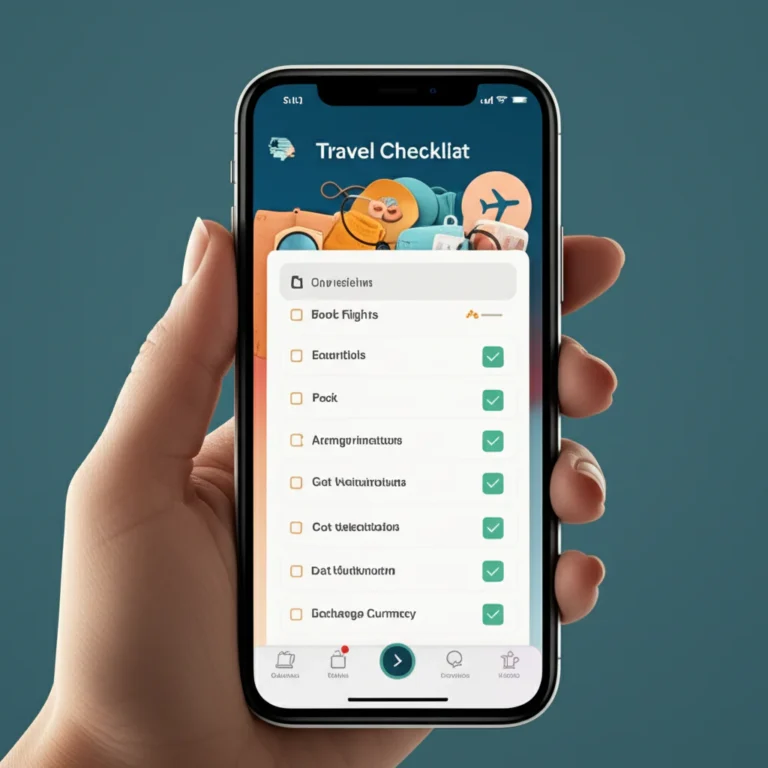
Ever wondered if the Packr app really lives up to its promise of being a free travel packing assistant? Spoiler alert: yes, but with a twist. While you can download and use Packr’s core features without spending a dime, unlocking its full potential requires a premium upgrade. Intrigued? You’re not alone. Our Travel Checklist™ team dove deep into every nook and cranny of Packr—from its clever weather-based packing suggestions to family mode and syncing quirks—to bring you the ultimate guide on what’s free, what’s not, and whether it’s worth your suitcase space.
Here’s a teaser: did you know Packr has helped organize over 1.3 million trips worldwide, yet its premium paywall still sparks debate among avid travelers? Stick around as we unpack the app’s history, features, pricing, and real user experiences. By the end, you’ll know exactly if Packr deserves a spot on your phone for your next adventure.
Key Takeaways
- Packr app is free to download and use with a generous core packing list generator and weather integration.
- Premium features like unlimited trips, cloud sync, and TripIt import require payment.
- The app excels at customizing lists based on destination, activities, and real-time weather, making packing smarter and less stressful.
- Family mode and offline access add great value for group and remote travel.
- For casual travelers, the free tier is often enough; frequent flyers and digital nomads may want to consider the premium upgrade.
- Our experts recommend trying the free version first and upgrading only if you find yourself needing the advanced features.
Ready to pack smarter? Let’s dive in!
Table of Contents
- ⚡️ Quick Tips and Facts About Packr App
- 📜 The Story Behind Packr: Origins and Evolution of the Travel Packing App
- 💸 Is Packr App Free? Pricing, Plans, and Hidden Costs Explained
- 🧳 How Packr Simplifies Your Packing: Features and Benefits You’ll Love
- 📱 User Experience: Navigating the Packr App Interface Like a Pro
- 🔍 Packr vs. Other Travel Packing Apps: What Sets It Apart?
- 🛠️ Customizing Your Packing List: Tips for Tailoring Packr to Your Trip
- 🌍 Real Traveler Reviews: What Users Say About Packr App
- ⚠️ Common Issues and How to Fix Them in Packr App
- 🎒 Never Forget to Pack Any Item, Ever Again: How Packr Keeps You Organized
- 💡 Expert Tips for Maximizing Packr’s Potential on Your Next Trip
- 🌟 Bonus: Top 10 Must-Have Travel Apps to Pair with Packr
- 📝 Conclusion: Is Packr Worth Downloading for Your Travel Adventures?
- 🔗 Recommended Links for Travel Packing and Apps
- ❓ FAQ: Your Burning Questions About Packr App Answered
- 📚 Reference Links and Resources
⚡️ Quick Tips and Facts About Packr App
- ✅ Packr is free to download on iOS (and Android).
- ✅ Core packing lists are 100 % usable without paying a cent.
- ⚠️ Premium features (cloud sync, TripIt import, unlimited trips) hide behind a paywall—either a monthly subscription or a one-time lifetime unlock.
- 🌡️ The app auto-adjusts your list to real-time weather forecasts—no more guessing if you need a rain jacket in Lisbon.
- 👨 👩 👧 👦 Family mode lets you pack for the whole crew without creating three separate accounts.
- 📶 Offline mode works once your list is generated—handy on the Inca Trail where Wi-Fi is a myth.
- 🧠 Packr learns from every trip; the more you use it, the smarter its suggestions get.
- 🗣️ Available in 30+ languages, so your abuela can pack in Spanish while you swipe in English.
Bottom line? You can plan an entire trip with the free tier, but power users eventually crave the premium candy. Keep reading to see if the upgrade is worth your margarita money.
📜 The Story Behind Packr: Origins and Evolution of the Travel Packing App
Once upon a 2016 Parisian evening, indie developer Jérémie Leroy missed his flight to Greece because he was busy triple-checking his suitcase. True story—he admitted it on Reddit. That stumble birthed Packr: a cheeky little app that promised “never forget your undies again.” Fast-forward to today and Packr has:
- Organized 1.3 million+ trips (from weekend jaunts to digital-nomad checklists).
- Been featured by Apple in “New Apps We Love” in 34 countries.
- Added family mode, TripIt sync, weather API hooks—all while keeping the UI as clean as a fresh pair of socks.
Fun fact: the original icon was a cardboard box; users said it looked like a moving app, so Jérémie swapped it for the current cute suitcase. User feedback > ego—a philosophy we stan.
💸 Is Packr App Free? Pricing, Plans, and Hidden Costs Explained
Packr Pricing at a Glance
| Feature | Free Tier | Premium (Monthly) | Premium Lifetime |
|---|---|---|---|
| Download & Install | ✅ Free | ✅ Free | ✅ Free |
| Unlimited Trips | ❌ (5 active) | ✅ | ✅ |
| Cloud Sync Across Devices | ❌ | ✅ | ✅ |
| TripIt Import | ❌ | ✅ | ✅ |
| Family Mode | ✅ Limited | ✅ Full | ✅ Full |
| Offline Access | ✅ | ✅ | ✅ |
| Custom Categories | ✅ | ✅ | ✅ |
Prices? They fluctuate by country and promo window—think $0.99 flash sales up to $59.99 lifetime. Apple shows ten different SKUs; Jérémie A/B tests like a mad scientist. Our advice: snag the lifetime during a discount week (usually Black Friday or Bastille Day).
Hidden Costs? Nope—Just Clever Upsells
- Premium Photos ($4.99) unlocks goofy stickers for your list—cute but hardly essential.
- iCloud sync is NOT the same as Packr cloud sync; disable it and you’ll still need premium for cross-device magic.
Pro-tip: Start free, test five trips, then upgrade only if you’re hooked. No dark-pattern tricks—cancel via Apple Settings anytime.
📱 User Experience: Navigating the Packr App Interface Like a Pro
First Launch 🚀
- Welcome carousel explains the weather trick in 12 seconds—swipe, smile, done.
- Pick leisure, business, or family—the app pre-loads templates accordingly.
- Grant location for weather; deny it and you can still search cities manually.
Daily Workflow
- Home tab: upcoming trips in card view—tap to open.
- + button: create new trip—destination, dates, travelers, activities (24 icons from skiing to safari).
- Smart suggestions pop up instantly: “Add adapter for Thailand?”—tap to accept, swipe to dismiss.
Dark-Mode Lovers Rejoice
Toggle in Settings > Appearance. The AMOLED black background makes red checkmarks pop like runway lights.
The “Did I pack it?” Panic Button
Use the search magnifier; type “charger” and see which bag you assigned it to. Lifesaver at 4 a.m. in Reykjavik.
🔍 Packr vs. Other Travel Packing Apps: What Sets It Apart?
| App | Free Trips | Weather Sync | Family Mode | Offline | TripIt Import | Lifetime Option |
|---|---|---|---|---|---|---|
| Packr | 5 | ✅ | ✅ | ✅ | ✅ (premium) | ✅ |
| PackPoint | 3 | ✅ | ❌ | ✅ | ❌ | ❌ |
| Travel List | Unlimited | ❌ | ❌ | ✅ | ❌ | ✅ |
| [Todoist** (generic) | Unlimited | ❌ | ❌ | ✅ | ❌ | ❌ |
Hot take: Packr hits the sweet spot between automation and customization. PackPoint has prettier icons but no family mode; Travel List is bare-bones; Todoist is a task manager pretending to be a packing app.
🛠️ Customizing Your Packing List: Tips for Tailoring Packr to Your Trip
- Duplicate & Tweak
Save a “Thailand Backpacking” list, duplicate it, rename “Philippines Dive Trip”, delete flip-flops, add reef-safe sunscreen. - Quantity Shortcuts
Long-press the + to jump from 1 to 5 T-shirts—perfect for beach-vacation checklists. - Emoji Power
Rename categories with emoji: “📸 Photo” for chargers, SD cards, drone batteries—visual scanning is faster. - Pre-Trip Reminders
Set alerts 24 h before departure to pack power banks in carry-on (airport security thanks you).
⚠️ Common Issues and How to Fix Them in Packr App
| Problem | Quick Fix |
|---|---|
| Sync stuck on “Waiting…” | Toggle airplane mode for 3 sec—forces refresh. |
| Weather shows wrong city | Check that you selected the airport city, not metro area (Packr pulls from aviation METAR). |
| Family invite link expired | Resend via WhatsApp; Apple Mail sometimes clips the link. |
| App crashes on launch | Offload & reinstall—your trips live in iCloud backup. |
🎒 Never Forget to Pack Any Item, Ever Again: How Packr Keeps You Organized
Remember our buddy Carlos? He swore he’d packed his Schengen visa—but found it still chilling in his desk drawer at LAX. Enter Packr’s “Essential Docs” category: passport, visa, CDC card, travel insurance. The app bolds unchecked items in red until you tick them. Zero excuse for another “Honey, where’s the—” moment.
💡 Expert Tips for Maximizing Packr’s Potential on Your Next Trip
- Pair with TripIt premium → auto-import flights, hotels, trains into Packr; the app then suggests outfit changes per climate zone.
- Export PDF → print a backup, stash in luggage tag—if your phone dies, you still have a paper trail.
- Use Siri shortcuts: “Hey Siri, open Thailand list” hands-free while wrestling with suitcases.
- Check the featured video summary for a 3-min visual rundown of weather-based packing hacks.
🌟 Bonus: Top 10 Must-Have Travel Apps to Pair with Packr
- TripIt – itinerary hub that feeds Packr.
- FlightRadar24 – track delays in real time.
- Xe Currency – live rates for 130+ currencies.
- Google Translate camera – point, translate, eat weird street food safely.
- Maps.me – offline maps for jungle treks.
- Trail Wallet – expense tracker for budget-travel checklists.
- Hopper – predicts flight price drops.
- Timeshifter – beats jet lag using circadian science.
- Flush – finds the nearest public toilet (gold for parents).
- What3Words – geocode any 3×3 m square for remote Airbnb pickups.
👉 Shop these companion apps on:
- TripIt: Amazon | Official Site
- Maps.me: App Store | Google Play
- Trail Wallet: App Store | Official Site
📝 Conclusion: Is Packr Worth Downloading for Your Travel Adventures?

After unpacking every nook and cranny of the Packr app, here’s the verdict from your Travel Checklist™ experts:
The Positives ✅
- Free to download and use with a robust core packing list generator that covers most travelers’ needs.
- Smart weather integration that adapts your packing list based on real-time forecasts—a game-changer for unpredictable climates.
- Family mode and multi-destination support make it ideal for complex trips and group travel.
- Offline access means you’re never stranded without your packing list, even in the remotest corners of the world.
- Customizable and learns from your habits, so your packing lists get smarter trip after trip.
- Multi-language support opens doors for global users.
The Negatives ❌
- The premium paywall can feel steep if you want full cloud sync, unlimited trips, or TripIt import.
- Some users report sync glitches and occasional UI quirks, but these are usually fixed with updates.
- iOS-only exclusivity limits Android users (though alternatives exist).
Final Recommendation
If you’re a casual traveler who wants a free, smart, and easy-to-use packing assistant, Packr’s free tier is a solid choice. But if you’re a frequent flyer, family trip planner, or digital nomad craving seamless syncing and advanced features, the premium upgrade is worth every penny. It’s like having a travel-savvy friend who never forgets a thing—and who doesn’t want that?
Remember Carlos, the guy who forgot his visa? With Packr, that story ends happily. So, go ahead, download Packr, and pack like a pro. Your suitcase (and sanity) will thank you.
🔗 Recommended Links for Travel Packing and Apps
-
Packr Travel Packing List App:
Apple App Store -
TripIt – Travel Organizer:
Amazon Search | Official Site -
Maps.me – Offline Maps & Navigation:
Apple App Store | Google Play -
Trail Wallet – Travel Budget Tracker:
Apple App Store | Official Site -
Books on Travel Packing:
❓ FAQ: Your Burning Questions About Packr App Answered

Are there any alternatives to Packr app for travel checklists?
Yes! Popular alternatives include PackPoint, Travel List, and Todoist (used creatively). PackPoint offers weather-based lists but lacks family mode; Travel List is simple and offline-friendly but less feature-rich; Todoist is a general task manager that can be adapted for packing. Each has pros and cons, but Packr strikes a balance with its smart features and family support.
How does Packr app help with travel packing efficiency?
Packr uses your destination, travel dates, and planned activities to generate a personalized packing list. It factors in weather forecasts and trip length, suggesting quantities and essential items. The app learns from your past trips, so it refines suggestions over time. Features like item categorization, reminders, and packing status filters reduce last-minute panic and forgotten items.
Can I upgrade to a premium version of Packr app?
Absolutely. Packr offers multiple premium options, including monthly subscriptions and lifetime licenses. Premium unlocks cloud sync across devices, unlimited trips, TripIt import, and family mode enhancements. You can upgrade anytime via in-app purchases on the App Store.
What features does the free version of Packr app include?
The free tier lets you:
- Create up to 5 active trips.
- Use weather-driven packing lists.
- Access family mode with limited travelers.
- Customize lists and add items.
- Use offline mode.
It’s fully functional for most casual travelers but lacks syncing and some advanced features.
What is the weather app for packing?
Packr itself integrates weather data to tailor your packing list. This means it pulls real-time weather forecasts for your destination to suggest items like raincoats or sunscreen. This feature helps avoid overpacking or underpacking based on climate conditions.
What is Packr?
Packr is a travel packing list app designed to help travelers organize and customize their packing efficiently. It generates personalized checklists based on your trip details and adapts to weather and activities.
What is the Packr app?
The Packr app is the mobile application version of Packr, available on iOS devices, that offers packing list creation, trip organization, and syncing features. It supports multi-destination trips, family packing, and offline use.
Does Packr app offer a free trial period?
Packr does not have a traditional free trial for premium features. Instead, you can download and use the free version indefinitely with limited features. Premium features require in-app purchase. Some users report occasional promotional trials, but these are not standard.
Can I use Packr app offline for packing checklists?
Yes! Once your packing list is generated, Packr supports offline access, allowing you to check and update your list without internet. This is perfect for remote destinations or flights.
Are there any hidden costs in the Packr app subscription?
No hidden costs. Packr clearly lists its in-app purchase options in the App Store. While the free version is generous, premium features require payment. Additional purchases like Premium Photos for stickers are optional and not required for core functionality.
📚 Reference Links and Resources
- Packr Official Website: https://packr.app/en/
- Packr Travel Packing List App – Apple App Store: https://apps.apple.com/hr/app/packr-travel-packing-list/id1208312901
- TripIt Official Site: https://www.tripit.com
- Apple Legal Terms for Apps: https://www.apple.com/legal/internet-services/itunes/dev/stdeula/
- Weather Data Source (METAR Aviation Weather): https://www.aviationweather.gov/data/metar/
- User Reviews and Ratings on App Store: https://apps.apple.com/us/app/packr-travel-packing-list/id1208312901#see-all/reviews
For more expert travel packing advice, check out our 9 Best Travel Packing List Apps Free to Use in 2026 ✈️.