Support our educational content for free when you purchase through links on our site. Learn more
15 Best Digital Nomad Hubs & Remote Work Checklists 🌍

The best digital nomad hubs and essential remote work travel checklists start with a simple rule: choose a destination that fits your workday, then prepare for its internet, visa rules, time zone, workspace, and daily costs before you go. Lisbon, Chiang Mai, Mexico City, and other popular hubs can be excellent bases—but no city is a good fit if your calls drop every ten minutes.
We’ve learned that the most memorable part of a work trip isn’t always the view. Sometimes it’s discovering your “desk” is a tiny table beside a very enthusiastic espresso machine. A little research, a backup data plan, and a checklist can turn that kind of surprise into a funny story instead of a missed deadline.
Key Takeaways
- Pick a hub for your real work routine: compare internet, time zones, accommodation, transport, safety, and lifestyle—not popularity alone.
- Check visa and work rules through official sources: entry permission and remote-work permission aren’t always the same thing.
- Bring a dependable work setup: prioritize your laptop, charger, headset, adapter, secure account access, and backup internet.
- Verify your workspace before booking: ask about in-room Wi-Fi, desk quality, noise, power outlets, and nearby alternatives.
- Pack for the work you actually do: a compact, reliable kit beats a suitcase full of gadgets you rarely use.
- Keep travel tasks together: organize documents, booking checks, packing, and arrival reminders with Travel Smoothly and its digital nomad checklists.
Table of Contents
- ⚡️ Quick Tips and Facts
- 🌍 How Digital Nomad Hubs Have Evolved
- 🧭 How to Choose the Right Remote Work Destination
- Internet Reliability and Power
- Visas, Entry Rules, and Length of Stay
- Cost of Living, Safety, and Healthcare
- Time Zones, Community, and Daily Life
- 🏙️ 15 Best Digital Nomad Hubs for Remote Workers
- 1. Lisbon, Portugal
- 2. Barcelona, Spain
- 3. Chiang Mai, Thailand
- 4. Bangkok, Thailand
- 5. Bali, Indonesia
- 6. Kuala Lumpur, Malaysia
- 7. Medellín, Colombia
- 8. Mexico City, Mexico
- 9. Buenos Aires, Argentina
- 10. Cape Town, South Africa
- 11. Tbilisi, Georgia
- 12. Tallinn, Estonia
- 13. Prague, Czechia
- 14. Ho Chi Minh City, Vietnam
- 15. Tokyo, Japan
- 📊 Compare the Best Cities for Digital Nomads
- 🗓️ Best Digital Nomad Destinations by Season
- 🛂 Digital Nomad Visas, Taxes, and Legal Basics
- 🏠 Finding Accommodation and a Productive Workspace
- Coworking Spaces, Cafés, and Work-Friendly Stays
- Questions to Ask Before Booking
- 🎒 The Essential Remote Work Travel Checklist
- Travel Documents and Money
- Laptop, Phone, and Work Technology
- Connectivity, Backup Internet, and Power
- Ergonomic Gear and Work Comfort
- Clothing, Health, and Personal Essentials
- Security, Privacy, and Data Protection
- 🧳 Packing Smart for Long-Term Remote Work Travel
- 📶 Staying Connected Abroad: SIM Cards, eSIMs, and Wi-Fi
- 💸 Budgeting for a Work-from-Anywhere Lifestyle
- 🔐 Staying Safe, Healthy, and Insured on the Road
- 🕰️ Building a Sustainable Remote Work Routine
- ❌ Digital Nomad Mistakes to Avoid
- ✅ Pre-Departure and Arrival Checklist
- 🏁 Conclusion
- 🔗 Recommended Links
- ❓ FAQ
- 📚 Reference Links
⚡️ Quick Tips and Facts
The best digital nomad hub isn’t simply the city with the prettiest coworking café or the strongest latte art. It’s the place where your work schedule, internet needs, legal stay, budget, and everyday comfort can coexist.
If you’re still comparing regions, start with our guide to top travel destinations, then use this guide to narrow your choices and prepare for the workday you’ll actually have there.
| Quick fact | What it means for your trip |
|---|---|
| A “digital nomad hub” is a practical base, not just a popular destination. | Check internet, accommodation, transport, time zone, visa rules, and your own work needs before committing. |
| Visa policies differ by nationality and can change. | Confirm rules through the destination’s official immigration authority before booking a long stay. |
| A café connection is not a backup plan. | Arrange a second internet option, such as a local SIM or eSIM, before a deadline depends on it. |
| Coworking spaces can improve routine, but are not essential everywhere. | Compare membership terms, opening hours, call booths, power outlets, and the commute. |
| Every remote-work trip needs a checklist that fits its itinerary. | A trip-planning app such as Travel Smoothly can help you organize tasks, packing, and reminders in one place. |
| Packing light is about reducing duplicates, not removing every comfort. | Bring the gear that protects your focus, health, and ability to work; leave the “maybe someday” gadgets at home. |
Our quick-start checklist
- ✅ Confirm your employer or client allows work from the destination.
- ✅ Verify entry rules, permitted stay, and any remote-work visa requirements.
- ✅ Test your core setup: laptop, charger, headset, and internet backup.
- ✅ Book accommodation with a desk or a realistic nearby workspace.
- ✅ Save offline copies of travel documents and important addresses.
- ✅ Add arrival-day essentials and work gear to a digital nomad checklist.
- ❌ Don’t assume a tourist entry automatically permits remote work; rules depend on the country and your circumstances.
One detail often separates a smooth first week from a string of frantic searches for adapters and desk space: deciding what you must verify before departure versus what you can improvise after arrival. We’ll build that distinction into the checklists below.
🌍 How Digital Nomad Hubs Have Evolved
Digital nomads once tended to gather around a handful of famous, relatively affordable cities. Now remote workers choose destinations for a much broader mix of reasons: coworking access, direct flights, reliable mobile data, community, quality of life, climate, visa options, and overlap with their team’s working hours.
The term digital nomad hub can describe a city with a visible international remote-work community, but popularity alone doesn’t make somewhere a good fit. A well-connected city can be noisy and expensive; a quieter town may offer a gentler routine but fewer backup workspaces or transport links. The right choice depends on what your workday asks of you.
| What changed | Why it matters to remote workers |
|---|---|
| Remote work became more varied. | A freelancer on flexible hours has different needs from an employee expected to attend daily video meetings. |
| More destinations introduced remote-work visa pathways. | Visa availability, eligibility, tax treatment, and application requirements still vary; official government sources should be your final check. |
| Workspaces expanded beyond cafés. | Coworking venues, serviced apartments, libraries, and work-friendly hotels offer different levels of quiet and reliability. |
| Travel became more dependent on digital services. | E-tickets, authentication apps, cloud files, and online banking make device security and backup access essential. |
| “Affordable” became personal. | A low rent does not help if you need expensive short-term housing, daily transport, or a coworking membership. |
A useful lens comes from Carryology’s guide to digital-nomad accessories, which describes the goal as accessories that balance “practicality with style” while supporting “organization, comfort, and durability.” That gear-focused perspective complements destination guides: one helps you choose where to work, the other helps you carry your setup there.
Our own rule is simple: choose a hub around your ordinary Tuesday, not your idealized Saturday. Picture a day with a deadline, a video call, a grocery run, and a rainy walk home. If the location still sounds workable, it’s worth a closer look. 🌧️💻
🧭 How to Choose the Right Remote Work Destination
Start with the constraints you can’t wish away: legal permission to stay, work-hour overlap, internet needs, and budget. Then compare quality-of-life factors such as climate, community, transport, food, and access to outdoor activities.
Before booking a month or more, use this five-step process:
- Define your work pattern. List meeting hours, required upload speeds or tools, calls per day, and whether you need a private room.
- Shortlist three destinations. Compare cities with different strengths rather than choosing three versions of the same place.
- Check official entry information. Use government immigration or foreign-affairs pages, not just social posts or an old blog.
- Test the daily logistics. Look at accommodation location, coworking options, transit, mobile coverage, and grocery access.
- Book a trial stay when possible. A shorter first visit can reveal whether the climate, noise, and time zone suit you.
For more destination inspiration, browse our top travel destinations and budget travel checklists. Use them as planning aids, not as substitutes for current immigration or safety advice.
Internet Reliability and Power
“Has Wi-Fi” is not a useful internet guarantee. Ask about speed, stability, router location, network congestion, and backup options. If you have calls or large uploads, ask your accommodation host for recent test results and whether the connection is shared with many units.
| Internet question | What to verify |
|---|---|
| Is Wi-Fi available in the room? | A connection in the lobby is not enough if you need private calls. |
| Is there a wired connection? | Ethernet can be a useful backup for a fixed work setup, if your device supports it. |
| Does mobile data work indoors? | Check carrier coverage and local SIM/eSIM options for the specific neighborhood. |
| Are there power interruptions? | Ask the host or coworking venue about backup power and building reliability. |
| Can you take confidential calls? | Identify a private room or bookable meeting booth before you need one. |
Keep a primary and secondary connection: accommodation Wi-Fi plus a local data plan is a sensible baseline. If your work is particularly time-sensitive, identify a nearby coworking space before arrival rather than searching during a service outage.
For power, check the plug type and electrical standards through the destination’s official travel guidance. Pack a reputable adapter, but remember: a travel adapter changes the plug shape; it does not necessarily convert voltage. Check the labels on your devices and chargers.
Visas, Entry Rules, and Length of Stay
Visa and work rules are country-specific—and sometimes depend on nationality, work type, employer location, duration, and income. Don’t infer that remote work is permitted simply because a destination offers visa-free tourism.
Use this process:
- Visit the destination’s official immigration or consular website.
- Check the permitted stay and whether extensions are possible.
- Search for official guidance on remote work, business activity, and digital-nomad visas.
- Confirm documentation, insurance, income, and application requirements.
- Recheck rules shortly before departure, because policies can change.
The U.S. Department of State’s travel pages provide country information for U.S. travelers; travelers of other nationalities should also consult their own government’s travel advice and the destination government. For European destinations, start with the relevant national immigration service rather than assuming the same rules apply throughout the Schengen Area.
Cost of Living, Safety, and Healthcare
A realistic remote-work budget includes more than rent and meals. Add transport, coworking, mobile data, laundry, health coverage, bank fees, and a buffer for a last-minute change of plans.
| Budget category | Questions to ask |
|---|---|
| Accommodation | Is there a private workspace, reliable Wi-Fi, and a fair cancellation policy? |
| Work costs | Will you need coworking, meeting rooms, or a second data plan? |
| Local transport | Can you reach workspaces safely and reliably? |
| Healthcare | Does your insurance cover the destination, activities, and duration? |
| Safety | What do official travel advisories say about the specific area and current conditions? |
| Contingency | Could you pay for a hotel or transport if your original plan falls through? |
Check your government’s current travel advisory and the destination’s public-health resources. The CDC Travelers’ Health destination pages can help you identify health guidance, while an insurer can clarify what a policy covers. A standard travel policy may not cover every work activity, longer stay, or pre-existing condition, so read the exclusions.
If hiking, surfing, or other activities are part of the plan, add the right safeguards with our adventure travel checklists. Work trips can still involve a mountain trail; your laptop just shouldn’t be the only thing you insure.
Time Zones, Community, and Daily Life
Time-zone fit can matter more than the headline cost of living. A destination that looks perfect on a map may mean late-night meetings or a workday that starts before sunrise.
Before you commit, compare:
- Your team’s regular meeting hours with the destination’s local time.
- Typical daylight and climate during your travel dates.
- Coworking options and the likelihood of meeting people outside work.
- Transport from the airport and between your accommodation and workspaces.
- Language, accessibility, food, and everyday services that matter to you.
- Opportunities to take breaks away from screens.
A nomad community can make a new place feel less lonely, but community is not a substitute for local knowledge. Ask recent travelers about practical details—noise, transit, neighborhoods, and workspace etiquette—and cross-check important claims with official sources. The best hub is not necessarily the one with the loudest online following. It’s the one where your work and your life both fit.
🏙️ 15 Best Digital Nomad Hubs for Remote Workers
These destinations are a shortlist, not a universal leaderboard. Conditions vary by neighborhood, season, personal needs, passport, and current local rules. Verify immigration requirements, safety guidance, and accommodation details before you book.
| Hub | Often appeals to | Check before booking |
|---|---|---|
| Lisbon | European city life and international community | Housing availability, neighborhood costs, and current visa rules |
| Barcelona | Mediterranean lifestyle and urban amenities | Accommodation, local regulations, and seasonal crowding |
| Chiang Mai | A relaxed routine and established remote-work scene | Seasonal air quality, visa conditions, and hot-season comfort |
| Bangkok | Large-city services and regional connections | Commute times, neighborhood choice, and noise |
| Bali | Island lifestyle and coworking options | Transport, local rules, connectivity at your exact stay |
| Kuala Lumpur | Urban convenience and regional access | Neighborhood fit, climate, and current entry requirements |
| Medellín | Mild climate and lively city life | Safety by area, transport, and local work-hour fit |
| Mexico City | Culture, food, and a large urban community | Air quality, housing, and commute time |
| Buenos Aires | Arts, cafés, and city neighborhoods | Current entry and financial arrangements; verify conditions |
| Cape Town | Outdoor access and scenic surroundings | Safety planning, neighborhood, and reliable power/connectivity |
| Tbilisi | Distinctive city culture and regional travel | Current entry rules, seasonality, and local conditions |
| Tallinn | Digital services and a compact urban environment | Climate, cost, and visa eligibility |
| Prague | Historic center and European connections | Housing costs, crowd levels, and legal stay |
| Ho Chi Minh City | Energetic urban life and food scene | Traffic, workspace noise, and visa rules |
| Tokyo | Exceptional city services and cultural depth | Accommodation costs, language needs, and work eligibility |
1. Lisbon, Portugal
Lisbon suits remote workers who want a European city with a lively café culture, public transport, and an international community. Different neighborhoods feel dramatically different, so compare the everyday commute and noise level—not only the postcard views.
Best for: people seeking city amenities, social opportunities, and European travel connections.
Watch for: housing availability, hill-heavy walking routes, summer heat, and the rules that apply to your nationality and work arrangement.
Before committing, check official Portuguese immigration information and your own government’s travel advice. For a first stay, choose accommodation with a confirmed work surface and Wi-Fi rather than relying on a café seat to become your office.
2. Barcelona, Spain
Barcelona combines beaches, urban services, food, and culture, making it an appealing base for people who want more than a desk-and-bed routine. It’s also a major city, so neighborhood selection and commute time matter.
Best for: remote workers who value walkability, culture, and access to the coast.
Watch for: seasonal crowds, housing conditions, local rules, and your work-hour overlap with clients elsewhere.
Check official Spanish immigration guidance for the requirements that apply to you. If beach days are part of your plan, our beach vacation checklists can help you pack for life beyond the laptop.
3. Chiang Mai, Thailand
Chiang Mai is a popular choice for remote workers looking for a relaxed pace, local food, and coworking options. It can work well for focused routines, especially if you choose accommodation near the facilities you’ll use.
Best for: people who prefer a slower city rhythm and a strong remote-work community.
Watch for: seasonal air quality, heat, visa conditions, and whether your preferred neighborhood suits your workday.
Thailand’s entry rules depend on nationality and travel purpose; verify current requirements through official Thai government or consular sources. Check air-quality information close to your travel dates, too—“great outdoor café” loses some charm when the air says otherwise.
4. Bangkok, Thailand
Bangkok offers big-city services, extensive food choices, and connections across the region. It can be a productive base if you pick accommodation close to transit and treat commute planning as part of your workspace strategy.
Best for: workers who value urban convenience, services, and travel links.
Watch for: traffic, noise, heat, and the difference between a short map distance and a short real-world commute.
Look for a building with dependable in-room Wi-Fi, not just a beautiful lobby. If you need calls, ask about quiet workspaces before booking.
5. Bali, Indonesia
Bali attracts remote workers with its mix of island living, coworking spaces, and opportunities for outdoor breaks. But “Bali” covers different areas and daily rhythms; a stay that works for someone else may not work for your commute or work hours.
Best for: travelers who want a community-oriented stay with time for outdoor activities.
Watch for: transport, seasonal conditions, internet quality at the exact accommodation, and Indonesian visa rules.
Confirm entry and remote-work requirements through official Indonesian immigration sources. Choose your area based on your daily routine—workspace, groceries, transport, and quiet—rather than assuming every part of the island offers the same setup.
6. Kuala Lumpur, Malaysia
Kuala Lumpur can appeal to remote workers seeking urban services, food options, and regional flight connections. It’s worth comparing the actual neighborhood, building, and transit access because a city-wide reputation won’t tell you whether your apartment is quiet.
Best for: travelers who want a city base and access to regional travel.
Watch for: climate, distance between neighborhoods, entry requirements, and your preferred work environment.
Check current requirements on official Malaysian government sources and ask accommodation hosts for a recent Wi-Fi test. A good connection is less useful if it only works beside the front desk.
7. Medellín, Colombia
Medellín’s mild climate and urban setting attract travelers who want a city base with parks, cafés, and social opportunities. As with any large city, choose your neighborhood with care and use current local and official safety guidance.
Best for: people looking for a lively urban base and a temperate-feling climate.
Watch for: neighborhood safety, transport, local conditions, and the time difference with your team.
Check Colombian immigration information for your passport and intended length of stay. Ask recent residents about day-to-day transport and workspace access, then cross-check safety advice through official sources.
8. Mexico City, Mexico
Mexico City offers a huge range of food, culture, neighborhoods, and work-friendly venues. It can also involve long travel times across a sprawling urban area, so the right location can make or break your routine.
Best for: travelers who want culture, city services, and a broad choice of neighborhoods.
Watch for: commute times, air-quality conditions, accommodation noise, and visa rules for your nationality.
Book near your main workspace or transit options instead of planning to cross town between calls. Consult official Mexican entry guidance and relevant health or travel advisories before departure.
9. Buenos Aires, Argentina
Buenos Aires is known for its distinctive neighborhoods, cultural life, and café scene. It can be an attractive base for travelers who enjoy city living, but conditions and practical arrangements can shift; verify current information rather than relying on older travel anecdotes.
Best for: people drawn to urban culture, cafés, and a long-stay city rhythm.
Watch for: current entry rules, changing local conditions, personal safety, and how your work hours align.
Confirm visa and entry rules through Argentine government sources. Plan how you’ll manage payments and essential travel documents before you arrive, and keep backup access to your accounts.
10. Cape Town, South Africa
Cape Town combines urban life with access to striking outdoor landscapes. It’s a compelling option for travelers who want to balance desk days with nature, provided they plan transport, safety, and connectivity carefully.
Best for: remote workers who value outdoor access and a varied city environment.
Watch for: neighborhood-specific safety, power and internet backup, and travel time between areas.
Use current official travel advice and ask accommodation hosts about backup power and Wi-Fi. If you’re planning hikes or outdoor days, prepare with our adventure travel checklists.
11. Tbilisi, Georgia
Tbilisi appeals to travelers interested in a distinctive city culture and a base for exploring the surrounding region. It can offer a different pace from major Western European hubs, but seasonality and current entry rules still deserve a careful check.
Best for: travelers seeking a culturally rich city and regional travel opportunities.
Watch for: climate, neighborhood choice, current entry conditions, and local developments.
Check official Georgian government and consular information before making a long-stay plan. Ask hosts about heating, cooling, and workspace suitability for the season you’ll visit.
12. Tallinn, Estonia
Tallinn offers a compact city environment and a strong digital-services reputation. It may suit workers who prefer an orderly urban base and don’t mind cooler, darker seasons.
Best for: people seeking a compact European city and modern services.
Watch for: seasonal daylight, climate, accommodation costs, and the visa route available to your passport.
Confirm current Estonian immigration rules through official government sources. If you’ll work with clients in other time zones, map your recurring meetings before you book.
13. Prague, Czechia
Prague pairs a historic city center with cafés, public transport, and regional connections. It’s popular, so choose accommodation based on workspace, neighborhood, and transit rather than assuming the central address is automatically the best one.
Best for: remote workers who want city culture and access to other European destinations.
Watch for: seasonal crowding, accommodation availability, and applicable visa rules.
Check the Czech government’s current immigration guidance and your own government’s travel advice. For longer stays, confirm that your accommodation is suitable for work, not merely sightseeing.
14. Ho Chi Minh City, Vietnam
Ho Chi Minh City is a high-energy urban base with a lively food scene and a large metropolitan footprint. Its pace can be exciting, though a quieter work setup may take deliberate planning.
Best for: travelers who enjoy energetic city life, food, and urban exploration.
Watch for: traffic, noise, local visa rules, and the work environment at your exact address.
Check official Vietnamese immigration sources for current entry requirements. If you have regular video calls, ask hosts about construction noise, room location, and internet reliability.
15. Tokyo, Japan
Tokyo offers extensive transport, daily services, and a remarkable range of neighborhoods and cultural experiences. It can be a rewarding base for remote work, but accommodation and work eligibility need extra attention.
Best for: travelers who value reliable city services, transit, and cultural variety.
Watch for: accommodation constraints, language needs, cost of day-to-day travel, and whether your entry status permits your intended work arrangement.
Check the Japanese government’s official visa guidance and your employer’s location policies. Build a plan for quiet calls and a comfortable desk; a tiny room can be charming right up until your laptop becomes the entire floor plan.
📊 Compare the Best Cities for Digital Nomads
No city wins every category. Use this comparison as a starting point for research, then verify current conditions in your target neighborhood and travel month. Cost, internet quality, safety, and coworking availability change over time and vary by accommodation.
| Destination | Urban pace | Strongest planning angle | Good fit if you prioritize | Check carefully |
|---|---|---|---|---|
| Lisbon | Medium-large | European city routine | Community and city amenities | Housing and current visa eligibility |
| Barcelona | Large | Neighborhood choice | Culture and coastal access | Seasonal crowds and accommodation |
| Chiang Mai | Medium | Season and air quality | A relaxed routine | Visa rules and environmental conditions |
| Bangkok | Large | Transit and neighborhood | Services and regional connections | Commute, heat, and noise |
| Bali | Spread out | Area and transport | Island lifestyle | Internet at the specific stay |
| Kuala Lumpur | Large | Building and transit | Urban convenience | Distance and entry rules |
| Medellín | Large | Neighborhood and safety | City life and climate | Current local guidance |
| Mexico City | Very large | Commute planning | Food and culture | Air quality and travel times |
| Buenos Aires | Large | Current conditions | Cafés and city culture | Entry and local practicalities |
| Cape Town | Large, spread out | Safety and backup power | Outdoor access | Transport and connectivity |
| Tbilisi | Medium | Season and entry rules | City culture | Climate and current guidance |
| Tallinn | Compact | Season and visa route | Modern services | Winter daylight and cost |
| Prague | Large | Accommodation location | Historic city life | Crowds and long-stay rules |
| Ho Chi Minh City | Very large | Noise and work setup | Energetic urban life | Traffic and visa conditions |
| Tokyo | Very large | Space and work eligibility | Transit and city services | Accommodation and entry status |
A simple scoring method
Rate each destination from 1 to 5 against the factors that matter to your work:
- Legal stay and work eligibility
- Internet and mobile-data backup
- Time-zone overlap
- Accommodation and workspace
- Safety and healthcare access
- Total monthly budget
- Community and lifestyle
- Ease of onward travel
Give your top two non-negotiables double weight. If reliable private internet matters more than nightlife, score it accordingly. A comparison sheet is much more useful than a viral ranking that treats every traveler like they have the same job and sleep schedule.
🗓️ Best Digital Nomad Destinations by Season
There isn’t one universally “best” season for every hub. Weather, local events, air quality, daylight, prices, and seasonal crowds all affect how comfortable it feels to work there.
| Planning factor | What to consider |
|---|---|
| Heat and humidity | Can you work comfortably without relying on an unreliable air conditioner? |
| Rain and storms | Will the route to your coworking space remain practical? |
| Air quality | Check current and seasonal local sources, especially if you have respiratory concerns. |
| Daylight | Short winter days may change your exercise, mood, and work routine. |
| Crowds | Peak travel periods can affect accommodation and workspace availability. |
| Local holidays | Services, transport, and business hours may change. |
How to plan around seasons
- Check official weather and health information for the dates you’re considering.
- Look at more than average temperatures; humidity, wind, and rainfall can change comfort.
- Ask accommodation hosts about cooling, heating, ventilation, and power reliability.
- Check coworking opening hours around public holidays.
- Plan a flexible first week so you can adjust if the local climate feels different from your expectations.
If your trip includes hiking, diving, or coastal activities, use our adventure travel checklists or beach vacation checklists alongside your work-travel plan. Your remote-work routine shouldn’t erase the reason you chose the destination in the first place.
🛂 Digital Nomad Visas, Taxes, and Legal Basics
A remote-work visa may provide a clearer pathway for some travelers, but it is not a universal permit, a tax answer, or an automatic right to work for any employer. Eligibility and obligations depend on the destination, your nationality, income, employer, and length of stay.
Your pre-booking legal checklist
- ✅ Confirm the permitted activity for your intended entry status.
- ✅ Check whether the visa applies to your employer, clients, or business structure.
- ✅ Review minimum-stay, income, insurance, and document requirements.
- ✅ Find out whether an extension or conversion is possible.
- ✅ Confirm whether local tax, registration, or reporting obligations may apply.
- ✅ Keep copies of approvals and supporting documents accessible offline.
Immigration is not the same as tax advice
Tax residence can depend on days present, home-country rules, tax treaties, employment arrangements, and other facts. Don’t assume that a visa’s name answers your tax question. Consult official tax authorities or a qualified professional familiar with the countries involved.
For an initial check, use the destination’s government immigration and tax websites, plus your home-country government’s guidance. Keep a record of travel dates and work arrangements. If your employer has a global mobility or legal team, ask them before departure; a five-minute email can save a much longer administrative headache later.
🏠 Finding Accommodation and a Productive Workspace
A good remote-work stay needs more than a bed and a decorative plant. Evaluate the desk, chair, lighting, noise, power outlets, Wi-Fi, and commute. If you will work from the accommodation, ask for photos of the actual work area rather than a wide-angle image that could conceal a laptop-sized table.
| Workspace feature | Why it matters |
|---|---|
| Stable desk and supportive chair | Helps you work comfortably over repeated sessions. |
| In-room Wi-Fi | Avoids depending on a shared lobby or café. |
| Natural and adjustable lighting | Makes long workdays easier on your eyes. |
| Power access | Keeps chargers close without a cable obstacle course. |
| Quiet room or call area | Protects meetings and concentration. |
| Clear cancellation terms | Gives you options if the work setup differs from the listing. |
Coworking Spaces, Cafés, and Work-Friendly Stays
Each workspace type has trade-offs:
| Workspace | Best for | Potential drawback |
|---|---|---|
| Coworking space | Routine, calls, networking, and dedicated desks | Membership rules, commute, and meeting-room availability |
| Café | Short sessions, social energy, and flexibility | Noise, limited outlets, and expectations to keep buying |
| Work-friendly accommodation | Convenience and privacy | Quality can vary; confirm desk and Wi-Fi details |
| Library or public workspace | Quiet, low-distraction work | Hours, access rules, and call restrictions |
| Serviced office | Private meetings or team sessions | Booking requirements and less social atmosphere |
Treat cafés as an occasional option unless the venue explicitly welcomes longer work sessions. Buy something, respect local etiquette, use headphones, and avoid monopolizing a table during busy periods. Your laptop does not grant diplomatic immunity from the lunch rush. ☕️
Questions to Ask Before Booking
Send the host or workspace operator a short, specific message:
- “Is the desk in the room shown in the listing?”
- “Can you share a recent Wi-Fi speed test from the room?”
- “Is the connection shared with other apartments?”
- “Is there a quiet place for video calls?”
- “Are there power outlets near the desk?”
- “What are the check-in and cancellation terms?”
- “Is construction or street noise expected during my stay?”
- “What coworking spaces or quiet work areas are within easy reach?”
Save the replies with your booking details. With a checklist app such as Travel Smoothly, you can keep booking checks, arrival tasks, and packing reminders together instead of scattering them across messages, notes, and a screenshot named “wifi maybe good?”
🎒 The Essential Remote Work Travel Checklist
A useful checklist is organized around what you must carry, what you must verify, and what you can replace locally. Keep critical documents and devices in your personal item, and put non-essential clothing or duplicates in your main luggage.
Travel Documents and Money
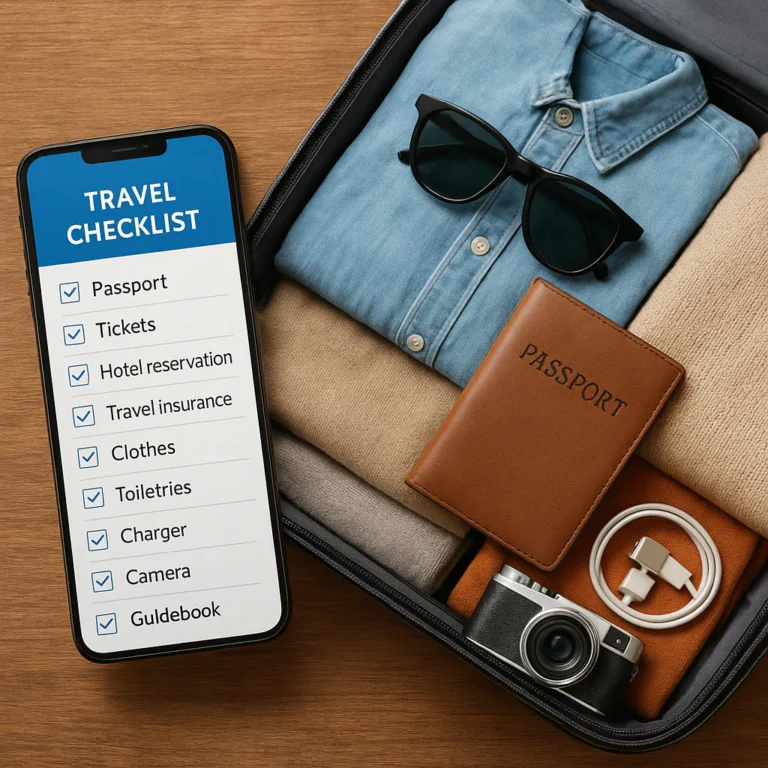
- ✅ Passport and any required visas or approvals
- ✅ Copies of itinerary, accommodation, and onward travel details
- ✅ Travel insurance policy and emergency contacts
- ✅ Driver’s license or international driving permit, if relevant
- ✅ Bank cards stored separately
- ✅ Small amount of destination currency, when appropriate
- ✅ Employer or client contact details
- ✅ Digital and offline copies of critical documents
- ✅ A plan for two-factor authentication if your usual phone is unavailable
Store copies securely. Don’t leave sensitive documents unprotected in public cloud folders, and don’t keep every payment card in one wallet. The U.S. Department of State’s traveler checklist is a useful official reference for U.S. travelers; other travelers should consult their own government’s travel guidance.
Laptop, Phone, and Work Technology
- ✅ Laptop and protective sleeve
- ✅ Phone and charging cable
- ✅ Charger suitable for your devices and destination
- ✅ Headphones or headset for calls
- ✅ Mouse, if it improves your workflow
- ✅ External storage or a secure backup method
- ✅ Webcam or privacy shutter, if needed
- ✅ USB-C hub or compatible adapter, if your laptop lacks ports
- ✅ Work-required security key, MFA device, or authenticator backup
- ✅ Power bank approved for air travel and compatible with your devices
Pack for your actual job rather than the imaginary version of your job that needs three monitors and a drone. A compact setup usually starts with a laptop, charger, headset, and dependable internet backup.
Connectivity, Backup Internet, and Power
- ✅ Confirm your phone is unlocked before travel if you plan to use a local SIM.
- ✅ Research local SIM and eSIM availability.
- ✅ Download offline maps, tickets, and essential documents.
- ✅ Carry a compatible travel adapter.
- ✅ Bring short, durable charging cables for your core devices.
- ✅ Identify a second workspace with Wi-Fi near your accommodation.
- ✅ Save emergency access instructions for work accounts.
Check battery capacity and airline rules before packing a power bank. Rules can vary, so confirm with your carrier and aviation authority. The U.S. Federal Aviation Administration’s PackSafe guidance explains U.S. passenger guidance for common hazardous materials; follow the airline and departure-country rules that apply to your flight.
Ergonomic Gear and Work Comfort
Remote work can turn a dining table into a workstation surprisingly quickly—and your neck will remember the arrangement. Consider:
- A foldable laptop stand if you often work for long sessions.
- A compact mouse or trackpad for more comfortable navigation.
- A lightweight keyboard if you use a raised laptop.
- A small cable organizer to keep your workspace tidy.
- An eye mask or earplugs for travel and unfamiliar accommodation.
- Reusable water bottle and basic personal comfort items.
Carry only what earns its space. If you rarely use an external keyboard at home, a long trip probably won’t transform you into a keyboard enthusiast.
Clothing, Health, and Personal Essentials
- ✅ Clothing suited to the destination’s climate and work norms
- ✅ One versatile layer for cold offices, flights, or evenings
- ✅ Comfortable shoes for daily walking
- ✅ Essential prescription medication in original packaging, when possible
- ✅ Basic personal first-aid and hygiene supplies
- ✅ Reusable laundry bag or packing cubes
- ✅ Glasses, contact lenses, and backup supplies
- ✅ A small daypack for errands and excursions
The accompanying featured video makes a useful case for balancing light packing with everyday comfort: it recommends compact work gear, noise-canceling headphones, versatile merino clothing, and a packable daypack, while emphasizing that “the key to packing light is to not overpack, but to pack smart.” We agree with the principle, not necessarily every item for every traveler. A coffee kit is a joy for one person and unnecessary baggage for another.
Security, Privacy, and Data Protection
- ✅ Update your operating system and apps before departure.
- ✅ Use unique passwords and a password manager.
- ✅ Enable multifactor authentication and save recovery options securely.
- ✅ Back up essential work files.
- ✅ Lock your devices whenever you step away.
- ✅ Use your employer’s approved VPN and security tools.
- ✅ Avoid handling sensitive work over public networks unless your organization’s policy allows it.
- ✅ Keep devices in your personal item during transit.
The U.S. Cybersecurity and Infrastructure Security Agency offers practical guidance on account security and safer online habits. Follow your employer’s rules for confidential work; public Wi-Fi convenience should never outrank data protection.
🧳 Packing Smart for Long-Term Remote Work Travel
Long-term packing is a balancing act: you need enough to work and feel comfortable, but not so much that every transfer becomes a luggage-based strength workout.
Build your packing system
- Start with the work essentials. Pack only what is required to do your job.
- Choose clothes that work together. Prioritize layers and repeatable outfits over one-use items.
- Separate categories. Use a small tech organizer and packing cubes if they genuinely save time.
- Plan for laundry. A normal laundry routine is lighter than packing a fresh outfit for every day.
- Leave room for local purchases. Toiletries and basics are often easier to replace than carry.
- Do a full carry test. Walk with your packed bag and check that it fits your real travel style.
- Remove “just in case” duplicates. Keep the essential backup—such as a charging cable—not a second version of every object.
Some gear themes in Carryology’s remote-work accessory roundup are worth considering: organized cables, a reliable power solution, noise control, and an ergonomic setup. But a portable monitor or premium bag is not automatically essential. Buy for a specific work problem, not for the fantasy of becoming a perfectly equipped traveler.
| Item type | Usually worth packing? | Decide based on |
|---|---|---|
| Laptop and charger | Yes | Work requirements |
| Headset | Usually | Calls and noise sensitivity |
| Adapter | Yes | Destination plug type |
| Power bank | Often | Travel days and battery needs |
| Laptop stand | Sometimes | Session length and workspace quality |
| Portable monitor | Sometimes | Your software and workflow |
| Coffee gear | Personal choice | Daily habit and luggage space |
| Extra shoes | Rarely more than needed | Climate and activities |
If you also plan to travel by bus, train, or overnight route, our backpacking travel checklists can help you prepare for the non-work part of the trip.
📶 Staying Connected Abroad: SIM Cards, eSIMs, and Wi-Fi
A reliable connection plan should have a primary network, a backup, and offline essentials. Accommodation Wi-Fi is often the primary option; a local SIM or eSIM can serve as backup and support navigation on arrival.
| Connection option | Strength | Limitation |
|---|---|---|
| Accommodation Wi-Fi | Convenient and usually included | Quality depends on the building and network load |
| Local physical SIM | Can offer local coverage and data | May require a compatible, unlocked phone and local registration |
| eSIM | Easy to install before arrival on supported phones | Device compatibility, coverage, and plan terms vary |
| Coworking Wi-Fi | Often suited to work and meetings | Opening hours, fees, commute, and space availability |
| Public Wi-Fi | Useful in a pinch | Security, congestion, and call privacy concerns |
Before departure
- Check whether your phone supports eSIM and is unlocked.
- Compare coverage for your destination and travel dates.
- Save installation instructions offline if you’ll activate an eSIM after arrival.
- Keep your home number accessible if it is tied to banking or authentication.
- Confirm whether your work VPN or security setup works over mobile data.
- Download maps and key documents for offline access.
Don’t promise a client you’ll take a video call from the airport because the terminal “probably has Wi-Fi.” Build your work plan around connections you can verify.
💸 Budgeting for a Work-from-Anywhere Lifestyle
A digital-nomad budget should reflect how you work, not only how you travel. Someone who needs a private desk and regular meeting rooms may spend differently from a freelancer who can work flexibly from accommodation.
Build a realistic monthly plan
Include:
- Accommodation, deposits, and cleaning fees
- Coworking or meeting-room access
- Local transport and airport transfers
- Mobile data, SIM or eSIM, and connectivity backup
- Food, coffee, and groceries
- Laundry and personal care
- Travel insurance and healthcare costs
- Banking and foreign-transaction costs
- Activities, excursions, and weekend travel
- An emergency reserve for plan changes
| Budget question | Why it matters |
|---|---|
| Is accommodation short-term or monthly? | Short stays can carry different costs and terms. |
| Does the workspace require a membership? | A “free café lifestyle” may not suit calls or deep work. |
| Is transport predictable? | Long commutes consume time and money. |
| Are data and calls included in your plan? | Connectivity can become a recurring work expense. |
| Can you leave early if the setup fails? | Flexible booking may reduce the cost of a poor fit. |
Track spending for the first week, then adjust your plan. A city’s reputation for affordability is a starting point, not your personal budget. For help planning a lower-cost itinerary, see our budget travel checklists.
🔐 Staying Safe, Healthy, and Insured on the Road
A remote-work trip involves more than laptop security. Make a plan for your health, accommodation, transport, and emergency communication.
Before you leave
- Check official travel advisories for the destination and areas you’ll visit.
- Review health recommendations with a qualified provider if needed.
- Confirm your insurance coverage for the destination, duration, and planned activities.
- Save emergency numbers and your insurer’s contact information.
- Share your itinerary and a check-in plan with someone you trust.
- Keep essential medication and critical documents in your carry-on.
During the trip
- Use reputable transport options, especially after late arrivals.
- Keep devices out of sight when not in use.
- Avoid sharing live accommodation details publicly.
- Have a backup plan for power and internet interruptions.
- Take regular breaks, move, hydrate, and protect your sleep.
- Follow local laws and workplace security requirements.
For current health information, the CDC Travelers’ Health site provides destination-specific resources. Consult your insurer and relevant government guidance for coverage and safety details. If your trip includes active excursions, add activity-specific preparation from our adventure travel checklists.
🕰️ Building a Sustainable Remote Work Routine
A nomad routine should be sturdy enough to survive a change of city, but flexible enough to enjoy being somewhere new. Start with a few anchors:
- A consistent start-of-work ritual.
- A reliable place for focused work.
- A defined end to the workday.
- Regular movement and screen breaks.
- A recurring slot for laundry, errands, and planning.
- A backup location for calls or outages.
A practical first-week routine
Day 1: Arrive, settle in, test Wi-Fi and mobile data, and locate essentials.
Day 2: Try your intended workspace and record commute time.
Day 3: Test a full workday, including video calls and lunch.
Day 4: Adjust your setup: seating, noise, schedule, or coworking plan.
Day 5: Confirm your weekend plans and prepare for any move to the next location.
This avoids a common trap: spending the first week “exploring” until the work backlog starts giving you meaningful looks. Reserve a little time for discovery, but protect your core work hours.
❌ Digital Nomad Mistakes to Avoid
| Mistake | Why it causes trouble | Better approach |
|---|---|---|
| Booking a long stay based on photos alone | Workspace, noise, and internet may disappoint | Ask precise questions and confirm details in writing |
| Assuming tourist entry permits remote work | Work and immigration rules differ | Verify through official government sources |
| Relying one Wi-Fi network | One outage can derail meetings | Set up a mobile-data backup |
| Packing every possible gadget | Extra weight adds friction | Pack for your actual workflow |
| Ignoring time zones | Meetings may land at unhealthy hours | Map recurring calls before choosing a hub |
| Choosing a destination only by cost | Transport, workspaces, and safety affect the real budget | Compare the full monthly routine |
| Overbooking travel days | Airport, transit, and setup time disappear | Avoid scheduling critical work during transitions |
| Forgeting account recovery | A lost phone can lock you out | Prepare secure MFA recovery before departure |
| Treating every café as an office | Seating, calls, and outlet access are uncertain | Use cafés thoughtfully and identify alternatives |
One of the best ways to avoid these problems is to separate research tasks from packing tasks. A checklist app can keep visa checks, booking questions, documents, and gear from collapsing into one enormous “remember everything” note.
✅ Pre-Departure and Arrival Checklist
Two to four weeks before departure
- ✅ Confirm remote-work approval and destination rules.
- ✅ Check passport validity and visa requirements.
- ✅ Book accommodation with a verified work setup.
- ✅ Arrange insurance and understand key exclusions.
- ✅ Check phone compatibility, SIM/eSIM options, and MFA access.
- ✅ Back up devices and update essential software.
- ✅ Save documents, addresses, and emergency contacts securely.
- ✅ Prepare a core packing list and remove unnecessary duplicates.
Forty-eight hours before departure
- ✅ Check current travel advisories and airline baggage rules.
- ✅ Confirm airport transport and accommodation check-in.
- ✅ Charge devices and power banks.
- ✅ Download tickets, maps, and offline copies.
- ✅ Pack work-critical gear in your personal item.
- ✅ Tell a trusted contact your arrival plan.
First 24 hours after arrival
- ✅ Confirm accommodation Wi-Fi from your work area.
- ✅ Activate or test your backup data connection.
- ✅ Check your workspace, outlets, and call privacy.
- ✅ Locate a second place to work.
- ✅ Save local emergency and transport information.
- ✅ Take a break before opening your laptop for a “quick check” that becomes three hours.
Use Travel Smoothly to keep trip tasks and packing reminders organized, or browse the dedicated digital nomad checklists. The small task you complete before departure is usually the one you’re happiest not to do while standing in an unfamiliar airport.