Support our educational content for free when you purchase through links on our site. Learn more
Personalized Travel Planner Template: Plan Smarter ✈️

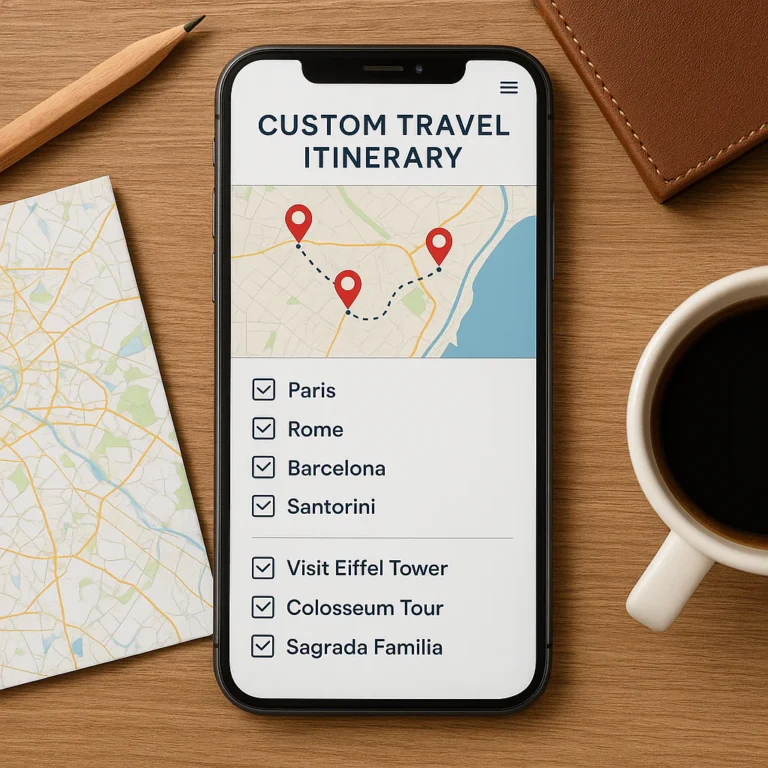
A personalized travel planner template is the easiest way to keep your itinerary, bookings, budget, packing list, and essential trip details together—without cramming every hour full. Start with a flexible template in Notion, Google Sheets, or a printable format, then tailor it to your destination and travel style.
We learned to leave breathing room after planning a Lisbon day packed with museums, viewpoints, a food tour, and a sunset cruise. The schedule looked brilliant on paper; our feet filed a formal complaint. Now we plan one or two daily highlights, add the details we’ll actually need, and leave space for the unexpected.
Key Takeaways
- Choose a flexible format you’ll use on your phone or in print.
- Include the essentials: itinerary, bookings, budget, packing, documents, and important contacts.
- Customize by trip type: a road trip, family vacation, and backpacking route need different details.
- Keep plans realistic: prioritize a few highlights and leave room for rest and surprises.
- Verify important information with official sources, especially entry requirements, health guidance, and booking details.
- Protect your information: control sharing permissions and keep essential details accessible offline.
Table of Contents
- ⚡️ Quick Tips and Facts
- 🧭 What Is a Personalized Travel Planner Template?
- 🕰️ How Travel Planning Templates Have Evolved
- ✨ Build a Personalized Travel Planner to Organize Every Part of Your Trip
- What to Include in Your Custom Travel Planner
- Match the Planner to Your Travel Style
- 📋 Essential Travel Planner Template Sections
- Trip Overview and Travel Details
- Daily Itinerary and Activity Planner
- Flights, Trains, Accommodation, and Transportation
- Travel Budget, Expenses, and Currency Conversion
- Packing Checklist and Luggage Planner
- Documents, Visas, and Travel Insurance
- Reservations, Confirmation Numbers, and Important Contacts
- Destination Research, Maps, and Saved Places
- Food, Accessibility, Health, and Safety Notes
- 🧳 Personalized Travel Planner Templates for Different Trips
- Weekend Getaways and City Breaks
- Road Trips and Multi-Stop Routes
- Family Vacations and Traveling with Kids
- Solo Travel and Group Trips
- International Travel and Long-Term Adventures
- Business Travel and Bleisure Trips
- 💻 Digital vs. Printable Travel Planner Templates
- Google Sheets and Google Docs
- Notion Travel Planner Templates
- Excel and Microsoft Word
- PDF, Canva, and Paper Planners
- 🛠️ How to Create Your Own Travel Planner Template
- Choose a Format and Set Up Your Sections
- Personalize Layouts, Checklists, and Trip Views
- Add Links, Maps, Reminders, and Travel Documents
- Make Your Planner Easy to Update and Share
- 📥 How to Choose and Use a Free Travel Planner Template
- Features to Look For in a Trip Planner
- Common Template Mistakes to Avoid
- Keep Your Travel Information Secure and Available Offline
- 🌍 Helpful Travel Planning Tools and Resources
- ✅ Quick Tips for a Smother Trip
- 🏁 Conclusion
- 🔗 Recommended Links
- ❓ FAQ
- What should a personalized travel planner include?
- Is a digital or printable travel planner better?
- Can I create a travel planner in Google Sheets or Notion?
- How do I plan a trip itinerary without overpacking the schedule?
- How can I use a travel planner to track expenses?
- What is the best travel planner template for a road trip?
- How do I organize travel documents and booking confirmations?
- Are free travel planner templates safe to use?
- 📚 Reference Links
⚡️ Quick Tips and Facts
A personalized travel planner template is more than a pretty itinerary: it’s your trip’s single, adaptable home for plans, bookings, budgets, packing, and important notes. We’ve learned the hard way that a perfect-looking schedule is less useful than one you can actually update on a train platform with spoty Wi-Fi.
For practical ways to tailor your checklist alongside your planner, see How can I customize a travel checklist template to fit my specific needs?.
| Quick fact | What it means for your trip |
|---|---|
| Start with your trip’s real needs | A beach weekend and a month-long backpacking trip need different sections. |
| Keep essentials easy to find | Put flight details, lodging addresses, emergency contacts, and confirmation numbers near the top. |
| Plan highlights, not every minute | Choose one or two must-do activities per day, then leave room for meals, transit, and happy surprises. |
| Make a backup | Keep key documents available offline or in a separate secure location. |
| Share selectively | Give travel companions access to the itinerary they need without exposing sensitive personal information. |
| Use a checklist app for action items | A planner organizes the trip; a checklist app helps you remember what to do before and during it. |
✅ Our quick recommendation: Start with a simple template in Google Sheets, Notion, or a printable PDF. Add only the sections you’ll use. The best planner is not the one with the most boxes; it’s the one you’ll still open when your gate changes.
🧭 What Is a Personalized Travel Planner Template?
A personalized travel planner template is a reusable digital or printable layout you adapt to a specific destination, travel style, group, and budget. Rather than rebuilding your trip plan from scratch, you start with useful structure and customize it.
It may bring together:
- Your destination, dates, and traveler details
- A day-by-day itinerary with addresses and travel times
- Flights, trains, rental cars, and accommodation
- A budget and expense tracker
- Packing and pre-trip checklists
- Reservation details and confirmation numbers
- Maps, saved places, and research notes
- Emergency contacts, health information, and document reminders
Think of it as a travel command center, not a cage for your vacation. If your schedule changes, your planner should bend with it.
Notion describes its approach as a project-management system “built by you, for you.” That’s a useful principle: the template should fit your habits, not make you adopt somebody else’s elaborate planning ritual. Its travel template collection includes planners for itineraries, budgets, packing lists, road trips, and group travel. Notion lists 2,722 travel templates in the supplied category summary; counts can change as the catalog grows.
Template, itinerary, checklist: what’s the difference?
| Tool | Main job | Example |
|---|---|---|
| Travel planner template | Organizes trip information and planning tasks | A trip dashboard with budget, bookings, and packing |
| Travel itinerary | Shows what you plan to do and when | Day-by-day sightseeing and transit plan |
| Travel checklist | Helps you complete tasks and remember essentials | Renew passport, check in, pack medication |
| Destination guide | Collects useful information about a place | Neighborhood notes, customs, transit, and saved restaurants |
Most travelers benefit from all four, even if a single template contains several of them. For example, our checklist app can handle action items while your planner keeps booking information and daily plans together.
🕰️ How Travel Planning Templates Have Evolved
Travel planning has moved from paper folders and printed maps to shared documents, mobile apps, and AI-assisted itineraries. The basics have not changed: travelers still need a dependable way to track where they’re going, how they’ll get there, what they’ve booked, and what they must remember.
What has changed is how easily plans can be edited and shared. A spreadsheet can be updated by several people. A Notion page can combine a database, checklist, and notes. An AI trip planner can propose an itinerary based on your preferences, which you can then review and revise.
The template approach is especially useful because it gives you a head start without locking you into a fixed system. Notion’s travel gallery, for instance, offers examples ranging from a one-page planner to group-trip and road-trip layouts. Those examples are starting points, not guarantees of quality: the supplied listing information includes names and previews but does not provide a consistent set of template-specific ratings, reviews, or feature details.
A separate template resource, TemplateLab’s travel-planner page, may show a security verification screen rather than usable template content, depending on access. That’s a reminder to check that a download is accessible, current, and editable before you build your trip around it.
✨ Build a Personalized Travel Planner to Organize Every Part of Your Trip
The trick is to begin with your decisions, not with decorative icons. A planner should answer the questions you’re likely to ask while traveling: When do we need to leave? Where is the hotel? Who has the tickets? What’s already paid for? What can we do if it rains?
What to Include in Your Custom Travel Planner
Start with these essentials:
- Trip overview: destination, dates, travelers, time zones, and trip purpose.
- Transportation: flight or train details, car rental, transfers, and local transit.
- Accommodation: address, check-in instructions, contact details, and reservation code.
- Itinerary: daily highlights, opening hours, travel time, and backup options.
- Budget: planned spending, booked costs, shared expenses, and remaining funds.
- Documents: passport validity reminders, visa research, insurance details, and copies stored securely.
- Packing: personal essentials, weather-dependent items, and destination-specific gear.
- Health and safety: medication reminders, allergies, emergency contacts, and relevant health information.
- Research: saved restaurants, attractions, cultural notes, and useful local phrases.
Avoid putting highly sensitive information—such as full payment-card details or unprotected copies of identity documents—in a broadly shared planner. For country-specific entry requirements, check official government sources such as the U.S. Department of State’s international travel information. Travelers of other nationalities should consult their own government’s official travel-advice service.
Match the Planner to Your Travel Style
A useful planner is shaped around the trip, not around an internet stranger’s favorite color palette.
| Travel style | Useful planner features | What to avoid |
|---|---|---|
| Backpacking | Flexible route, hostel details, transport connections, laundry notes, daily spending | A minute-by-minute schedule |
| Family vacation | Child-friendly activities, rest breaks, room details, snack and medication notes | Assuming every outing works for every age |
| Road trip | Route map, driving legs, fuel and rest stops, overnight stays, offline directions | Planning long drives with no contingency |
| Group getaway | Shared decisions, booking owner, payment status, meeting points | Leaving responsibilities vague |
| Beach escape | Weather notes, beach gear, transport, tides or local advisories where relevant | Forgeting shade, hydration, or a rainy-day plan |
| Digital nomad trip | Work blocks, Wi-Fi notes, accommodation, time zones, visa research | Treating every day as a sightseeing day |
| Budget trip | Daily spending target, transit costs, free activities, expense tracking | Tracking every minor expense if it makes planning miserable |
Choose a format and sections with your actual trip in mind. Our guides to backpacking checklists, adventure travel checklists, budget travel checklists, beach vacation checklists, and digital nomad checklists can help you identify trip-specific details to add.
📋 Essential Travel Planner Template Sections
You don’t need every section for every trip. Use the table as a menu, then select what solves a real planning problem.
| Section | What to record | Why it helps |
|---|---|---|
| Trip overview | Dates, destinations, travelers, time zones | Keeps the core details visible |
| Itinerary | Activities, addresses, transit, booking notes | Makes each day easier to follow |
| Transport | Flight, rail, car, transfer, and transit details | Reduces last-minute searching |
| Accommodation | Address, check-in, contact, confirmation | Helps with arrival and check-in |
| Budget | Estimates, confirmed costs, shared expenses | Makes spending easier to monitor |
| Packing | Clothing, documents, medication, gear | Turns “I think I packed it” into “checked” |
| Documents | Entry requirements, insurance, secure copy locations | Prompts research and preparedness |
| Research | Saved places, local customs, food, accessibility | Keeps useful discoveries together |
| Contacts | Lodging, tour operators, emergency contacts | Speds up problem-solving |
Trip Overview and Travel Details
Put the trip’s basic facts at the top:
- Destination or route
- Departure and return dates
- Travelers’ names and relevant contact details
- Home and destination time zones
- Trip purpose and must-do priorities
- Local weather links or a planning note to check forecasts nearer departure
If you’re visiting several places, add a simple route summary. “Lisbon → Porto → Madrid” is more useful at a glance than a stack of unrelated booking links.
Daily Itinerary and Activity Planner
For each day, include:
- One or two priority activities
- Approximate start time and expected duration
- Address or map link
- Booking or ticket information
- Travel time and transport option
- Meal ideas and rest breaks
- A flexible alternative if weather or energy changes
The AI-planning summary for Trip Planner AI similarly recommends building around one or two daily highlights, with room for meals and downtime. We agree. On a long weekend in Lisbon, we once scheduled a museum, a food tour, three viewpoints, and a sunset cruise into a single day. The itinerary looked heroic. Our feet had other opinions. We now leave breathing room—and keep one nearby alternative in reserve.
A useful day plan might look like this:
| Time | Plan | Details |
|---|---|---|
| Morning | Main attraction | Ticket time, entrance, transit |
| Lunch | Flexible meal stop | Saved neighborhood options |
| Afternoon | Optional activity or rest | Choose based on energy and weather |
| Evening | Reservation or open time | Address, booking, return route |
Flights, Trains, Accommodation, and Transportation
Keep transport and lodging details together, but separate confirmed bookings from ideas you’re still considering.
For each booking, record:
- Provider and traveler name
- Date and departure or check-in time
- Origin, destination, and terminal or station
- Booking reference, stored with sensible privacy precautions
- Baggage or check-in notes
- Cancellation or change conditions
- How you’ll get to and from the station, airport, or accommodation
For accommodation, save the full address, check-in instructions, property contact, and any arrival details. If you’re using a rental car, add the pickup location, return time, insurance notes, and the route to your first stop. Avoid relying on a screenshot alone; keep the original confirmation accessible as well.
Travel Budget, Expenses, and Currency Conversion
A budget section can be simple. Divide spending into categories such as accommodation, transport, meals, activities, local transit, and emergency buffer.
| Budget category | Planned | Confirmed | Actual |
|---|---|---|---|
| Transportation | Your estimate | Booked amount | Record after travel |
| Accommodation | Your estimate | Booked amount | Record after travel |
| Food and drinks | Daily allowance | Reservations or prepaid meals | Record as you go |
| Activities | Planned tickets | Purchased tickets | Record after activity |
| Local transport | Estimate | Passes or transfers | Record as needed |
| Contingency | Set aside | Not applicable | Use only when needed |
Use one base currency for the trip and note the currency used for each expense. For shared trips, clarify who paid and whether an amount is owed. If tracking every coffee becomes a second job, simplify to a daily total. A budget should give you perspective, not make you feel audited by a very small accountant. 🧾
Packing Checklist and Luggage Planner
Build packing lists in layers:
- Always pack: travel documents, payment methods, medication, phone, chargers
- Destination-specific: swimwear, hiking gear, rain layer, adapters
- Trip-specific: formal clothes, sports equipment, work items
- Before leaving: check the weather, secure your home, download tickets and maps
Split the list by suitcase, carry-on, and personal item if that makes packing easier. For a dedicated app-based checklist, group items by category and trip type so you can reuse the list without carrying every item on every trip.
The CDC Travelers’ Health guidance is a dependable place to research destination-related health preparation. Medication and health needs are personal, so follow advice from your clinician and check any destination-specific rules that apply.
Documents, Visas, and Travel Insurance
Create a research and reminder section, not an assumption that every traveler has the same entry rules. Requirements can depend on nationality, destination, transit points, trip purpose, and length of stay.
Use official sources to check:
- Passport validity and entry conditions
- Visa or electronic authorization requirements
- Transit rules
- Travel advisories and local laws
- Travel insurance coverage and emergency procedures
For U.S. citizens, start with the U.S. Department of State; for health information, consult the CDC Travelers’ Health site. Travelers from elsewhere should use their own government’s official guidance and the destination’s immigration authorities. Do not rely on a template, travel blog, or AI answer as the final authority on visa eligibility.
Store document copies carefully. A shared group planner should not expose everyone’s passport details to every member by default.
Reservations, Confirmation Numbers, and Important Contacts
Record booking details in a consistent format:
- Provider or venue
- Date and local time
- Address or meeting point
- Confirmation number
- Payment or cancellation status
- Contact method
- Link to the original confirmation
Add important contacts such as your accommodation, tour operator, insurer, and trusted emergency contact. Keep emergency and medical information secure, and consider a separate offline copy of essential details in case your phone battery or internet connection fails.
Destination Research, Maps, and Saved Places
Collect places you might visit, then sort them by neighborhood or day. This helps you avoid the classic travel-planning mistake of choosing five excellent restaurants that are 45 minutes apart.
Include:
- A saved map or directions link
- Opening hours and reservation requirements to verify
- Transit or walking notes
- Nearby alternatives
- Local customs or practical etiquette
- Accessibility details relevant to your group
Check hours and service information close to the visit; businesses and attractions can change schedules. Download offline maps when useful, and don’t assume mobile data will work exactly as it does at home.
Food, Accessibility, Health, and Safety Notes
A thoughtful planner makes room for individual needs. Note dietary requirements, allergies, mobility considerations, sensory preferences, medication reminders, and rest needs—but share personal health information only with people who need it.
For dining, save a few possibilities rather than treating every meal as a fixed appointment. For accessibility, verify details directly with venues and transport providers when the information affects whether a visit is possible. Official resources and direct confirmation are more reliable than an old comment or an unverified map listing.
🧳 Personalized Travel Planner Templates for Different Trips
The right template depends on the trip’s moving parts. Here’s how we’d adapt one.
Weekend Getaways and City Breaks
Keep it compact:
- Arrival and departure information
- Accommodation address
- Two or three priority experiences
- Transit pass or route notes
- A short saved-place list
- One backup plan for weather
For a city break, organize by neighborhood. A nearby café and an unplanned stroll can beat a rigid cross-city dash between attractions.
Road Trips and Multi-Stop Routes
A road-trip planner should include:
- Driving legs and approximate duration
- Planned rest stops and overnight stays
- Vehicle pickup and return details
- Fuel, charging, or parking notes
- Road conditions and route alternatives
- Offline maps and emergency contacts
Treat driving times as estimates, not promises. Traffic, weather, construction, and sightseeing detours can alter the day. For outdoors-heavy routes, browse our adventure travel checklists for gear and preparation ideas.
Family Vacations and Traveling with Kids
Family itineraries benefit from clear logistics and generous breaks. Add:
- Each traveler’s essential items and medication notes
- Child-friendly transport and activity details
- Nap, meal, or downtime windows
- Meeting points and backup contacts
- Ticket and stroller information where relevant
- A rainy-day or low-energy alternative
The goal isn’t to turn family travel into a military operation. It’s to make the fiddly details easier, so everyone has more room to enjoy the actual trip.
Solo Travel and Group Trips
For solo travel, keep arrival logistics, accommodation contact details, and check-in plans easy to access. Share a suitable itinerary with a trusted person if that fits your safety plan, and consult official travel advice for your destination.
For groups, designate an owner for each booking or task. A shared planner can clarify:
- Who is responsible for reservations
- What is booked versus still under discussion
- Where and when the group meets
- How shared expenses are handled
- Which plans are optional
A group plan works best when it records decisions without pretending everyone has identical energy, interests, or bedtime preferences.
International Travel and Long-Term Adventures
Add a country-by-country section for multi-destination trips. Track border crossings, transport between cities, time zones, local connectivity, insurance, and official entry-rule research.
For long trips, also include:
- Laundry and replenishment plans
- Work or study commitments
- Accommodation flexibility
- Document renewal reminders
- A backup plan for lost or delayed luggage
- Regular check-ins with home contacts
Backpackers may want a lighter layout with flexible dates and spend tracking; digital nomads may prefer work blocks, time-zone conversions, and connectivity notes. See our backpacking checklist collection and digital nomad checklist collection for related planning ideas.
Business Travel and Bleisure Trips
Separate work logistics from personal plans, even if both live in one planner. Keep meeting times, venue addresses, transport buffers, and necessary work items clear. Add personal activities as optional blocks, with enough flexibility to protect work commitments and rest.
For expenses, follow your employer’s documentation and reimbursement rules rather than assuming a generic travel budget will cover them.
💻 Digital vs. Printable Travel Planner Templates
There’s no universal winner. Digital planners are easy to edit and share; paper planners are simple to use without a device. Many travelers use both: a digital master plan and a brief offline or printed backup.
| Format | Strengths | Trade-offs | Good for |
|---|---|---|---|
| Google Sheets / Docs | Familiar, shareable, easy to edit | Can become unwieldy; offline access needs setup | Collaborative budgets and itineraries |
| Notion | Flexible pages, databases, checklists, and layouts | Requires initial setup; check access while offline | Travelers who want a customizable dashboard |
| Excel / Word | Powerful spreadsheet tools and printable documents | Sharing and mobile editing depend on your setup | Detailed budgets and traditional documents |
| PDF / Canva printables | Attractive and easy to print | Less flexible for live changes | Paper-first planners and trip binders |
| Checklist app | Reminders, reusable lists, task completion | May not replace a full itinerary or booking archive | Pre-trip tasks and packing |
Google Sheets and Google Docs
Use Sheets for budgets, lists, and sortable booking details; use Docs for notes, travel instructions, or a readable itinerary. Share with trip companions using the right permissions and test mobile access before departure.
Notion Travel Planner Templates
Notion works well for travelers who want linked pages, databases, and a visual trip dashboard. Its travel template gallery includes examples such as a trip planner combining itinerary, budget, and packing; a one-page travel planner; a travel planner with expense tracking; and group-trip and road-trip layouts.
The supplied competitor summary also notes that Notion’s template listings provide names and previews, but not consistent template-by-template descriptions, ratings, or review counts. Choose based on the preview and what you can inspect, not on the title alone.
A tutorial perspective adds a useful practical point: prebuilt templates can help you avoid designing the layout from scratch. The featured video describes searching Notion’s “Browse templates” area for “Travel Planner,” then adjusting blocks, categories, and visual style. Its analogy is apt: a template is “like starting with a pre-built LEGO kit instead of a pile of random pieces.” That can save setup time, but you still need to check that the pieces fit your trip.
Excel and Microsoft Word
Excel is useful when you want formulas, category totals, or sortable records. Word suits a simple printable itinerary or trip information sheet. Keep the layout mobile-friendly if you expect to refer to it while traveling.
PDF, Canva, and Paper Planners
Printable planners are easy to carry and don’t depend on battery life, but they’re less convenient when bookings change. Canva can help you create a custom-looking layout, while PDF forms are useful if you want a document you can fill in digitally or print.
Whichever format you choose, don’t make a paper copy the only home for critical information. Keep a secure digital backup of essential confirmations and contacts.
🛠️ How to Create Your Own Travel Planner Template
Here’s a straightforward process that works in a spreadsheet, Notion, a document, or a paper notebook.
Choose a Format and Set Up Your Sections
- Choose your main format. Pick the tool you already use comfortably.
- Write down the trip’s main needs. For example: multiple hotels, rental car, shared costs, or child-friendly activities.
- Create only the relevant sections. Start with overview, bookings, itinerary, budget, packing, and emergency information.
- Separate confirmed details from ideas. Label each clearly so a saved restaurant doesn’t look like a reservation.
- Add dates and ownership. For group tasks, name who is responsible and when it should be done.
Personalize Layouts, Checklists, and Trip Views
Use headings, color, tags, or filters to make information easy to scan. You might create separate views for:
- Trip preparation
- Daily schedule
- Bookings
- Spending
- Packing
- Places to consider
The featured tutorial recommends personalizing categories and rearranging blocks to suit your workflow. That’s sound advice, as long as design doesn’t eat the time you meant to spend planning. A clean, readable layout beats a gorgeous dashboard that hides the hotel address.
Add Links, Maps, Reminders, and Travel Documents
Add direct links to official attraction pages, transportation providers, maps, and booking confirmations. For reminders, include deadlines for tasks such as checking entry rules, confirming reservations, or arranging airport transport.
Keep sensitive document copies in a secure storage location, not in a public link or open group page. Check any sharing permissions before inviting other travelers.
Make Your Planner Easy to Update and Share
Before relying on the planner:
- Open it on your phone.
- Check that links work.
- Confirm invited travelers have the right access.
- Test offline availability where the tool supports it.
- Make sure one person can still access essential details if another person’s phone is unavailable.
- Keep a backup of critical bookings and contacts.
This is where a small detail can save a large headache. On one trip, a companion’s screenshot had the old hotel address after a last-minute change. Now we label the latest confirmed version clearly and keep a direct link to the source booking.
📥 How to Choose and Use a Free Travel Planner Template
A free template is a good starting point if it is editable, understandable, and suited to your trip. Notion’s travel template gallery provides a range of formats to browse; templates may differ in features and maintenance, so inspect the one you select.
Features to Look For in a Trip Planner
Look for:
- A clear, mobile-friendly layout
- Editable itinerary and booking sections
- A practical budget or expense area if you need one
- A packing checklist you can reuse
- Sharing controls for group trips
- Space for links, notes, and confirmation details
- Offline access or an easy backup option
Common Template Mistakes to Avoid
❌ Choosing appearance over usability: Test the planner on your phone before committing.
❌ Copying a detailed itinerary without checking logistics: Confirm opening times, routes, and reservations.
❌ Tracking every possible detail: Extra fields only help if you actually use them.
❌ Sharing private information too widely: Keep document and health details restricted.
❌ Treating an AI itinerary as verified fact: Confirm bookings, entry rules, schedules, and transport with authoritative sources.
❌ Leaving no room for changes: Add options and downtime rather than scheduling every hour.
Keep Your Travel Information Secure and Available Offline
Use strong account security and sensible sharing permissions. Save essential details in a way you can access without mobile data, and keep a separate backup for key contact and booking information.
Security matters especially when a planner contains addresses, travel dates, or identity-related data. Avoid publishing a trip page with personal details through an open link, and remove access when it’s no longer needed.
🌍 Helpful Travel Planning Tools and Resources
Templates organize your plan; specialist tools can help with individual tasks. Choose tools based on what you need, and confirm important details with the provider that owns the booking or rule.
| Need | Useful resource | Best use |
|---|---|---|
| Custom trip dashboard | Notion Travel Templates | Browse planner layouts and adapt one |
| Flight research | Skyscanner | Compare flight options |
| Accommodation search | Booking.com | Search lodging and manage reservations |
| Activities and tours | GetYourGuide | Browse bookable experiences |
| Travel health information | CDC Travelers’ Health | Review destination health guidance |
| Entry and travel advice for U.S. citizens | U.S. Department of State | Check official country information |
| AI-assisted itinerary ideas | Trip Planner AI | Generate and revise trip suggestions |
Trip Planner AI’s supplied summary describes an itinerary assistant that uses destination, dates, and preferences to suggest flights, accommodation, activities, routes, and budget estimates. It also describes itinerary edits through chat and reports 8M+ trips planned and a 4.9-star average. Those are platform-reported figures; the supplied information does not provide a rating scale or review-count breakdown, so treat them as company claims rather than independently verified performance data.
Its collaborative style may be helpful for brainstorming, but use it as a planning assistant—not as the final authority for live prices, immigration rules, attraction hours, or reservation terms. A sensible workflow is to ask the AI for options, compare them with official or provider sources, then save the confirmed details in your planner.
✅ Quick Tips for a Smother Trip

A few habits make a planner genuinely useful:
- Keep the itinerary light: prioritize one or two highlights per day and leave flexible time.
- Separate confirmed bookings from ideas: use labels such as “booked,” “considering,” and “needs checking.”
- Check local details near departure: hours, transport, entry requirements, and conditions can change.
- Add arrival instructions: the first journey from airport or station to accommodation is often the least relaxing.
- Plan for offline moments: save essential maps, documents, and contacts where you can access them.
- Share the version people need: companions should know meeting points and booking details, without receiving unnecessary sensitive data.
- Use an app for reminders: set tasks for packing, check-in, document research, and last checks.
- Leave a little mystery in the day: not every memorable travel moment comes with a confirmation number.