Support our educational content for free when you purchase through links on our site. Learn more
📱 15 Travel Checklist App Features for Easy On-the-Go Use

The best travel checklist app is simple to use, available offline, quick to sync, and easy to share. If you’re asking, “What features should I look for in a travel checklist app to make it easy to use and access on-the-go?” start with those essentials, then look for customizable templates, helpful reminders, and strong privacy controls.
We learned to value offline access the hard way: one airport Wi-Fi login page, a boarding call, and a packing list that refused to load. Since then, we’ve tested checklists in airplane mode before travel day. It’s a tiny test that can save a surprisingly frantic rummage for your charger at the gate.
Your ideal app should fit how you travel, not make you manage another complicated system. A backpacker needs fast edits and low-data access; a family may care more about shared lists and assigning who packs the snacks.
Key Takeaways
- Prioritize offline access so your packing list works on flights and in low-signal areas.
- Choose a clear, fast interface with easy check-offs, editing, and reusable trip templates.
- Look for reliable sync and sharing if you switch devices or coordinate with travel companions.
- Customize lists for your destination, weather, trip length, and planned activities.
- Check privacy and permissions before adding sensitive travel details.
- Test the app before departure by creating a list, sharing it, and opening it with your phone offline.
Table of Contents
- ⚡ Quick Tips and Facts
- 🧭 How Travel Checklist Apps Evolved—and What Travelers Need Now
- 📱 Why Use a Travel Checklist App on the Go?
- ✅ 15 Must-Have Features in an Easy-to-Use Travel Checklist App
- 1. A clean, intuitive interface
- 2. Fast checklist creation and editing
- 3. Offline access for flights and low-signal areas
- 4. Automatic cloud sync and reliable backups
- 5. Cross-device access on phones, tablets, and web
- 6. Shareable lists and real-time collaboration
- 7. Templates for different trip types
- 8. Custom categories, tags, and notes
- 9. Reminders, due dates, and travel countdowns
- 10. Smart suggestions that adapt to your itinerary
- 11. Accessibility and comfortable one-handed use
- 12. Privacy, security, and sensible permissions
- 13. Battery-friendly performance and quick loading
- 14. Useful integrations without unnecessary clutter
- 15. Transparent pricing and a worthwhile free plan
- 🧳 Travel Checklist App Features for Different Travelers
- Solo travelers and frequent flyers
- Families traveling with children
- Group trips and shared packing lists
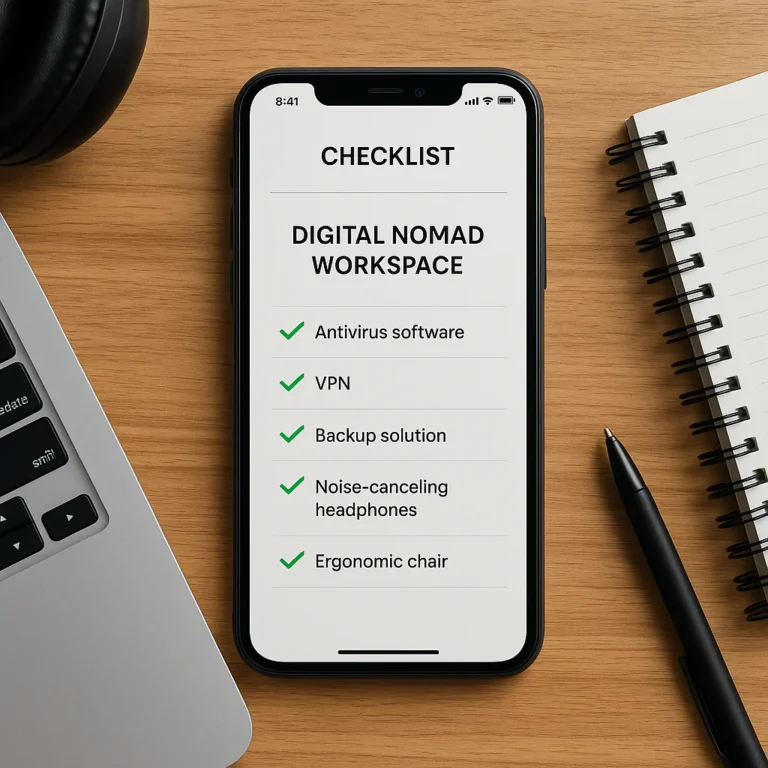
- Business travelers and digital nomads
- Older travelers and people with accessibility needs
- 🔍 How to Compare Packing List Apps
- Quick evaluation checklist
- Free versus paid features
- Mobile app, web app, or both?
- 📲 Best Travel Checklist Apps for Easy On-the-Go Use
- PackPoint
- Packr
- Packtor
- Packing List Checklist
- Packing Pro
- How to choose the right app for your travel style
- 🧥 When a Wardrobe Planner Belongs in Your Travel Toolkit
- Stylebook and outfit planning for trips
- When a dedicated packing app is the better choice
- 🛠️ Set Up Your Travel Packing Checklist for Success
- Build a reusable master packing list
- Customize lists for weather, activities, and trip length
- Track documents, medications, and pre-trip tasks
- Share lists and divide packing responsibilities
- 💡 Tips for Getting the Most From a Travel Checklist App
- 🧪 How We’d Test an App Before Relying on It Abroad
- 🔐 Protect Your Data When Using Travel Planning Apps
- ❌ Common Travel Checklist App Mistakes to Avoid
- 🏁 Conclusion
- 🔗 Recommended Links
- ❓ FAQ
- What features matter most in a travel checklist app?
- Can I use a packing list app without internet access?
- Are travel checklist apps free?
- Can I share a packing checklist with family or travel companions?
- What’s the difference between a packing app and a travel planner?
- How do I choose a checklist app for international travel?
- Should I store passport or payment details in a travel checklist app?
- 📚 Reference Links
Table of Contents
- ⚡ Quick Tips and Facts
- 🧭 How Travel Checklist Apps Evolved—and What Travelers Need Now
- 📱 Why Use a Travel Checklist App on the Go?
- ✅ 15 Must-Have Features in an Easy-to-Use Travel Checklist App
- 1. A clean, intuitive interface
- 2. Fast checklist creation and editing
- 3. Offline access for flights and low-signal areas
- 4. Automatic cloud sync and reliable backups
- 5. Cross-device access on phones, tablets, and web
- 6. Shareable lists and real-time collaboration
- 7. Templates for different trip types
- 8. Custom categories, tags, and notes
- 9. Reminders, due dates, and travel countdowns
- 10. Smart suggestions that adapt to your itinerary
- 11. Accessibility and comfortable one-handed use
- 12. Privacy, security, and sensible permissions
- 13. Battery-friendly performance and quick loading
- 14. Useful integrations without unnecessary clutter
- 15. Transparent pricing and a worthwhile free plan
- 🧳 Travel Checklist App Features for Different Travelers
- Solo travelers and frequent flyers
- Families traveling with children
- Group trips and shared packing lists
- Business travelers and digital nomads
- Older travelers and people with accessibility needs
- 🔍 How to Compare Packing List Apps
- Quick evaluation checklist
- Free versus paid features
- Mobile app, web app, or both?
- 📲 Best Travel Checklist Apps for Easy On-the-Go Use
- PackPoint
- Packr
- Packtor
- Packing List Checklist
- Packing Pro
- How to choose the right app for your travel style
- 🧥 When a Wardrobe Planner Belongs in Your Travel Toolkit
- Stylebook and outfit planning for trips
- When a dedicated packing app is the better choice
- 🛠️ Set Up Your Travel Packing Checklist for Success
- Build a reusable master packing list
- Customize lists for weather, activities, and trip length
- Track documents, medications, and pre-trip tasks
- Share lists and divide packing responsibilities
- 💡 Tips for Getting the Most From a Travel Checklist App
- 🧪 How We’d Test an App Before Relying on It Abroad
- 🔐 Protect Your Data When Using Travel Planning Apps
- ❌ Common Travel Checklist App Mistakes to Avoid
- 🏁 Conclusion
- 🔗 Recommended Links
- ❓ FAQ
- What features matter most in a travel checklist app?
- Can I use a packing list app without internet access?
- Are travel checklist apps free?
- Can I share a packing checklist with family or travel companions?
- What’s the difference between a packing app and a travel planner?
- How do I choose a checklist app for international travel?
- Should I store passport or payment details in a travel checklist app?
- 📚 Reference Links