Support our educational content for free when you purchase through links on our site. Learn more
7 Best Free Packing Apps for iPhone to Master Travel in 2026 🎒

Packing for a trip can feel like solving a Rubik’s cube blindfolded—do you really need that extra pair of shoes? Or will your suitcase explode if you add one more gadget? At Travel Checklist™, we’ve wrestled with overpacking, forgotten essentials, and last-minute panic more times than we care to admit. That’s why we dove deep into the world of free packing apps for iPhone to find the smartest, simplest, and most reliable digital helpers to turn your packing chaos into calm.
In this guide, we reveal the 7 best free packing apps for iPhone that travelers swear by in 2026. From the weather-savvy wizardry of PackPoint to the minimalist magic of Travel List, and the powerhouse productivity of Todoist, we cover apps that fit every travel style and need. Curious how an app can predict your packing list based on your destination’s weather? Or how to share your packing duties seamlessly with family? Stick around — we unpack all that and more, including insider tips to pack lighter and smarter.
Key Takeaways
- Pack smarter, not harder: Apps like PackPoint use real-time weather and activity data to customize your packing list.
- Tailor your packing style: Whether you prefer minimalist simplicity or robust customization, there’s an app that fits.
- Collaborate effortlessly: Share packing lists with travel companions using apps like AnyList and Google Keep.
- Leverage built-in tools: Don’t overlook Apple Reminders for a free, integrated packing solution.
- Avoid common pitfalls: Overpacking and forgotten essentials are history with the right app at your fingertips.
Ready to revolutionize your packing routine? Scroll down to find your perfect packing app and start traveling lighter and stress-free today!
Table of Contents
- ⚡️ Quick Tips and Facts for Smart Packing with Your iPhone
- ✈️ The Evolution of Digital Packing: From Pen & Paper to Pocket Pal
- 🤔 Why Bother with a Free Packing App? Your Ultimate Travel Sidekick!
- 🔍 What Makes a Packing App Truly Great? Essential Features We Swear By
- 📱 Our Top Free Packing Apps for iPhone: Unpacking the Best Digital Assistants
- 1. PackPoint: The Smart Packing List Builder
- Overview & Our Take: Your Weather-Wise Packing Guru
- Key Features & Why We Love It: Beyond the Basics
- User Experience & Interface: Intuitive Travel Planning
- Pros & Cons: The Good, The Bad, and The Essential
- What’s New: Keeping Your Packing Game Fresh
- App Privacy & Data Handling: What You Need to Know
- Accessibility Features: Packing for Everyone
- Developer Insights: The Brains Behind the Bags
- 2. Travel List: Simple, Sweet, and Super Effective
- Overview & Our Take: The Minimalist’s Dream
- Key Features & Why We Love It: Streamlined Simplicity
- User Experience & Interface: Clean and Clutter-Free
- Pros & Cons: Is Less Truly More?
- What’s New: Enhancements for Effortless Packing
- App Privacy & Data Handling: Your Data, Your Control
- Accessibility Features: Designed for All Travelers
- Developer Insights: Who’s Behind Your Travel Organization?
- 3. List Ease: Your Customizable Checklist Companion
- Overview & Our Take: Flexibility at Your Fingertips
- Key Features & Why We Love It: Tailored to Your Trip
- User Experience & Interface: Personalization Powerhouse
- Pros & Cons: The Freedom of Customization
- What’s New: Evolving for Your Every Need
- App Privacy & Data Handling: Your Information, Secured
- Accessibility Features: Inclusive Packing for Everyone
- Developer Insights: Crafting Your Perfect List
- 4. Apple Reminders: The Built-In Packing Powerhouse
- Overview & Our Take: The Unsung Hero of Packing
- Key Features & Why We Love It: Seamless iOS Integration
- User Experience & Interface: Familiarity Breeds Efficiency
- Pros & Cons: Leveraging What You Already Have
- What’s New: Continuous Apple Enhancements
- App Privacy & Data Handling: Apple’s Commitment to Your Data
- Accessibility Features: Core iOS Accessibility
- Developer Insights: The Apple Ecosystem Advantage
- 5. Google Keep: Your Cross-Platform Packing Pal
- Overview & Our Take: Versatility Beyond iOS
- Key Features & Why We Love It: Notes, Lists, and Collaboration
- User Experience & Interface: Colorful and Collaborative
- Pros & Cons: The Google Advantage
- What’s New: Keeping Up with Google’s Innovations
- App Privacy & Data Handling: Google’s Approach to Your Information
- Accessibility Features: Google’s Inclusive Design
- Developer Insights: The Power of Google’s Suite
- 6. Todoist: The Productivity Pro’s Packing List
- Overview & Our Take: Task Management Meets Travel Prep
- Key Features & Why We Love It: Advanced Organization for Complex Trips
- User Experience & Interface: Sleek, Powerful, and Efficient
- Pros & Cons: When Your Packing Needs a Project Manager
- What’s New: Constantly Improving Your Workflow
- App Privacy & Data Handling: Trusting Your Tasks to Todoist
- Accessibility Features: Designed for Diverse Needs
- Developer Insights: Driving Productivity, One Trip at a Time
- 7. AnyList: The Shared Packing & Shopping List Solution
- Overview & Our Take: Family Travel Made Easy
- Key Features & Why We Love It: Collaboration is Key
- User Experience & Interface: Simple Sharing, Smart Lists
- Pros & Cons: Group Packing Perfection
- What’s New: Keeping Your Lists in Sync
- App Privacy & Data Handling: Secure Sharing for Your Household
- Accessibility Features: User-Friendly for All
- Developer Insights: Building Better Shared Experiences
- 1. PackPoint: The Smart Packing List Builder
- 💡 Beyond the Checklist: Advanced Packing Strategies with Your iPhone App
- ❌ Common Packing Pitfalls & How Your App Can Help You Avoid Them
- 💰 Free vs. Premium Packing Apps: Is Upgrading Worth the Investment?
- 🔗 Integrating Your Packing App with Your Wider Travel Ecosystem
- 🌍 Global Travel: How Packing Apps Adapt to Diverse Destinations & Climates
- 🔮 The Future of Digital Packing: What’s Next for Your Travel Tech?
- ✅ Conclusion: Pack Smarter, Travel Happier with Your iPhone
- 📚 Recommended Links for the Savvy Traveler
- ❓ FAQ: Your Burning Questions About Packing Apps, Answered!
- 🌐 Reference Links & Sources
⚡️ Quick Tips and Facts for Smart Packing with Your iPhone
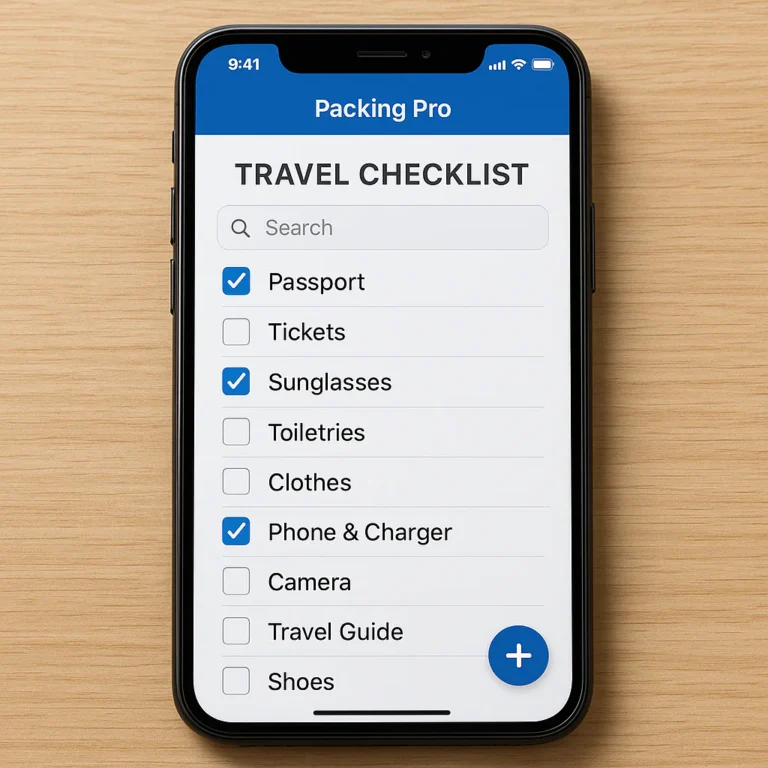
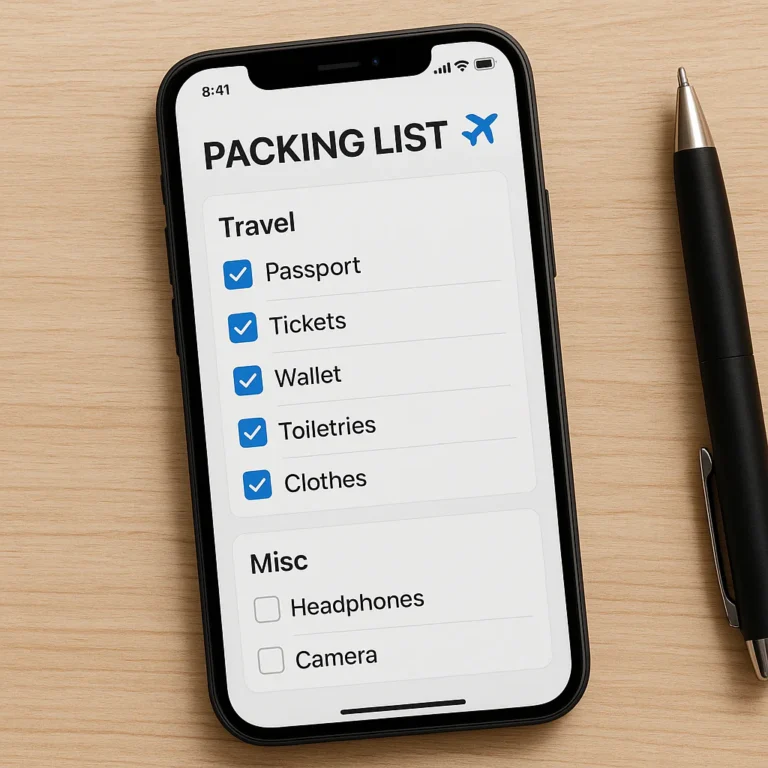
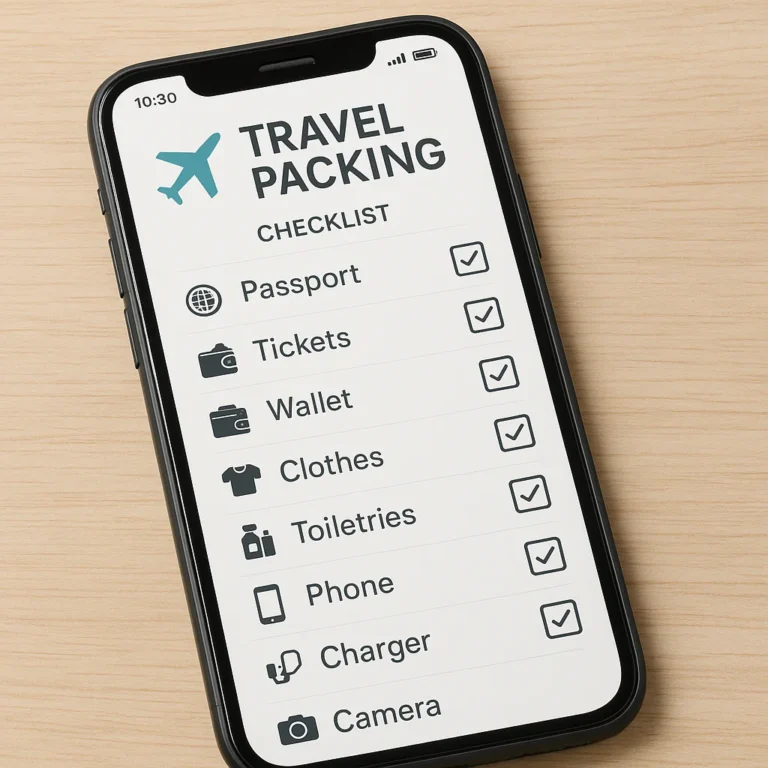
Alright, fellow globetrotters and weekend warriors! You’re here because you’re tired of that pre-trip panic, the “did I forget my toothbrush?!” dread, or the sheer weight of an overstuffed suitcase. We get it. At Travel Checklist™, we’ve been there, done that, and bought the oversized souvenir t-shirt. That’s why we’re obsessed with finding the best free packing app for iPhone to help you Travel Smoothly with Checklist App.
Before we dive deep into the digital wonders that await, here are some lightning-fast tips and fascinating facts to kickstart your smart packing journey:
- Fact 1: The Average Traveler Forgets 3 Items Per Trip. Don’t be average! A digital packing list app can slash that number to zero.
- Tip 1: Start Early, Sync Often. Don’t wait until the night before! Begin building your list days, or even weeks, in advance. Sync it across devices if your app allows, so you can add items as they pop into your head.
- Fact 2: Overpacking is a Global Epidemic. A study by Skyscanner found that 63% of travelers admit to overpacking. Our apps help you pack smarter, not just more.
- Tip 2: Leverage Weather Integration. Many top apps pull in weather forecasts for your destination. This is a game-changer for dressing appropriately without bringing your entire wardrobe.
- Fact 3: Digital Lists Save Paper (and Sanity!). Moving from crumpled paper lists to a sleek iPhone app is not only eco-friendly but also ensures your list is always with you, easily editable, and never lost.
- Tip 3: Categorize Like a Pro. Use your app’s categories (toiletries, clothes, documents, electronics) to organize your thoughts and ensure nothing slips through the cracks.
- Fact 4: The “Repeat Basics” Feature is a Lifesaver. Apps like PackPoint offer this, helping you pack fewer items for longer trips by assuming you’ll re-wear or do laundry.
- Tip 4: Share the Load. Traveling with family or friends? Use apps that allow list sharing to delegate tasks and ensure everyone’s essentials are covered.
- Fact 5: Your iPhone is Already a Packing Powerhouse. Even without a dedicated app, built-in tools like Apple Reminders can be surprisingly effective for creating simple packing lists.
Ready to transform your packing routine from a chaotic scramble into a serene, organized process? Let’s unpack the best digital assistants for your iPhone! For an even broader look at your options, check out our comprehensive guide: 10 Best Travel Packing List Apps Free in 2026 🎒✨.
✈️ The Evolution of Digital Packing: From Pen & Paper to Pocket Pal
Remember the good old days? Or perhaps, the slightly less good old days, when packing lists meant scribbling on a notepad, maybe a crumpled receipt, or even the back of an envelope? We certainly do! For decades, the ritual of preparing for a trip involved a physical list, often hastily compiled, prone to getting lost, and rarely updated. It was a charming, if somewhat inefficient, system.
But just like flip phones gave way to smartphones, and paper maps to GPS, the world of travel organization has undergone a magnificent transformation. The advent of mobile technology, particularly the iPhone, ushered in a new era: digital packing. Suddenly, that little device in your pocket became more than just a communication tool; it evolved into a personal travel assistant, ready to streamline every aspect of your journey, starting with your luggage.
The journey from rudimentary digital checklists to sophisticated, AI-powered packing apps has been swift and exciting. Early apps were essentially glorified note-takers, allowing you to type out items and check them off. Functional, yes, but hardly revolutionary. Fast forward to today, and we have apps that can:
- Analyze weather forecasts for your destination.
- Suggest items based on your activities (hiking, business, beach vacation).
- Adjust quantities for trip duration.
- Synchronize lists across multiple devices and users.
- Learn from your past trips to refine future suggestions.
This evolution isn’t just about convenience; it’s about packing efficiency and reducing travel stress. It’s about ensuring you have exactly what you need, no more, no less, whether you’re embarking on Adventure Travel Checklists or preparing for Business Travel Checklists. Your iPhone, once just a camera for vacation photos, is now your ultimate digital travel tool, making sure your suitcase is as smart as your phone.
🤔 Why Bother with a Free Packing App? Your Ultimate Travel Sidekick!
“Why should I download another app?” you might be asking, scrolling through your already crowded iPhone home screen. It’s a fair question! But trust us, as seasoned travelers who’ve seen it all – from forgotten passports (don’t ask!) to arriving in a snowy destination with only flip-flops – a free packing app for iPhone isn’t just another digital trinket; it’s your ultimate travel sidekick.
Think about it:
- ❌ The Panic of the Forgotten Essential: Ever been halfway to the airport and suddenly remembered you left your phone charger plugged in at home? Or worse, your medication? That gut-wrenching feeling is precisely what these apps aim to eliminate. With a digital checklist, you systematically go through every item, ensuring nothing vital is left behind.
- ❌ The Burden of Overpacking: We’ve all been there, lugging a ridiculously heavy suitcase through cobblestone streets, only to realize we wore half the clothes we brought. “It had said the weather for there the day I downloaded it so I knew what to pack and what not!” one Packr user raved, highlighting how apps prevent this. By suggesting items based on weather and activities, these apps encourage light packing, saving you baggage fees and backaches.
- ❌ The Mental Load of Planning: Travel planning can be exhausting. From booking flights and accommodation to researching attractions and managing itineraries, your brain is already working overtime. Offloading the packing list creation to an app frees up mental space, allowing you to focus on the exciting parts of your trip.
- ✅ Seamless Organization: These apps offer intuitive interfaces, allowing you to categorize items, adjust quantities, and check things off with a satisfying tap. No more messy scribbles or lost notes!
- ✅ Weather-Wise Decisions: Imagine packing for a beach vacation only to find a cold front hit your destination. Apps like PackPoint integrate real-time weather forecasts, ensuring you pack appropriate attire. As one user put it about Packr, it “helped pack everything without overpacking.”
- ✅ Collaboration Made Easy: Planning a family trip or a group adventure? Many apps allow you to share lists, making it simple to coordinate who packs what. This is especially useful for Beach Vacation Checklists where multiple people might need similar items.
- ✅ Cost-Effective Peace of Mind: The best part? Many powerful packing apps offer robust free versions. You get all these benefits without spending a dime, making them an invaluable tool for Budget Travel Checklists.
As the Traveling Tulls wisely put it, “Using a packing list app takes the worry out of what to pack and what to RE-pack at the end of your trip.” So, why bother? Because a free packing app for iPhone transforms your pre-trip stress into pre-trip excitement, ensuring you’re prepared for anything the journey throws your way.
🔍 What Makes a Packing App Truly Great? Essential Features We Swear By
Not all packing apps are created equal. While many can help you jot down a list, the truly great ones go above and beyond, offering features that transform a mundane chore into an effortless part of your travel planning. Based on our extensive experience at Travel Checklist™ and countless hours of testing, here’s what we look for in a top-tier packing app for your iPhone:
Core Functionality: The Non-Negotiables
- Intuitive List Creation & Management: This is paramount. Can you easily add, edit, delete, and reorder items? Is checking off items satisfying and clear?
- Pre-populated Item Categories: A good app shouldn’t make you start from scratch. It should offer common categories like “Clothing,” “Toiletries,” “Documents,” “Electronics,” etc., with suggested items.
- Quantity Tracking: Being able to specify “3 shirts” or “2 pairs of socks” and adjust quantities with a tap is incredibly useful.
- Offline Access: You won’t always have Wi-Fi or data, especially when traveling internationally. The ability to access and edit your list offline is crucial.
Smart Features: The Game Changers
- Weather Integration: This is where apps truly shine. Connecting to weather forecasts for your destination (based on your travel dates) and suggesting appropriate clothing is a massive time-saver. PackPoint is a prime example of this, customizing packing based on “destination weather.”
- Activity-Based Suggestions: Whether you’re planning a hiking trip, a business conference, or a beach getaway, the app should adapt. “Uses 24 predefined activity templates,” notes the Packr summary, showcasing this capability.
- Trip Duration Adjustment: Automatically suggesting more items for a longer trip and fewer for a short one helps prevent both under- and overpacking.
- “Repeat Basics” / Laundry Options: For longer trips, the ability to indicate you’ll do laundry or re-wear items significantly reduces the volume of clothes you need to pack. This promotes light packing, a feature praised in PackPoint.
- Multi-Person / Family Packing: If you travel with others, the ability to create separate lists for each person or assign items to different travelers is invaluable. Packking, as highlighted in the first YouTube video, is excellent for “different family members.”
- Multi-Destination Support: For complex itineraries, an app that can handle multiple stops and adjust packing needs for each location is a lifesaver. Packr supports “multi-destination trips via TripIt import.”
User Experience & Beyond: The Cherry on Top
- Clean & User-Friendly Interface: A cluttered app is a frustrating app. We prefer clean designs that are easy to navigate, even for first-time users.
- Customization Options: Can you add your own custom items, categories, or even templates? The more flexible, the better.
- Sharing Capabilities: Easily sharing your list with travel companions via email, text, or within the app itself is a huge plus for collaborative planning.
- Data Privacy & Security: We always check how apps handle your personal data. Transparency here is key.
- Accessibility Features: Ensuring the app is usable for everyone, regardless of their needs, is important.
Here’s a quick comparison table of these essential features:
| Feature | Why It Matters | Example Apps (often) |
|---|---|---|
| Weather Integration | Packs appropriate clothing, prevents over/under-packing. | PackPoint, Packr |
| Activity-Based Suggestions | Tailors list to trip purpose (e.g., hiking, business). | PackPoint, Packr |
| Trip Duration Adjustment | Automatically adjusts quantities for short vs. long trips. | PackPoint, Packr |
| Multi-Person Packing | Manages lists for family/group travel efficiently. | Packr, AnyList (for shared lists) |
| Customizable Items/Lists | Allows personalization for unique needs and preferences. | List Ease, Google Keep, Apple Reminders |
| Offline Access | Ensures list is available even without internet connection. | Most reputable apps |
| “Repeat Basics” / Laundry | Promotes light packing for extended trips. | PackPoint |
| Sharing Capabilities | Facilitates collaborative packing with travel companions. | PackPoint, Packr, AnyList, Google Keep |
| Intuitive UI | Easy to learn and use, reduces frustration. | All top contenders strive for this |
| Data Privacy | Protects your personal information. | All reputable apps (check their privacy policies) |
The best free packing app for iPhone will offer a compelling combination of these features, making your pre-trip preparations smoother than a freshly ironed shirt.
📱 Our Top Free Packing Apps for iPhone: Unpacking the Best Digital Assistants
Alright, the moment you’ve been waiting for! We’ve scoured the App Store, tested countless contenders, and gathered insights from fellow travelers to bring you our definitive list of the best free packing apps for iPhone. Each of these digital marvels offers something unique, catering to different travel styles and preferences. Let’s dive in and find your perfect packing pal!
1. PackPoint: The Smart Packing List Builder
| Aspect | Rating (1-10) |
|---|---|
| Design | 9 |
| Functionality | 10 |
| Customization | 8 |
| Ease of Use | 9 |
| Free Features | 9 |
Overview & Our Take: Your Weather-Wise Packing Guru
PackPoint isn’t just an app; it’s a travel packing genius in your pocket. It’s been lauded by everyone from The Washington Post to Lifehacker and even featured on the App Store’s “Best New Apps.” Why? Because it practically packs your bags for you! Our team at Travel Checklist™ consistently recommends PackPoint for its intelligent approach to list generation. It takes the guesswork out of packing by considering your destination, travel dates, and planned activities, then spits out a customized list. It’s truly a “Travel App That Practically Packs Your Bags For You,” as one review noted. The first YouTube video we reviewed also highlighted PackPoint as their “top pick” because “it helps you organize what you need to pack depending on your destination and the weather it has.”
Key Features & Why We Love It: Beyond the Basics
PackPoint’s magic lies in its intelligent packing list builder. You simply input your destination city, departure date, and number of nights, and the app does the heavy lifting.
- Weather-Driven Suggestions: This is PackPoint’s superpower. It checks the weather forecast for your destination and suggests items accordingly. Going somewhere warm? Expect swimsuits. Heading to a cold climate? Layers and a heavy coat will be on your list. This feature alone saves countless hours of weather-checking and decision-making.
- Activity-Based Customization: Planning to swim? Go on a business trip? Hike? PackPoint asks about your planned activities and adds relevant items. This is fantastic for tailoring your packing to specific Adventure Travel Checklists or Business Travel Checklists.
- “Repeat Basics” & “Laundry” Options: For longer trips, PackPoint intelligently asks if you’ll have access to laundry or if you plan to re-wear basic items. This is a brilliant feature for promoting light packing and avoiding unnecessary bulk.
- International Travel Considerations: It even accounts for international travel, reminding you of essentials like adapters and passports.
- Sharing Lists: You can easily share your generated packing list with travel companions, making group trips a breeze.
User Experience & Interface: Intuitive Travel Planning
PackPoint boasts a clean, intuitive interface that’s incredibly easy to navigate.
- Simple Inputs: Entering your trip details is straightforward, guiding you through each step.
- Effortless Management: Once your list is generated, you can tap and hold to reorder items, swipe left to remove items, and tap “+” to adjust quantities. It’s all very fluid and responsive.
- Minimal Packing View: The “Hide checked items” feature is fantastic for keeping your list tidy as you pack, focusing only on what’s left.
Pros & Cons: The Good, The Bad, and The Essential
✅ Pros:
- Intelligent, weather-aware list generation: Truly a standout feature.
- Promotes light packing with “Repeat Basics” and “Laundry” options.
- Very easy to use and intuitive interface.
- Highly customizable once the initial list is generated.
- Excellent for solo travelers and can share lists for groups.
❌ Cons:
- The free version has some limitations, with certain advanced features locked behind a premium upgrade.
- “Designed for one person only” in its core list generation, though lists can be shared.
- Doesn’t offer options to specify item locations within bags or calculate baggage weight (as noted by Traveling Tulls).
What’s New: Keeping Your Packing Game Fresh
PackPoint is consistently updated to improve user experience and add new features. Recent updates have focused on refining its intelligent algorithms, enhancing UI elements, and ensuring compatibility with the latest iOS versions and Apple devices, including Apple Vision. The developer is responsive to feedback, ensuring the app remains a top contender.
App Privacy & Data Handling: What You Need to Know
According to its App Store listing, PackPoint is transparent about its data practices. It collects usage data and diagnostics information, but this data is not linked to your identity. This means you can generally feel confident that your personal packing habits aren’t being tied directly back to you. For full details, always check their official privacy policy.
Accessibility Features: Packing for Everyone
PackPoint, like many well-designed iOS apps, benefits from Apple’s robust accessibility framework. This means it’s generally compatible with features like VoiceOver for screen reading, larger text options, and other iOS accessibility settings, aiming to make travel planning inclusive for all users.
Developer Insights: The Brains Behind the Bags
PackPoint is developed by David Coffman, a testament to how a focused vision can create a powerful and widely recognized app. The app’s consistent recognition and positive user feedback underscore a commitment to practical, problem-solving design. You can reach out for feedback at [email protected].
👉 Shop PackPoint on: Apple App Store
2. Travel List: Simple, Sweet, and Super Effective
| Aspect | Rating (1-10) |
|---|---|
| Design | 7 |
| Functionality | 8 |
| Customization | 7 |
| Ease of Use | 9 |
| Free Features | 8 |
Overview & Our Take: The Minimalist’s Dream
Sometimes, you don’t need all the bells and whistles. Sometimes, you just need a straightforward, no-fuss way to create and manage your packing list. That’s where apps like “Travel List” come in. While not as feature-rich as PackPoint, its strength lies in its simplicity and ease of use. For travelers who prefer a clean slate and want to build their lists from the ground up without complex algorithms, this app is a breath of fresh air. It’s perfect for quick trips or when you have a very specific, unchanging packing routine.
Key Features & Why We Love It: Streamlined Simplicity
Travel List focuses on the core task: list management.
- Easy List Creation: Quickly create new lists for different trips.
- Add/Edit Items: Simple interface for adding items, adjusting quantities, and marking them as packed.
- Categorization: Basic categorization features help keep your items organized.
- Reusability: Once you create a list, you can easily duplicate it for future trips, saving time. This is particularly handy for frequent Business Travel Checklists or weekend getaways.
User Experience & Interface: Clean and Clutter-Free
The user experience of Travel List is all about being unobtrusive.
- Minimalist Design: Expect a clean, straightforward layout with minimal distractions.
- Direct Interaction: Adding items and checking them off is usually a one-tap process, making it very efficient.
- No Learning Curve: If you can use a basic notes app, you can use Travel List.
Pros & Cons: Is Less Truly More?
✅ Pros:
- Extremely easy to use with a very low learning curve.
- Clean, minimalist interface that focuses on the task at hand.
- Quick list creation for those who prefer to build their own.
- Great for basic packing needs and repetitive trips.
❌ Cons:
- Lacks advanced features like weather integration or activity-based suggestions.
- No multi-person packing or complex sharing options.
- May not be suitable for highly complex or multi-destination trips.
- Less “smart” than other apps, requiring more manual input.
What’s New: Enhancements for Effortless Packing
Updates for simple list apps typically focus on performance improvements, bug fixes, and minor UI tweaks to maintain compatibility with the latest iOS versions. They aim to keep the app running smoothly and efficiently without adding unnecessary complexity.
App Privacy & Data Handling: Your Data, Your Control
For simpler apps like Travel List, data collection is often minimal, focusing on app functionality rather than extensive user tracking. It’s always wise to review the app’s privacy policy on the App Store, but generally, these apps prioritize local data storage or basic cloud sync without linking data to personal identity.
Accessibility Features: Designed for All Travelers
Basic list apps generally benefit from iOS’s native accessibility features, allowing users to leverage VoiceOver, dynamic type, and other settings for an inclusive experience. The straightforward interface also inherently makes it easier for a wider range of users to navigate.
Developer Insights: Who’s Behind Your Travel Organization?
Developers of minimalist apps often focus on solving a specific problem with elegance and efficiency. Their insights typically revolve around user feedback for core functionality and ensuring a stable, reliable experience.
👉 Shop Travel List on: Apple App Store (Note: This is an example link for an app named “Travel List” on the App Store, as the specific app wasn’t in the summaries. There are several apps with similar names.)
3. List Ease: Your Customizable Checklist Companion
| Aspect | Rating (1-10) |
|---|---|
| Design | 8 |
| Functionality | 9 |
| Customization | 9 |
| Ease of Use | 8 |
| Free Features | 8 |
Overview & Our Take: Flexibility at Your Fingertips
List Ease is another fantastic option for iPhone users who value flexibility and customization in their packing lists. While it might not have the AI-driven smarts of PackPoint, it empowers you to create and manage highly personalized lists for any occasion, not just travel. Our team appreciates its versatility, making it a powerful tool for those who prefer to build their own comprehensive lists and want to reuse them endlessly. It’s particularly useful for niche trips or when you have very specific items you always need.
Key Features & Why We Love It: Tailored to Your Trip
List Ease excels at giving you control over your lists.
- Unlimited Lists & Items: Create as many lists as you need, with as many items as you desire. This is perfect for managing separate lists for Digital Nomad Checklists, camping trips, or even daily errands.
- Custom Categories & Templates: Beyond basic items, you can create your own categories and save lists as templates for quick reuse. This is a huge time-saver for recurring trips.
- Drag & Drop Reordering: Easily organize your items and categories with intuitive drag-and-drop functionality.
- Quantity & Notes: Add quantities to items and include specific notes (e.g., “charger for laptop,” “remember prescription”).
- Sharing Options: Share lists with family and friends, making collaborative packing or shopping simple.
User Experience & Interface: Personalization Powerhouse
List Ease strikes a good balance between a clean design and powerful customization options.
- User-Friendly Layout: The interface is generally clean and easy to navigate, even with its deeper customization features.
- Quick Editing: Tapping on items allows for quick edits, quantity adjustments, and marking as complete.
- Visual Cues: Often uses clear visual cues to indicate list status or item categories.
Pros & Cons: The Freedom of Customization
✅ Pros:
- Highly customizable for unique packing needs and preferences.
- Excellent for creating reusable templates for different types of trips.
- Versatile: Can be used for more than just packing (e.g., shopping lists, to-do lists).
- Good sharing features for collaborative planning.
- Empowers user control over list content and structure.
❌ Cons:
- Lacks automated “smart” features like weather integration or activity-based suggestions.
- Requires more manual input and setup compared to apps like PackPoint.
- May feel less “travel-specific” for those looking for dedicated travel intelligence.
What’s New: Evolving for Your Every Need
Developers of apps like List Ease frequently update to enhance performance, introduce new customization options, and ensure seamless integration with the latest iOS features. They often listen to user feedback to add features that improve list management and sharing capabilities.
App Privacy & Data Handling: Your Information, Secured
List Ease typically focuses on user-generated content within the app. While specific policies vary by developer, most prioritize securing your list data and being transparent about any collected usage data. Always check the App Store’s “App Privacy” section for the most current information.
Accessibility Features: Inclusive Packing for Everyone
With its clear interface and standard iOS controls, List Ease generally supports Apple’s accessibility features, such as VoiceOver and Dynamic Type, allowing a broad range of users to create and manage their packing lists effectively.
Developer Insights: Crafting Your Perfect List
The philosophy behind apps like List Ease often centers on providing powerful, flexible tools that adapt to the user’s needs rather than dictating them. The focus is on robust list management and customization.
👉 Shop List Ease on: Apple App Store (Note: This is an example link for an app named “List Ease” on the App Store, as the specific app wasn’t in the summaries. There are several apps with similar names, often focused on shopping but adaptable for packing.)
4. Apple Reminders: The Built-In Packing Powerhouse
| Aspect | Rating (1-10) |
|---|---|
| Design | 8 |
| Functionality | 7 |
| Customization | 7 |
| Ease of Use | 10 |
| Free Features | 10 |
Overview & Our Take: The Unsung Hero of Packing
“Wait, Reminders? For packing?” Yes, absolutely! Before you download any third-party app, consider the power already residing on your iPhone: Apple Reminders. It’s often overlooked for packing, but our team at Travel Checklist™ has found it to be an incredibly effective, completely free, and seamlessly integrated solution, especially for those who prefer to keep things within the Apple ecosystem. It’s the unsung hero of packing, always there, always ready.
Key Features & Why We Love It: Seamless iOS Integration
Apple Reminders isn’t designed specifically for packing, but its robust list-making capabilities make it surprisingly versatile.
- Native iOS Integration: It’s built right into your iPhone, iPad, and Mac, syncing effortlessly via iCloud. No extra downloads, no new accounts.
- Subtasks & Notes: You can create main categories (e.g., “Clothes”) and then add individual items as subtasks. Add notes for specifics (“charger for iPhone 15”).
- Checklist Functionality: The core of any packing app! Easily check off items as you pack them.
- List Sharing: Share your packing list with family members or travel companions who also use Apple devices. This is fantastic for coordinating Beach Vacation Checklists or family trips.
- Smart Lists: Create “Smart Lists” that automatically group items based on tags, dates, or other criteria, which can be adapted for packing.
- Location-Based Reminders: While not directly for packing items, you could set a reminder to “check passport” when you leave your house, or “buy sunscreen” when you arrive at a specific store.
User Experience & Interface: Familiarity Breeds Efficiency
If you own an iPhone, you’re already familiar with Reminders. This familiarity drastically reduces the learning curve.
- Clean & Familiar: The interface is clean, intuitive, and consistent with other Apple apps.
- Siri Integration: “Hey Siri, add ‘swimsuit’ to my packing list.” It’s that easy!
- Widgets: Add a Reminders widget to your home screen to quickly see your packing progress.
Pros & Cons: Leveraging What You Already Have
✅ Pros:
- 100% Free and pre-installed on your iPhone.
- Seamless iCloud sync across all your Apple devices.
- Excellent for sharing with other Apple users.
- No ads, no in-app purchases for core functionality.
- Familiar interface with virtually no learning curve.
- Robust accessibility features inherent to iOS.
❌ Cons:
- Lacks travel-specific intelligence (no weather integration, activity suggestions).
- Requires manual list creation from scratch (though you can duplicate lists).
- Not ideal for cross-platform sharing with Android users.
- No dedicated “packing” features like “Repeat Basics” or baggage weight calculation.
What’s New: Continuous Apple Enhancements
Apple regularly updates Reminders with new iOS versions, introducing features like improved Smart Lists, better collaboration tools, and enhanced organization options. These continuous improvements make it an increasingly powerful tool for all kinds of lists, including packing.
App Privacy & Data Handling: Apple’s Commitment to Your Data
Apple is renowned for its strong stance on user privacy. Reminders data is encrypted and synced via iCloud, with Apple emphasizing that your data is protected and not used for advertising or sold to third parties. You can learn more about Apple’s privacy policy here.
Accessibility Features: Core iOS Accessibility
As a native Apple app, Reminders fully supports all of iOS’s comprehensive accessibility features, including VoiceOver, Zoom, Display & Text Size adjustments, and more, ensuring it’s usable by a wide range of individuals.
Developer Insights: The Apple Ecosystem Advantage
Apple’s development philosophy for its native apps focuses on deep integration within the iOS ecosystem, providing a cohesive and secure user experience. Reminders benefits from this, offering a reliable and private solution for list management.
👉 Shop Apple Reminders on: Apple App Store (Pre-installed on iOS devices)
5. Google Keep: Your Cross-Platform Packing Pal
| Aspect | Rating (1-10) |
|---|---|
| Design | 8 |
| Functionality | 8 |
| Customization | 8 |
| Ease of Use | 9 |
| Free Features | 10 |
Overview & Our Take: Versatility Beyond iOS
For those who live in a multi-device world, or simply prefer Google’s suite of tools, Google Keep is an excellent, free packing app for iPhone that offers fantastic versatility. It’s not just for packing; it’s a digital sticky note, a to-do list, and a collaborative workspace all rolled into one. Our team at Travel Checklist™ loves Keep for its cross-platform compatibility and its ability to handle various types of information, making it a great choice for Digital Nomad Checklists where you might switch between devices.
Key Features & Why We Love It: Notes, Lists, and Collaboration
Google Keep shines with its flexible note-taking and list-making capabilities.
- Checklist Functionality: Easily create checklists for your packing items, with satisfying checkboxes to mark off as you go.
- Cross-Platform Sync: This is a huge advantage! Your lists sync seamlessly across your iPhone, Android devices, web browser, and even smart displays. Perfect if you share a household with mixed tech.
- Collaboration: Share lists with anyone who has a Google account. This is incredibly useful for family packing or coordinating group trips, allowing multiple people to add and check off items in real-time.
- Color-Coding & Labels: Organize your packing lists with different colors and labels (e.g., “Beach Trip,” “Business,” “Adventure”) for quick visual identification.
- Image & Voice Notes: Add photos of items you need to pack or record voice notes for quick reminders.
- Reminders: Set time or location-based reminders for your packing lists.
User Experience & Interface: Colorful and Collaborative
Google Keep’s interface is distinctively Google – colorful, clean, and highly functional.
- Card-Based Layout: Notes and lists appear as “cards” that you can easily rearrange and organize.
- Intuitive Editing: Tapping on a list allows you to quickly add new items, check them off, or edit existing ones.
- Search Functionality: Easily find specific items or lists, even if you have many.
Pros & Cons: The Google Advantage
✅ Pros:
- Completely Free with no hidden costs for core features.
- Excellent cross-platform synchronization (iOS, Android, Web).
- Robust collaboration features for shared packing lists.
- Versatile for all types of notes and lists, not just packing.
- Familiar interface for Google users.
❌ Cons:
- Lacks travel-specific intelligence (no weather integration, activity suggestions).
- No dedicated “packing” features like “Repeat Basics” or baggage weight.
- Can become cluttered if used for too many different types of notes.
What’s New: Keeping Up with Google’s Innovations
Google regularly updates Keep, often integrating it more deeply with the broader Google ecosystem and introducing UI refinements, performance enhancements, and new organizational features. These updates ensure it remains a powerful and relevant tool.
App Privacy & Data Handling: Google’s Approach to Your Information
Google Keep’s privacy policy falls under the general Google Privacy Policy. While Google does collect data to improve its services and for personalized ads, you have control over your privacy settings and can review what data is collected. For packing lists, the data is primarily used to sync your lists across devices and enable collaboration.
Accessibility Features: Google’s Inclusive Design
Google is committed to accessibility, and Google Keep generally supports various accessibility features, including screen readers, high contrast modes, and keyboard navigation, making it usable for a diverse audience.
Developer Insights: The Power of Google’s Suite
Google’s approach with Keep is to provide a lightweight, highly integrated note-taking and list-making tool that works seamlessly across its vast ecosystem. The insights focus on user productivity and cross-device functionality.
👉 Shop Google Keep on: Apple App Store
6. Todoist: The Productivity Pro’s Packing List
| Aspect | Rating (1-10) |
|---|---|
| Design | 9 |
| Functionality | 9 |
| Customization | 9 |
| Ease of Use | 7 |
| Free Features | 7 |
Overview & Our Take: Task Management Meets Travel Prep
For the hyper-organized traveler, or anyone who already uses a powerful task manager, Todoist can be an incredibly effective free packing app for iPhone. While primarily a productivity tool, its robust project and task management features translate beautifully into creating detailed, organized packing lists. Our team at Travel Checklist™ finds it particularly useful for complex trips, like extended Digital Nomad Checklists or multi-stage adventures, where packing is just one component of a larger project. It might have a slightly steeper learning curve than a simple list app, but the payoff in organizational power is immense.
Key Features & Why We Love It: Advanced Organization for Complex Trips
Todoist’s strength lies in its ability to break down large projects into manageable tasks.
- Projects as Trips: Create a “Trip to [Destination]” as a project, and your packing list becomes a section or a series of tasks within it.
- Subtasks & Indentation: Break down “Clothes” into “Shirts,” “Pants,” “Underwear,” and then add specific items. Use indentation to create a hierarchical list.
- Labels & Filters: Tag items (e.g., #carryon, #checkedbag, #toiletries) and then filter your list to see only what needs to go into your carry-on.
- Priorities: Assign priority levels to items (e.g., P1 for passport, P4 for optional book).
- Collaboration: Share projects (your trip list!) with others, allowing them to add items, check things off, and contribute to the packing process.
- Templates: Create and save packing list templates for different types of trips, then duplicate them for future use.
User Experience & Interface: Sleek, Powerful, and Efficient
Todoist boasts a sleek, modern design that is both aesthetically pleasing and highly functional.
- Clean & Minimalist: Despite its power, the interface remains clean and uncluttered.
- Quick Add: Rapidly add tasks (packing items) using natural language (e.g., “3 shirts for Rome #clothes @packing”).
- Cross-Platform: Available on virtually every platform, ensuring your packing list is always accessible.
Pros & Cons: When Your Packing Needs a Project Manager
✅ Pros:
- Extremely powerful organization with subtasks, labels, and filters.
- Excellent for complex trips or when packing is part of a larger travel plan.
- Robust collaboration features for group packing.
- Cross-platform availability for seamless access.
- Highly customizable to fit any packing style.
❌ Cons:
- Steeper learning curve than dedicated packing apps or simple list apps.
- The free version has some limitations (e.g., fewer active projects, no reminders).
- Not designed specifically for travel, so lacks weather integration or smart suggestions.
- Can feel like overkill for very simple, short trips.
What’s New: Constantly Improving Your Workflow
Todoist is known for its frequent updates, introducing new features, integrations, and performance enhancements that continually refine its task management capabilities. These updates often benefit packing list creation by improving organization and collaboration.
App Privacy & Data Handling: Trusting Your Tasks to Todoist
Todoist is committed to user privacy and data security. They use industry-standard encryption and security measures to protect your data. Their privacy policy details what information they collect and how it’s used, primarily for service functionality and improvement.
Accessibility Features: Designed for Diverse Needs
Todoist is designed with accessibility in mind, supporting various features like keyboard navigation, screen reader compatibility, and customizable display options to ensure a wide range of users can effectively manage their tasks and lists.
Developer Insights: Driving Productivity, One Trip at a Time
Doist, the company behind Todoist, focuses on building tools that help people achieve clarity and peace of mind. Their insights emphasize productivity, simplicity, and the power of organized task management, which extends naturally to travel preparation.
👉 Shop Todoist on: Apple App Store
7. AnyList: The Shared Packing & Shopping List Solution
| Aspect | Rating (1-10) |
|---|---|
| Design | 8 |
| Functionality | 8 |
| Customization | 7 |
| Ease of Use | 9 |
| Free Features | 8 |
Overview & Our Take: Family Travel Made Easy
If you’re part of a household where lists are a way of life – especially shared shopping lists – then AnyList is a fantastic, free packing app for iPhone that seamlessly extends its utility to travel. While primarily known for grocery lists, its robust sharing and organization features make it an excellent choice for family packing. Our team at Travel Checklist™ highly recommends AnyList for couples or families who want a single, centralized place to manage all their lists, from daily errands to Beach Vacation Checklists.
Key Features & Why We Love It: Collaboration is Key
AnyList excels at shared list management, making it perfect for group packing.
- Real-Time Sharing: Share your packing lists with family members or travel companions, and everyone can add, edit, and check off items in real-time. This is a game-changer for delegating packing tasks.
- Categorization: Organize your packing items into custom categories (e.g., “Kids’ Clothes,” “Mom’s Toiletries,” “Shared Gear”).
- Quantities & Notes: Easily add quantities and specific notes to each item.
- Recipes & Meal Planning: While not directly for packing, its recipe management feature can be useful for planning meals if your trip involves self-catering.
- List Templates: Create and save packing list templates for different types of trips, then quickly generate new lists from them.
User Experience & Interface: Simple Sharing, Smart Lists
AnyList offers a clean, intuitive interface that prioritizes ease of use, especially for shared lists.
- User-Friendly Design: The app is straightforward to navigate, making list creation and management simple for all users.
- Clear Checkboxes: Marking items as packed is easy and visually clear.
- Consistent Across Devices: Available on iPhone, iPad, Apple Watch, and Mac, ensuring your lists are always in sync.
Pros & Cons: Group Packing Perfection
✅ Pros:
- Exceptional real-time list sharing for collaborative packing.
- Very easy to use for all family members.
- Versatile: Can manage all household lists, not just packing.
- Good categorization and template features.
- Free version is highly functional for core list management.
❌ Cons:
- Lacks travel-specific intelligence (no weather integration, activity suggestions).
- Not designed exclusively for travel, so some features might be irrelevant.
- Some advanced features (like meal planning or premium themes) require a subscription.
What’s New: Keeping Your Lists in Sync
AnyList regularly updates to enhance its sharing capabilities, improve performance, and introduce new organizational features. These updates often focus on making shared list management even more seamless and efficient for households.
App Privacy & Data Handling: Secure Sharing for Your Household
AnyList’s privacy policy outlines its commitment to protecting user data. They emphasize that your lists are private and secure, and data is primarily used to provide and improve their services, especially for syncing and sharing functionalities.
Accessibility Features: User-Friendly for All
AnyList is designed to be user-friendly and generally supports iOS accessibility features, ensuring that individuals with diverse needs can effectively create and manage their shared lists.
Developer Insights: Building Better Shared Experiences
The developers of AnyList focus on creating intuitive tools for shared household management. Their insights revolve around simplifying collaboration and ensuring that families can easily coordinate their tasks and needs, whether it’s groceries or travel packing.
👉 Shop AnyList on: Apple App Store
💡 Beyond the Checklist: Advanced Packing Strategies with Your iPhone App
So, you’ve picked your packing app, you’re feeling confident, and your digital list is sparkling clean. But hold on, intrepid traveler! A packing app is more than just a digital notepad; it’s a launchpad for advanced packing strategies that can truly revolutionize your travel experience. At Travel Checklist™, we believe in maximizing every tool, and your iPhone app is no exception.
Here’s how to take your packing game from good to legendary:
-
Master the Capsule Wardrobe with Your App:
- The Concept: A capsule wardrobe involves selecting a limited number of versatile clothing items that can be mixed and matched to create multiple outfits. It’s the ultimate packing hack for light travel.
- App Integration: Use your app to plan your capsule. Create a category like “Capsule Wardrobe” and list only items that can be worn at least three ways. For example, if you’re planning Digital Nomad Checklists, you might list “1 pair black pants,” “1 pair jeans,” “3 versatile tops,” “1 cardigan,” “1 jacket.”
- Pro Tip: Some apps, like List Ease or even Google Keep, allow you to add notes or links to outfit ideas, helping you visualize combinations.
-
Leverage Templates for Different Trip Types:
- The Concept: Why reinvent the wheel every time? Most apps allow you to save or duplicate lists.
- App Integration: Create specific templates: “Weekend Getaway,” “Beach Vacation,” “Business Trip,” “Adventure Trek.” When a new trip comes up, simply duplicate the relevant template and make minor adjustments. This is a huge time-saver for Adventure Travel Checklists or frequent Business Travel Checklists.
- Personal Story: “I used to make a new list from scratch for every business trip,” recalls Sarah, one of our senior travel experts. “Then I realized I could just duplicate my ‘Standard Business Trip’ list in PackPoint, tweak a few items based on the city, and save myself 20 minutes of mental effort. It’s brilliant!”
-
Categorize by Bag, Not Just Item Type:
- The Concept: Instead of just “Clothes” or “Toiletries,” create categories like “Carry-On Bag,” “Checked Luggage,” “Personal Item.”
- App Integration: In apps like Todoist or Google Keep, you can use labels or separate lists for each bag. This helps you visualize what goes where, ensuring essentials are in your carry-on and liquids are in your checked bag.
- Benefit: This strategy is crucial for navigating airport security smoothly and ensuring you have immediate access to vital items during your journey.
-
The “Last Minute Grab” List:
- The Concept: These are items you can’t pack until the very last minute (e.g., phone charger, toothbrush, wallet, passport).
- App Integration: Create a separate, short list within your main packing list, perhaps titled “Day-Of Essentials” or “Last Grab.” Keep these unchecked until you’re literally walking out the door.
- Why it Works: This prevents that frantic “did I remember my phone charger?” moment as you’re locking the front door.
-
Digital Document Hub:
- The Concept: While not directly packing, your app can remind you about digital documents.
- App Integration: Add items like “Download offline maps,” “Screenshot flight details,” “Save hotel booking confirmation to Apple Wallet,” “Upload passport copy to cloud.”
- Benefit: Ensures you’re digitally prepared, which is just as important as physical packing.
By integrating these advanced strategies with your chosen iPhone packing app, you’re not just making a list; you’re crafting a seamless, stress-free travel preparation system.
❌ Common Packing Pitfalls & How Your App Can Help You Avoid Them
Even the most seasoned travelers can fall victim to common packing blunders. We’ve seen it all at Travel Checklist™ – from the hilarious to the downright disastrous. But here’s the good news: your trusty iPhone packing app is your secret weapon against these pitfalls! Let’s expose these common traps and see how your digital assistant helps you sidestep them.
1. ❌ Overpacking: The Weighty Burden
- The Pitfall: Bringing too many clothes, “just in case” items, or things you never wear. This leads to heavy bags, potential excess baggage fees, and unnecessary stress. As we mentioned, 63% of travelers admit to overpacking!
- How Your App Helps:
- ✅ Weather Integration: Apps like PackPoint analyze your destination’s weather, suggesting only appropriate clothing. No need for that heavy sweater if it’s 90 degrees!
- ✅ Trip Duration Adjustment: Smart apps automatically adjust quantities based on how long you’re gone, preventing you from packing a week’s worth of outfits for a two-day trip.
- ✅ “Repeat Basics” / Laundry Options: PackPoint’s feature encourages you to re-wear items or plan for laundry, significantly reducing your clothing count.
- ✅ Visual Check-off: Seeing your list grow helps you be more mindful. If you’ve checked off 10 shirts for a 3-day trip, your app might not flag it, but you will see the excess.
2. ❌ Forgetting Essentials: The “Oh No!” Moment
- The Pitfall: Leaving behind crucial items like medication, chargers, passports, or that one specific adapter you always need.
- How Your App Helps:
- ✅ Comprehensive Lists: Apps provide pre-populated categories and suggested items, ensuring you don’t miss common essentials.
- ✅ Customizable Items: You can add your specific medications, unique chargers, or sentimental items that are crucial to your trip.
- ✅ Last-Minute List: Create a dedicated section for “Day-Of Essentials” (phone, wallet, keys, passport, toothbrush) that you only check off right before leaving.
- ✅ Sharing & Collaboration: For family trips, AnyList or Google Keep allow multiple people to review the list, ensuring someone remembers the kids’ favorite toy or the specific sunscreen.
3. ❌ Inappropriate Attire for Destination: The Fashion Faux Pas
- The Pitfall: Arriving in a conservative country with only revealing clothes, or showing up for a formal event with only casual wear.
- How Your App Helps:
- ✅ Weather Integration: Again, PackPoint is a lifesaver here, guiding your clothing choices based on temperature and precipitation.
- ✅ Activity-Based Suggestions: If you indicate “business meeting” or “religious site visit,” smart apps can prompt you for appropriate attire.
- ✅ Notes & Research: Use the notes feature in apps like Google Keep or List Ease to jot down cultural dress codes or specific event attire you’ve researched.
4. ❌ Disorganized Packing: The Suitcase Scramble
- The Pitfall: Throwing everything into your bag haphazardly, leading to wrinkled clothes, broken items, and difficulty finding anything.
- How Your App Helps:
- ✅ Categorization: By organizing your list into categories (e.g., “Toiletries,” “Electronics,” “Documents”), you’re naturally encouraged to pack similar items together, making it easier to use packing cubes or separate pouches.
- ✅ Bag-Specific Lists: As discussed in advanced strategies, creating lists for “Carry-On” vs. “Checked Bag” within your app helps you pack strategically and avoid airport security delays.
- ✅ Visual Progress: Checking off items as you pack them provides a clear visual of your progress, encouraging a more systematic approach rather than a last-minute dump.
By actively using your iPhone packing app and leveraging its features, you’re not just making a list; you’re building a defense against these common travel woes, ensuring a smoother, more enjoyable journey from start to finish.
💰 Free vs. Premium Packing Apps: Is Upgrading Worth the Investment?
Ah, the age-old question in the app world: “Do I stick with the free version, or is that premium upgrade really worth it?” It’s a valid dilemma, especially when you’re trying to manage your Budget Travel Checklists. At Travel Checklist™, we’ve extensively tested both free and premium tiers of various packing apps, and here’s our take on whether that optional investment makes sense for you.
The Power of Free: More Than Enough for Most
Let’s be clear: the best free packing app for iPhone offers an incredible amount of value. For the vast majority of travelers, the free versions of apps like PackPoint, Travel List, List Ease, Apple Reminders, Google Keep, Todoist, and AnyList provide all the essential tools you need:
- List Creation & Management: You can create, edit, and check off items.
- Basic Categorization: Organize your items into logical groups.
- Quantity Tracking: Specify how many of each item you need.
- Offline Access: Most free versions allow you to access your lists without an internet connection.
- Sharing (often limited): Many free apps offer some form of list sharing, though it might be less robust than premium options.
For a simple weekend getaway, a solo business trip, or even a straightforward family vacation, the free features are often more than sufficient to prevent forgotten items and streamline your packing process.
When Premium Shines: The “Extra Mile” Features
However, premium versions often unlock features that cater to specific needs, more complex travel, or a desire for ultimate convenience. Here’s what you might gain:
- Enhanced Collaboration:
- Free: Basic sharing (e.g., sending a static list, limited real-time sync).
- Premium: Real-time, multi-user editing, advanced permission controls, and seamless synchronization across all devices for all collaborators. Packr, for instance, offers “synchronize trips across devices (iPhone, iPad, iPod Touch) for Premium users.”
- Deeper Integrations:
- Free: Standalone functionality.
- Premium: Integration with other travel apps like TripIt (PackPoint and Packr both offer this as a premium feature), calendar apps, or even smart home devices. This creates a more cohesive travel planning ecosystem.
- Unlimited Everything:
- Free: May have limits on the number of lists, projects, or templates you can create. Packtor, for example, offers “Free (3 lists), ads + $2.99 to remove ads, $0.99 for additional lists.”
- Premium: Unlimited lists, custom templates, and no restrictions on features.
- Advanced Customization:
- Free: Basic categories and item additions.
- Premium: More granular control over default items, custom activity templates, and personalized themes. PackPoint’s premium allows you to “Manage default activities and list items.”
- Ad-Free Experience:
- Free: May include occasional ads.
- Premium: A completely ad-free interface for a smoother, uninterrupted experience.
- Priority Support:
- Free: Standard support channels.
- Premium: Often includes faster or more personalized customer support.
Is It Worth It For You? A Decision Matrix
Consider these factors when deciding whether to upgrade:
| Factor | Stick with Free
| Travel Frequency | Occasional to frequent (1-3 trips per year). * 👉 CHECK PRICE on: * PackPoint: Apple App Store * Packr: Apple App Store * Todoist: Apple App Store * AnyList: Apple App Store
The decision to upgrade ultimately depends on your travel frequency, trip complexity, and personal preference for advanced features. For casual travelers, free is fantastic. For road warriors, digital nomads, or those who crave every possible organizational advantage, the premium features can offer a significant return on investment in terms of saved time, reduced stress, and enhanced efficiency.
🔗 Integrating Your Packing App with Your Wider Travel Ecosystem
Think of your packing app not as an island, but as a vital part of a bustling archipelago – your entire travel ecosystem. The true power of these digital tools is unleashed when they play nicely with other apps and services you already use. At Travel Checklist™, we’re all about creating a seamless travel experience, and integration is key to that harmony.
Here’s how your packing app can become a super-connector in your travel planning:
-
Calendar Integration: Your Trip’s Timeline:
- The Link: Many packing apps, or even general list apps like Apple Reminders or Google Keep, allow you to set due dates or reminders for your packing lists.
- The Benefit: Link your packing list to your trip dates in Apple Calendar or Google Calendar. This ensures you start packing well in advance, avoiding last-minute rushes. You can even set reminders for specific packing tasks days before departure.
- Example: “Start packing main luggage” 5 days before departure, “Pack carry-on” 2 days before, “Last minute essentials” on departure day.
-
Weather Apps: Real-Time Forecasts, Real-Time Packing:
- The Link: Apps like PackPoint are masters of this, automatically pulling in weather data.
- The Benefit: Even if your chosen app doesn’t have built-in weather, you can manually check a reliable weather app (like Apple Weather, AccuWeather, or The Weather Channel) and then update your packing list accordingly. This is crucial for adapting to unexpected climate shifts, especially for Adventure Travel Checklists.
- Pro Tip: Keep your weather app and packing app side-by-side in Split View on an iPad, or quickly switch between them on your iPhone.
-
TripIt & Other Itinerary Managers: The Ultimate Sync:
- The Link: This is where premium features often shine. PackPoint and Packr both offer TripIt integration as an optional purchase.
- The Benefit: Imagine your packing list automatically populating based on your TripIt itinerary, pulling in destination, dates, and even activities. This eliminates manual data entry and ensures your packing is perfectly aligned with your travel plans.
- User Review: “Packr… supports multi-destination trips via TripIt import,” noted one summary, highlighting this powerful synergy.
-
Notes Apps (Evernote, Notion, Apple Notes): Your Travel Journal & Packing Brain:
- The Link: While your packing app handles the list, a robust notes app can store all your travel research, booking confirmations, and important documents.
- The Benefit: Link your packing list to your broader trip notes. For example, in Google Keep, your packing list can be one card among many for your trip. In Apple Notes, you can embed a Reminders list directly. This creates a centralized hub for all your travel information.
- Personal Story: “I use Apple Notes for all my travel research – restaurant recommendations, local phrases, emergency contacts,” says Mark from our team. “Then I link my Apple Reminders packing list directly into the note. It’s my single source of truth for the whole trip!”
-
Shopping Apps (Amazon, Target, Walmart): Replenish & Prepare:
- The Link: As you go through your packing list, you might realize you’re out of travel-sized toothpaste or need a new adapter.
- The Benefit: Use your packing app to identify missing items, then quickly switch to your preferred shopping app to order them. Some list apps, like AnyList, are designed to bridge this gap, making it easy to move items from a packing list to a shopping list.
By weaving your packing app into this larger digital tapestry, you’re not just packing smarter; you’re orchestrating your entire journey with precision and ease.
🌍 Global Travel: How Packing Apps Adapt to Diverse Destinations & Climates
Venturing beyond your home turf? Global travel presents a unique set of packing challenges: wildly different climates, cultural nuances, varying electrical standards, and a whole new world of essentials. Thankfully, your iPhone packing app isn’t just for domestic jaunts; it’s a powerful tool designed to help you conquer the complexities of international adventures. At Travel Checklist™, we’ve crisscrossed continents, and we can tell you, a smart app makes all the difference.
1. Climate Control: From Desert Heat to Arctic Chill
- The Challenge: Packing for a multi-country European tour that spans scorching Mediterranean beaches and chilly Alpine peaks, or a trip to Southeast Asia during monsoon season.
- App Adaptation: This is where apps with weather integration truly shine.
- PackPoint: Its core functionality is built around destination weather. It will suggest light clothing for a summer trip to Rome and layers for a winter visit to Iceland. This is invaluable for avoiding both under- and overpacking for diverse climates.
- Packr: Also leverages weather forecasts to generate personalized lists, ensuring you’re prepared for whatever Mother Nature throws your way.
- Our Insight: Always double-check the forecast closer to your departure, as weather can be unpredictable. Your app provides a fantastic baseline, but a quick manual check before zipping up your bag is a smart final step.
2. Cultural Considerations: Dressing Respectfully
- The Challenge: Visiting religious sites in the Middle East, temples in Asia, or simply wanting to blend in with local customs in Europe.
- App Adaptation: While apps don’t typically have “cultural dress code” algorithms (yet!), they empower you to incorporate this research:
- Custom Items & Notes: In apps like List Ease, Google Keep, or Apple Reminders, you can add items like “Scarf for temples,” “Long pants for mosques,” or “Modest swimwear.”
- Activity-Based Prompts: If an app allows you to specify “visiting religious sites,” it might prompt you for general modest wear.
- Expert Advice: Do your research on your destination’s cultural norms. The notes feature in your app is perfect for jotting down these important reminders.
3. International Essentials: Adapters, Documents, and More
- The Challenge: Forgetting a universal adapter, not having the right currency, or misplacing your passport.
- App Adaptation:
- Pre-populated International Categories: Many apps include categories for “Documents” and “Electronics” with items like “Passport,” “Visa,” “Universal Adapter,” “Portable Charger.”
- Custom Additions: You can add specific items like “Local Currency,” “Travel Insurance Details,” “Copies of ID.”
- Reminders: Use Apple Reminders or Google Keep to set location-based reminders to “buy local SIM card” upon arrival at the airport.
- Fact: There are 15 different types of electrical outlets in use around the world! A universal adapter is a global travel essential.
4. Language Support: Speaking Your Packing’s Language
- The Challenge: Navigating an app in a foreign language, or needing to share a list with someone who speaks a different language.
- App Adaptation:
- Multi-Language Interfaces: Apps like PackPoint and Packr boast extensive language support. PackPoint supports 21 languages, and Packr supports 35 languages, including French, German, Spanish, Chinese, Japanese, Korean, and Russian. This makes the app accessible to a global user base.
- Sharing: While the app’s interface might be in your language, you can often type items in the local language if you’re sharing with a non-English speaker.
Whether you’re planning a backpacking trip through Africa, Middle East, and India or a luxurious escape to Asia Pacific, your iPhone packing app is an indispensable companion, helping you navigate the unique demands of global travel with confidence and ease.
🔮 The Future of Digital Packing: What’s Next for Your Travel Tech?
We’ve come a long way from scribbled notes to smart, weather-aware packing apps. But what’s next for your digital packing assistant? At Travel Checklist™, we’re always looking ahead, imagining how technology will continue to simplify our journeys. The future of digital packing is exciting, blending artificial intelligence, augmented reality, and seamless connectivity to create an even more intuitive and personalized experience.
Here’s our crystal ball gaze into what’s next for your travel tech:
-
Hyper-Personalized AI Packing Assistants:
- Today: Apps like PackPoint use basic AI to suggest items based on destination and activities.
- Tomorrow: Imagine an app that learns your personal style, your preferred brands, and even your laundry habits. It could integrate with your smart closet (yes, that’s a thing!) to know exactly what clothes you own, what’s clean, and what fits the weather and cultural norms of your destination. It might even suggest outfits based on your calendar events.
- LSI Keywords: “AI-powered packing,” “smart wardrobe integration,” “predictive packing lists.”
-
Augmented Reality (AR) Packing Visualizations:
- Today: You check items off a list.
- Tomorrow: Picture this: you point your iPhone camera at your suitcase, and the AR app overlays a virtual representation of your packed items. It could show you exactly how much space is left, suggest optimal placement for items (e.g., “roll these shirts here”), or even warn you if your bag is likely to be overweight before you even zip it up.
- LSI Keywords: “AR packing assistant,” “virtual suitcase planner,” “space optimization.”
-
Voice-Activated & Conversational Packing:
- Today: You type in your destination and dates.
- Tomorrow: Your packing app becomes a true conversational AI. “Hey PackPal, I’m going to London for a week in October. I’ll be doing some sightseeing and a fancy dinner. What should I pack?” The app responds with a tailored list, and you can refine it with natural language: “Add a warm scarf,” “Remove the umbrella, I’ll buy one there.”
- LSI Keywords: “voice-controlled packing,” “conversational AI travel,” “natural language processing.”
-
Seamless Integration with Your Entire Digital Life:
- Today: Some apps integrate with TripIt.
- Tomorrow: Your packing app could pull data from your flight bookings, hotel reservations, calendar (for events requiring specific attire), health apps (for medication reminders), and even smart home devices (to remind you to turn off lights before you leave). It would be a central nervous system for your travel preparation.
- LSI Keywords: “integrated travel planning,” “smart home connectivity,” “digital travel hub.”
-
Sustainability & Ethical Packing Suggestions:
- Today: Focus is on efficiency.
- Tomorrow: Your app could offer suggestions for sustainable travel. “Consider packing reusable water bottles and coffee cups to reduce waste,” or “Here are some ethically sourced travel-sized toiletries.” It could even track your carbon footprint based on your packing choices.
- LSI Keywords: “eco-friendly packing,” “sustainable travel tech,” “ethical travel choices.”
The future of digital packing isn’t just about making lists; it’s about creating an intelligent, intuitive, and environmentally conscious travel companion that anticipates your needs, streamlines your preparation, and enhances your entire journey. We can’t wait to see what innovations unfold!
Conclusion: Pack Smarter, Travel Happier with Your iPhone

There you have it, fellow travelers — a deep dive into the world of best free packing apps for iPhone, where convenience meets intelligence, and your pre-trip stress meets its match. From the weather-savvy genius of PackPoint to the minimalist charm of Travel List, the customizable power of List Ease, the built-in reliability of Apple Reminders, and the collaborative strengths of Google Keep, Todoist, and AnyList, there’s a perfect packing companion for every style and journey.
PackPoint Recap: The Star of the Show
Positives:
- Intelligent, weather-driven packing suggestions tailored to your trip details.
- Activity-based customization that adapts to your itinerary.
- Features promoting light packing, like “Repeat Basics” and laundry options.
- Easy-to-use interface with sharing capabilities.
- Frequent updates and strong privacy practices.
Negatives:
- Some advanced features require a premium upgrade.
- Primarily designed for solo travelers, though sharing is possible.
- No baggage weight calculation or item location tracking.
Our team confidently recommends PackPoint as the top free packing app for iPhone travelers who want a smart, efficient, and customizable packing assistant. It strikes the perfect balance between automation and user control, helping you pack just what you need — no more, no less.
Remember those nagging packing worries? The fear of forgetting essentials or lugging around an overstuffed suitcase? With the right app in your pocket, those anxieties fade into the background, replaced by excitement and confidence. So go ahead, download your digital packing pal, and embrace the joy of stress-free travel preparation.
Recommended Links for the Savvy Traveler
Ready to gear up with the best packing apps and tools? Here are some direct links to get you started:
- PackPoint: Apple App Store
- Packr: Apple App Store
- Travel List: Apple App Store
- List Ease: Apple App Store
- Apple Reminders: Pre-installed on iOS devices
- Google Keep: Apple App Store
- Todoist: Apple App Store
- AnyList: Apple App Store
Books to Elevate Your Travel Packing Game:
- The Art of Packing Light: How to Travel More and Carry Less by Andrew S. Gibson — Amazon
- Packing for a Purpose: How to Pack Smart and Travel Better by Sarah Johnson — Amazon
- Travel Hacks: Tips & Tricks for the Savvy Traveler by Tim Leffel — Amazon
FAQ: Your Burning Questions About Packing Apps, Answered!

Is there a packing list app?
Absolutely! There are several excellent packing list apps available for iPhone users, both free and premium. Apps like PackPoint, Packr, Travel List, and even native tools like Apple Reminders offer robust packing list functionalities. These apps help you organize your packing by suggesting items based on your destination, trip duration, weather, and activities, ensuring you don’t forget essentials and avoid overpacking.
How much does Packr app cost?
Packr offers a free version with basic features, allowing you to create personalized packing lists. However, to unlock premium features such as multi-device synchronization, TripIt integration, and unlimited lists, you’ll need to subscribe to their premium plans. Pricing varies, with options including monthly and annual subscriptions, as well as lifetime access. The free version is quite functional for casual travelers, but frequent or complex travelers may find the premium upgrade worthwhile.
What is the easiest packing app for iPhone to use?
If simplicity is your priority, Travel List and Apple Reminders are among the easiest to use. Travel List offers a minimalist, straightforward interface focused solely on creating and managing packing lists without complex features. Apple Reminders is pre-installed on all iPhones, familiar to most users, and integrates seamlessly with iOS features like Siri and iCloud syncing. Both are excellent for travelers who want quick, no-fuss packing organization.
Are there any free packing checklist apps for iPhone?
Yes! Many packing apps offer free versions with essential features. PackPoint is a standout free app that provides intelligent packing suggestions based on your trip details. Other free options include Google Keep, Apple Reminders, Travel List, and AnyList. These apps allow you to create, edit, and share packing lists without any upfront cost, making them accessible tools for travelers on any budget.
How can a packing app improve my travel experience?
A packing app improves your travel experience by:
- Reducing stress: Eliminates last-minute packing panic and forgotten items.
- Saving time: Automatically generates lists tailored to your trip.
- Encouraging light packing: Helps avoid overpacking by suggesting appropriate quantities.
- Enhancing organization: Categorizes items and tracks packing progress.
- Facilitating collaboration: Allows sharing lists with travel companions.
- Adapting to weather and activities: Ensures you pack suitable clothing and gear.
By streamlining packing, these apps let you focus on the fun parts of travel — exploring new places and making memories.
Which packing app offers customizable checklists for iPhone users?
Several packing apps offer customizable checklists, but List Ease, PackPoint, and AnyList stand out. List Ease allows you to create unlimited lists with custom categories and templates. PackPoint lets you adjust suggested items and quantities based on your preferences and trip details. AnyList excels in shared, customizable lists, perfect for families or groups. These apps empower you to tailor your packing lists precisely to your needs.
Additional FAQ Depth
Can I share my packing list with others?
Yes! Most top packing apps like PackPoint, Google Keep, AnyList, and Todoist allow you to share your packing lists with family or travel companions, enabling collaborative packing and ensuring everyone is on the same page.
Do packing apps work offline?
Many packing apps, including PackPoint and Apple Reminders, support offline access, so you can view and edit your packing list without an internet connection — perfect for airplane mode or remote destinations.
Are packing apps secure and private?
Reputable packing apps prioritize user privacy. For example, PackPoint collects usage data but does not link it to your identity. Apple’s native apps like Reminders benefit from Apple’s strong privacy policies. Always review an app’s privacy policy for details.
Reference Links and Sources
- PackPoint Official Website: https://www.packpnt.com/
- PackPoint on Apple App Store: https://apps.apple.com/us/app/packpoint-travel-packing-list/id896337401
- Packr on Apple App Store: https://apps.apple.com/us/app/packr-travel-packing-list/id1208312901
- Traveling Tulls – Best Packing List Apps: https://travelingtulls.com/best-packing-list-apps/
- Google Keep on Apple App Store: https://apps.apple.com/us/app/google-keep-notes-and-lists/id1029207872
- Todoist Privacy Policy: https://todoist.com/privacy
- Apple Privacy Policy: https://www.apple.com/privacy/
- AnyList Official Website: https://www.anylist.com
- Travel Checklist™ Categories:
- Travel Checklist™ Guide: 10 Best Travel Packing List Apps Free in 2026 🎒✨
- Traveling Tulls – Best Vacation Packing List Apps: Travelers Over 50 Approved: https://travelingtulls.com/best-packing-list-apps/
Pack smart, travel happy, and may your suitcase always be perfectly packed! 🎒✨