Support our educational content for free when you purchase through links on our site. Learn more
How to Share a Travel Checklist: 9 Ways 🧳

How can I share my travel checklist with fellow travelers or family members to stay organized and on the same page? Create one shared checklist in an app everyone can access, assign each task a clear owner, and keep last-minute updates in that single source of truth. Use a group chat for quick alerts—not as the only place your plans live.
We learned this the hard way on a family trip: three people packed phone chargers, nobody packed the adapter, and the “final” itinerary was hiding somewhere in the chat. A shared checklist would have turned that little travel comedy into one checked box.
Below, we compare practical ways to share packing lists and trip tasks, from Google Docs and Sheets to Trello and Wanderlog, with tips for permissions, privacy, offline access, and travelers who’d rather use paper than another app.
Key Takeaways
- Choose one shared checklist so everyone knows where to find the latest plan.
- Assign an owner and deadline to each shared task; “someone should do it” is not a plan.
- Pick tools your group can actually use, such as Google Docs for a simple list or Trello for visual task tracking.
- Separate packing tasks from sensitive information. Don’t put passport numbers or payment details in an open link.
- Keep an offline backup of essential travel details for spoty internet and travel-day surprises.
Table of Contents
- ⚡️ Quick Tips and Facts for Sharing a Travel Checklist
- 🧭 Why Shared Travel Checklists Keep Everyone on the Same Page
- 📝 What to Include in a Group Travel Checklist
- Packing lists and personal essentials
- Itinerary, bookings, and travel documents
- Shared tasks, deadlines, and responsibilities
- Emergency contacts and important details
- 📲 9 Ways to Share a Travel Checklist with Family or Travel Companions
- 1. Create a shared Google Docs checklist
- 2. Collaborate in Google Sheets
- 3. Use a shared notes app
- 4. Organize trip tasks in Trello or Notion
- 5. Share a checklist in a group chat
- 6. Coordinate plans with Wanderlog
- 7. Share routes and places with Google Maps
- 8. Send a printable or downloadable checklist
- 9. Keep an offline backup for travel day
- 🛠️ Choosing the Best Shared Checklist App for Your Group
- Google Docs and Sheets for simple collaboration
- Trello and Notion for task tracking
- Wanderlog for itineraries and trip details
- WhatsApp for quick updates and reminders
- PackPoint for personalized packing lists
- When a spreadsheet or paper list works better
- ✅ Step-by-Step: Set Up and Share a Travel Checklist
- Choose one shared checklist as the source of truth
- Add travelers, assign tasks, and set due dates
- Share access and test permissions
- Agree on update and notification rules
- Review the checklist before departure
- 🔐 Sharing Permissions, Privacy, and Travel Document Security
- Set view, comment, or edit access carefully
- Protect passport, payment, and booking information
- Share sensitive documents securely
- Remove access after the trip
- 👨 👩 👧 👦 Tips for Sharing Checklists with Different Travelers
- Family trips with children
- Multigenerational travel and accessibility needs
- Friends, couples, and large groups
- Travelers with different phones or tech comfort levels
- 🌐 Offline Access, Syncing, and Last-Minute Changes
- 🚫 Common Shared Checklist Mistakes and How to Avoid Them
- 💡 Quick Tips for Keeping Everyone Organized
- Conclusion
- Recommended Links
- FAQ
- What is the easiest way to share a travel checklist?
- Can multiple people edit the same travel checklist?
- How do I share a packing list with my travel group?
- Can I share a travel checklist with someone who does not use the same app?
- How can we keep a shared checklist private and secure?
- What should we do if the checklist is unavailable offline?
- Reference Links
⚡️ Quick Tips and Facts for Sharing a Travel Checklist
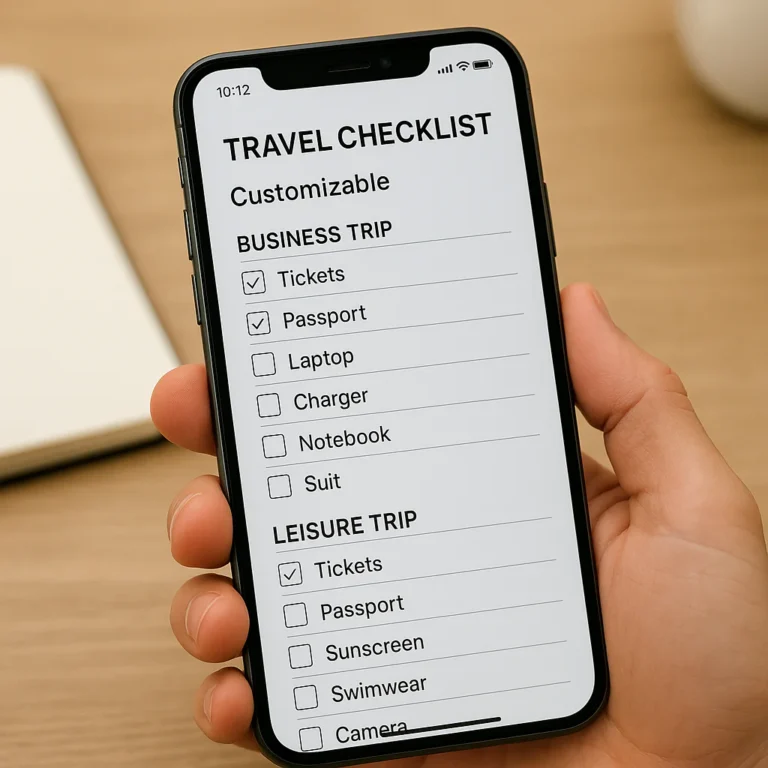
Want to tailor the list before inviting your crew? Start with our guide to customizing a travel checklist template, then share one living checklist instead of juggling five screenshots, three group chats, and a mysterious note titled “Stuff??”
| Quick tip | Why it helps |
|---|---|
| Pick one source of truth | Everyone knows where the latest list lives. |
| Assign owners to shared items | “Who packed the adapter?” stops being a departure-gate mystery. |
| Give people the right access | Editors can update; viewers can check details without accidentally rearranging the trip. |
| Keep personal and shared items separate | Your medication is personal; the beach umbrella might be a team effort. |
| Save an offline copy | Signal can disappear precisely when your boarding pass or checklist is needed. |
| Avoid putting sensitive details in open links | Passport numbers and payment information deserve more protection than a picnic plan. |
A quick distinction: a shared checklist is for tasks and packing; a shared itinerary is for where and when. Many groups need both, but they don’t have to live in the same app.
Our rule from family trips, friend getaways, and work travel: one central checklist, named task owners, and a final “morning of” check. The five-minute review is not glamorous. Neither is realizing the only universal plug adapter is still plugged in at home. 🔌
🧭 Why Shared Travel Checklists Keep Everyone on the Same Page
Group travel generates tiny decisions at an impressive rate: who booked the airport ride, whether anyone packed sunscreen, and which version of the itinerary is current. A shared list gives the group a visible place to record decisions, assign tasks, and mark progress.
The group-planning advice from Engine emphasizes keeping travel information in one place to “reduce confusion and miscommunication.” That’s sensible, especially for reservations and last-minute updates. But a group chat alone is not always a good checklist: messages scroll away, tasks get buried, and “I thought you were bringing it” is not a robust system.
| Without a shared checklist | With a shared checklist |
|---|---|
| Everyone keeps separate notes | The group checks one current list |
| Tasks have no clear owner | Each shared task has a named person |
| Updates get lost in chat | Changes are visible in the relevant item |
| Duplicates and gaps go unnoticed | Group items and personal items are distinct |
| One person carries the planning burden | Work can be divided and tracked |
What changes when everyone can see the plan?
- Less duplicated packing: One person brings the cards; another brings the portable speaker.
- Clearer responsibility: “Sam: pick up rental car” is more useful than “someone should book the car.”
- Better visibility: Travelers can see what is done without repeatedly asking the planner.
- More inclusive planning: Family members, friends, and coworkers can contribute according to their needs and comfort with technology.
- A calmer departure: The group can check passports, chargers, and transport arrangements before the morning rush.
A shared list won’t resolve every disagreement about restaurants or wake-up times. It will, however, give those disagreements a home—and make it easier to see what has actually been decided.
📝 What to Include in a Group Travel Checklist
The best shared travel checklist is specific enough to be useful and short enough that people will actually use it. We build ours in sections, with clear labels and separate owners where needed.
Packing lists and personal essentials
Each traveler should have a personal list for items that cannot be safely treated as group gear:
- Clothing suited to the destination, weather, and planned activities
- Toiletries and personal-care items
- Prescription medication and any personal medical supplies
- Glasses, contact lenses, hearing aids, or mobility aids
- Phone, charging cable, and any personal electronics
- Wallet, payment cards, and personal identification
- Activity-specific equipment
For trips with specialist gear, browse our adventure travel checklists, backpacking checklists, or beach vacation checklists. The checklist should reflect the trip you’re taking, not a generic packing list that assumes everyone is hiking, swimming, and attending a formal dinner on the same afternoon.
Itinerary, bookings, and travel documents
Add the logistics people need to verify, but be thoughtful about sensitive information:
- Flight, train, or bus details
- Accommodation name, address, and check-in instructions
- Airport transfers, car rental, and meeting points
- Activity reservations and confirmation links
- Passport and visa status rather than full document numbers
- Travel insurance provider and emergency contact details
- Relevant entry or health requirements
For official travel-document and destination guidance, check the U.S. Department of State travel information or the relevant government authority for your nationality and destination. Rules can change; a saved checklist is a helpful reminder, not a substitute for current official advice.
Shared tasks, deadlines, and responsibilities
A task becomes easier to manage when it answers three questions: what, who, and by when?
| Task | Owner | Deadline | Status |
|---|---|---|---|
| Confirm accommodation check-in | Jordan | Before departure | Not started |
| Pack shared first-aid kit | Lee | Packing day | In progress |
| Download offline maps | Everyone | Night before | Not started |
| Arrange airport pickup | Morgan | Before travel day | Done |
Use one owner per task where possible. Other people can help, but one clearly accountable person prevents the classic group project outcome: everybody assumed somebody else had done it.
Emergency contacts and important details
Include practical details that help the group respond if plans change:
- Local emergency number for the destination
- Accommodation address and phone number
- Group meeting point if someone gets separated
- Emergency contact for each traveler, where appropriate
- Relevant allergies or accessibility information, shared only with the people who need it
- Instructions for what to do if a phone is lost or battery dies
The CDC Travelers’ Health guidance is a reliable starting point for destination-specific health information. For emergencies, use local official services and your insurer’s instructions rather than relying on a checklist app to provide medical advice.
📲 9 Ways to Share a Travel Checklist with Family or Travel Companions
There isn’t one perfect tool for every group. A family with young kids may need a parent-managed list; a group of friends may prefer an editable document; a work team may need assignments and deadlines. Here are nine practical options.
1. Create a shared Google Docs checklist
Google Docs works well for a simple list that several people can edit. Create headings such as Packing, Bookings, Shared Gear, and Before We Leave, then use checkboxes or a compact table.
Best for: groups that want a familiar, flexible document.
Watch for: clutter if everyone edits the structure. Ask the group to add comments or tick items rather than inventing new headings mid-trip.
2. Collaborate in Google Sheets
Google Sheets is useful when you want sortable rows, assigned owners, deadlines, and a clear status column. A simple layout might include:
| Item or task | Category | Owner | Due date | Status |
|---|---|---|---|---|
| Portable charger | Shared gear | Alex | Packing day | Packed |
| Check passport validity | Documents | Each traveler | Before booking | Confirmed |
| Book airport transfer | Transport | Priya | One week before | In progress |
Best for: detail-oriented planners and groups with lots of tasks.
Watch for: overbuilding. If the sheet has 17 tabs and a color legend, the spreadsheet may have become the trip.
3. Use a shared notes app
A shared note in Apple Notes or another notes app can be quick to set up. It’s a good option when your group already uses the same ecosystem and needs a lightweight checklist.
Best for: small groups and straightforward trips.
Watch for: compatibility. Confirm that everyone can open and edit the note before relying on it.
4. Organize trip tasks in Trello or Notion
Trello organizes cards into lists such as To book, To pack, and Done. Notion can combine checklists, notes, itinerary details, and planning tables in one workspace.
Best for: groups that like visual boards or want a central trip-planning hub.
Watch for: inviting everyone to a complex workspace when they only need to pack a swimsuit. Keep the setup simple and test access first.
5. Share a checklist in a group chat
A WhatsApp group is useful for announcements, quick questions, and travel-day updates. Pin the checklist link or post a short message explaining where the current version lives.
Best for: fast communication and reminders.
Watch for: a chat is not a durable task manager. Messages get buried, so use it to point people to the checklist—not as the only place the checklist exists.
6. Coordinate plans with Wanderlog
Wanderlog is designed for trip planning, with itinerary and map features that can help groups keep activities and logistics together. It may be a better fit than a plain packing list when the group also needs a day-by-day plan.
Best for: travelers who want itinerary details and places organized alongside trip planning.
Watch for: a trip-planning app may not replace a dedicated task list for personal packing responsibilities. Decide what belongs in the itinerary and what belongs on the checklist.
7. Share routes and places with Google Maps
With Google Maps, you can save and share places such as a hotel, restaurant, transit stop, or meetup location. For a group, agree one recognizable meeting point rather than sending “we’re near the big fountain” while surrounded by twelve fountains.
Best for: locations, directions, and meeting points.
Watch for: map sharing is not the same as task sharing. Keep packing responsibilities and deadlines in the checklist.
8. Send a printable or downloadable checklist
A PDF or printed sheet works well for travelers who prefer paper, children who aren’t using a device, or situations where internet access is uncertain. Make sure the printout includes a last updated date so nobody is following an old version.
Best for: offline use and mixed-tech groups.
Watch for: printed copies won’t update themselves. Choose one person to circulate changes.
9. Keep an offline backup for travel day
Save a copy to your device or print the essentials: accommodation address, transport details, emergency contacts, and key tasks. Google Maps also explains how to download maps for offline use.
Best for: flights, road trips, remote areas, and anyone who has ever watched a loading spinner become a personal nemesis.
Watch for: offline copies can become outdated. Refresh them after significant changes.
🛠️ Choosing the Best Shared Checklist App for Your Group
Choose for the group’s actual habits, not for the longest feature list. A tool nobody opens is just a very polished place for tasks to go missing.
| Tool | Strongest use | Collaboration style | Main limitation |
|---|---|---|---|
| Google Docs | Simple shared checklist | Shared document editing | Can get untidy |
| Google Sheets | Owners, due dates, and status tracking | Shared rows and columns | Can feel too detailed |
| Trello | Visual task workflow | Cards assigned to people | Needs initial setup |
| Notion | Trip hub and structured notes | Pages, databases, and tasks | May be more system than a short trip needs |
| Alerts and quick coordination | Group messages | Tasks are easy to lose in chat | |
| Wanderlog | Itinerary and place planning | Collaborative trip organization | Not necessarily a replacement for a packing checklist |
| PackPoint | Personalized packing suggestions | Packing-list generation | Check current sharing features and availability before choosing |
Google Docs and Sheets for simple collaboration
These tools are a practical choice when your group wants a familiar interface and straightforward sharing. You can share a document with named people, then decide whether they can view, comment, or edit. Google explains these options in its Drive sharing and permissions guide.
For a weekend away, Docs may be plenty. For a group of eight with separate tasks and deadlines, Sheets can make ownership easier to scan.
Trello and Notion for task tracking
Use Trello if your group thinks in stages: Need to book → Ready → Done. Use Notion if you want a more complete planning space that includes documents, itinerary notes, and checklists.
Our recommendation: create only the columns or sections the group will use. If people need training to check whether they packed socks, choose a simpler tool.
Wanderlog for itineraries and trip details
Wanderlog can be useful when the plan includes several stops, activities, and shared places. It helps separate “where are we going?” from “who’s bringing the first-aid kit?” Those are related questions, but they’re not the same question.
WhatsApp for quick updates and reminders
WhatsApp is excellent for a message such as “Gate changed” or “Meet outside the north entrance.” It’s less reliable for long-term task tracking. Pin the checklist link, keep important announcements concise, and avoid posting sensitive personal information to a large group.
PackPoint for personalized packing lists
PackPoint generates packing suggestions based on trip details such as destination, duration, and activities. That can help a traveler start a personal list, especially when weather and planned activities affect what to bring. Before making it the group’s shared system, verify that its current features support the collaboration your group needs.
When a spreadsheet or paper list works better
A spreadsheet is often better when tasks need owners and due dates. Paper can better for a traveler who doesn’t use apps, a child’s packing list, or an offline backup. There is no prize for choosing the most complicated tool.
For a spreadsheet walkthrough, the Savy and Thriving travel checklist template video may be helpful: it demonstrates a Google Sheet packing template for business trips and family vacations.
✅ Step-by-Step: Set Up and Share a Travel Checklist
Here’s the workflow we use when coordinating a trip. It works for family holidays, shared road trips, and team travel—with a little adjustment for who needs access.
Choose one shared checklist as the source of truth
- Choose a tool everyone can access. Ask what the group already uses before introducing a new app.
- Create one central list. Avoid multiple “final-final-updated” versions.
- Add sections for packing, bookings, transport, documents, shared gear, and travel-day tasks.
- Label the list clearly. Include destination and travel dates, plus a “last updated” date.
- Separate personal tasks from shared responsibilities. Each person can manage personal medication and clothing; the group can assign shared chargers or snacks.
Add travelers, assign tasks, and set due dates
- List each shared item or task as its own entry.
- Give it one owner.
- Add a deadline or useful checkpoint.
- Use a simple status, such as Not started, In progress, and Done.
- Keep personal items in a separate section so other travelers don’t assume one person is packing for everyone.
- Review the division of shared gear. If a bag is delayed or a traveler changes plans, the group should know who has what.
A shared trip checklist can also help families delegate age-appropriate tasks. Children can check off their own books or comfort items while an adult retains responsibility for passports and essential documents.
Share access and test permissions
- Invite travelers by their account or share the link using the app’s permission settings.
- Choose view, comment, or edit access based on what each person needs.
- Ask one person to open the invite on a different device or browser.
- Confirm that guests can find the list without requesting access at the airport.
- Explain how to report a problem or suggest a change.
Google’s sharing permissions guidance explains how to control access to Drive files. Other apps use different controls, so review the current settings in the app you choose.
Agree on update and notification rules
Agree on a few small habits before the group chat becomes a notification festival:
- Where do changes go? Update the checklist itself; use chat for urgent alerts.
- Who can change shared plans? For example, one organizer may edit bookings while everyone can check off packing items.
- When should people check the list? A weekly review during early planning and a final check shortly before travel often works well.
- How are decisions confirmed? Record the final choice, not every suggestion.
- What deserves a notification? A gate change does; adding “sunglasses” usually doesn’t.
Review the checklist before departure
The night before travel, review the morning-of anchor list:
- Passport or required identification
- Boarding pass or ticket
- Phone and charger
- Wallet and essential payment method
- Medication
- Keys
- Accommodation and transfer details
Then confirm the shared items and task owners. A quick message in the group chat can point everyone to the final list—but keep the checklist itself as the definitive version.
🔐 Sharing Permissions, Privacy, and Travel Document Security
A group checklist should make useful information easy to find without turning into a vault of sensitive data. Keep the principle simple: share what the group needs, with the people who need it, for as long as they need it.
Set view, comment, or edit access carefully
- Give view access to travelers who only need to check the itinerary.
- Use comment access when people should suggest changes without altering the original details.
- Give edit access to travelers responsible for maintaining the plan.
- Avoid public-link access if the list contains personal or booking information.
- Review who has access after adding or removing travelers.
Protect passport, payment, and booking information
A shared packing list can say “passport checked” without storing the passport number or a photo. Likewise, a reminder to bring a payment card is usually enough; a full card number does not belong in a group document.
Use a reputable password manager or secure document-storage method for sensitive records, and follow the provider’s security guidance. The U.S. Cybersecurity and Infrastructure Security Agency offers practical advice on protecting accounts and information.
Share sensitive documents securely
If someone genuinely needs a document, use a secure channel with access controls rather than a public link. Confirm the recipient and permissions, and don’t post passport scans, insurance documents, or personal medical details in a large group chat.
For family trips, share health or accessibility information only with the companions who need it to provide support. Convenience matters, but privacy matters too.
Remove access after the trip
When the trip is over:
- Remove access for people who no longer need it.
- Delete or archive outdated copies according to your group’s needs.
- Check shared links and app permissions.
- Keep only records you need for legitimate follow-up, such as expense reconciliation or insurance claims.
👨 👩 👧 👦 Tips for Sharing Checklists with Different Travelers
The same checklist can work for very different groups, but the sharing method should fit the people using it.
Family trips with children
Create a child-friendly section with simple tasks such as “pack book” or “choose travel snack.” An adult should own critical tasks such as medication, passports, and transport documents.
For younger children or anyone without their own device, keep the checklist under a parent’s account or use a printed list. Let children participate without handing them responsibility for the boarding passes.
Multigenerational travel and accessibility needs
Offer more than one way to view the plan: a mobile app, a browser link, and a printable copy if needed. Use readable headings, clear language, and specific meeting locations. Ask travelers directly what information or assistance they want shared.
For health preparation and destination considerations, refer to current CDC Travelers’ Health guidance and the traveler’s healthcare professional where appropriate.
Friends, couples, and large groups
For a couple, a small shared note may be enough. For a larger group, assign owners to transport, shared supplies, accommodation questions, and activity bookings. If your trip involves multiple stops, see our road-trip and adventure checklist resources.
To coordinate expenses as well as tasks, tools such as Splitwise can help record shared costs. Expense tracking is useful, but keep it separate from payment credentials and sensitive financial information.
Travelers with different phones or tech comfort levels
Before settling on an app, test the invitation with someone who uses a different device or prefers a browser. Give people a fallback option, such as a PDF or printed essentials. A shared checklist is only shared if everyone who needs it can actually open it.
🌐 Offline Access, Syncing, and Last-Minute Changes
Before departure, confirm how your chosen app behaves without internet access. Some tools allow offline viewing or editing and sync changes later; others need a connection for the latest version. Don’t assume—test it.
- Open the checklist while connected and confirm that the latest changes appear.
- Use the app’s offline option if available.
- Save essential details locally or print a compact backup.
- Download destination maps where supported; see Google Maps’ offline map instructions.
- Decide how to handle last-minute changes: update the central list and send a short group alert.
- Refresh offline copies after major changes.
For road trips and remote destinations, consider a printed contact and accommodation sheet. Travelers planning extended independent travel may also find our digital nomad checklists and budget travel checklists useful.
🚫 Common Shared Checklist Mistakes and How to Avoid Them
| Common mistake | Better approach |
|---|---|
| Sharing several competing list versions | Pick one source of truth and label it clearly |
| Using group chat as the only checklist | Pin the checklist link; keep tasks in the list |
| Assigning an item to “everyone” | Name one owner and invite others to help |
| Giving the whole group edit access by default | Match permissions to each traveler’s role |
| Putting sensitive data in a public link | Share only necessary details through secure access |
| Making the list too long or complicated | Use clear sections and remove irrelevant items |
| Assuming everyone can open the app | Test access and offer a browser or paper option |
| Forgeting offline access | Download or print essential information |
| Marking “documents” as done without checking | Specify what must be checked and when |
| Keeping outdated copies active | Review links and remove access after the trip |
One especially common trap is confusing shared ownership with no ownership. A task can be visible to everyone and still belong to nobody. Name one person; then the group can stop conducting a small detective investigation.
💡 Quick Tips for Keeping Everyone Organized
- Keep the checklist scannable: short task names beat paragraphs.
- Use consistent labels: “Packed,” “Booked,” or “Confirmed” should mean the same thing to everyone.
- Put deadlines beside tasks: “Arrange transport” is vague; “confirm airport transfer by Tuesday” is actionable.
- Separate essentials from nice-to-haves: medication and tickets should not be buried under card games.
- Use one shared-items section: list group gear once, with a named carrier.
- Send reminders sparingly: notify the group about meaningful changes, not every checkbox.
- Build in a final review: check the list the night before and again before leaving.
- Choose access for real people: app preference, device, accessibility, and internet access all matter.
- Keep an offline fallback: a checklist that cannot load is just a very organized memory.
- Check current destination guidance: use official sources for entry, health, and transport requirements rather than relying on old notes.
For a group packing list, our winning combination is delightfully unflashy: one shared list, clear task owners, sensible permissions, and an offline backup. The group can keep the chat lively; the checklist keeps the trip from depending on someone’s memory.