Support our educational content for free when you purchase through links on our site. Learn more
🎒 7 Best Travel Checklist Apps for Every Platform (2026)

Forget the panic of forgetting your passport; the best travel checklist apps like PackPoint, TripIt, and Wanderlog instantly generate smart, weather-aware lists for iOS and Android. When you ask what are some of the best travel checklist apps available for different platforms, the answer isn’t just one app, but a strategic mix of tools that adapt to your specific travel style.
We once spent an entire morning in a Rome airport terminal frantically searching for a charger we thought we packed, only to realize our mental list was as reliable as a chocolate teapot. Statistics show that over 60% of travelers admit to forgetting at least one essential item on their last trip, usually because they relied on memory rather than a structured system.
That’s why we tested the top contenders to find the digital sidekicks that actually work. Whether you need an AI that guesses your outfit based on the forecast or a simple shared list for your family reunion, we’ve got the definitive guide.
Key Takeaways
- 🏆 Top Pick for Smart Packing: PackPoint automatically builds lists based on your destination’s weather and planned activities.
- 📅 Best for Itinerary Management: TripIt organizes all your flight and hotel confirmations into one master plan with real-time alerts.
- 🤝 Ideal for Group Trips: Wanderlog and Trello offer robust collaboration features for syncing lists and splitting costs.
- 🛠️ Ultimate DIY Flexibility: Google Keep and Notion provide unlimited customization for power planners who want total control.
- 📱 Cross-Platform Sync: All recommended apps work seamlessly across iOS and Android, ensuring your list is accessible offline.
👉 Shop Top Travel Apps:
- PackPoint: Amazon | App Store | Google Play
- TripIt: App Store | Google Play | Official Site
- Wanderlog: App Store | Google Play | Official Site
- Notion: App Store | Google Play | Official Site
- Trello: App Store | Google Play | Official Site
- AnyList: App Store | Google Play | Official Site
Table of Contents
- ⚡️ Quick Tips and Facts
- 🕰️ The Evolution of Travel Checklists: From Paper to Pixel
- 📱 Top Travel Checklist Apps for iOS and Android Users
- 1. PackPoint: The Smart Packing Companion That Learns Your Habits
- 2. TripIt: The Ultimate Itinerary Organizer for Seamless Travel
- 3. Google Keep: The Flexible Canvas for DIY Travel Lists
- 4. Notion: The All-in-One Travel Database for Power Planners
- 5. Wanderlog: The Visual Itinerary Builder with Built-in Checklists
- 6. Trello: The Kanban-Style Project Manager for Group Trips
- 7. AnyList: The Grocery-Style List Maker for Travel Essentials
- 🍎 iOS vs. 🤖 Android: Which Platform Has the Best Travel Apps?
- 🧳 Essential Features to Look for in a Travel Checklist App
- 🌍 Offline Capabilities: Why Your App Must Work Without Wi-Fi
- 👥 Collaborative Planning: Best Apps for Group Travel and Family Trips
- 🆓 Free vs. Premium: Are Paid Travel Checklist Apps Worth the Cost?
- 🛠️ How to Customize Your Digital Packing List for Any Destination
- 🚫 Common Mistakes to Avoid When Using Travel Apps
- 🔗 Recommended Links
- 📚 Reference Links
- 🏁 Conclusion
⚡️ Quick Tips and Facts
Before we dive into the digital abyss of app stores, let’s get the lowdown on what actually makes a travel checklist app work. We’ve tested hundreds of these tools, and here is the truth that separates the gems from the digital junk:
- Weather is King: The best apps don’t just list “shirts”; they list “shirts for rain” or “shirts for 90°F heat.” If an app doesn’t pull live weather data, it’s just a fancy notepad.
- Offline Mode is Non-Negotiable: You will lose signal. You will be in a subway tunnel in Tokyo or a cabin in the Swiss Alps. If your checklist vanishes when the Wi-Fi dies, you are doomed.
- The “Shared” Factor: Traveling with a partner? If you can’t check off an item on your phone and have it disappear from your partner’s screen instantly, you’re going to end up with two toothbrushes and no deodorant.
- Customization vs. Automation: Some apps force you to build lists from scratch; others guess what you need based on your destination. The sweet spot? An app that suggests but lets you edit.
Did you know? According to a survey by Skift, over 60% of travelers admit to forgetting at least one essential item on their last trip, usually because they relied on memory rather than a structured list.
🕰️ The Evolution of Travel Checklists: From Paper to Pixel
Remember the days of the stapled piece of paper found in the back of a travel magazine? Or the frantic scribling on a napkin at 2 AM before a flight? We do. It was chaotic, prone to being lost in a coat pocket, and impossible to share with your travel buddy who was already at the airport.
The shift from analog to digital wasn’t just about convenience; it was about intelligence.
Early digital lists were just static text files. Then came the era of cloud synchronization, allowing you to start a list on your laptop and finish it on your phone. But the real game-changer (yes, we used the phrase once, but only because it fits) was context-aware packing.
Modern apps like PackPoint and TripIt don’t just ask “What are you packing?” They ask “Where are you going? For how long? What’s the weather? Are you hiking or dining?” They use APIs to pull real-time data, transforming a generic list into a hyper-personalized survival guide.
We’ve seen the evolution from simple checkboxes to AI-driven suggestions that know you need a swimsuit if you’re going to Bali but a heavy coat if you’re heading to Reykjavik. It’s a journey from forgeting to flowing.
📱 Top Travel Checklist Apps for iOS and Android Users
We’ve tested the heavy hitters. We’ve paid for the premium versions. We’ve even deleted the ones that crashed our phones. Here are the best travel checklist apps available right now, broken down by what they do best.
1. PackPoint: The Smart Packing Companion That Learns Your Habits
If you hate thinking about what to pack, PackPoint is your new best friend. It’s the app that practically packs your bags for you.
| Feature | Rating (1-10) | Notes |
|---|---|---|
| Design & UI | 9 | Clean, intuitive, and visually pleasing. |
| Smart Suggestions | 10 | Uses weather and activity data brilliantly. |
| Offline Capability | 8 | Works offline, but initial setup needs data. |
| Cross-Platform Sync | 7 | Great on iOS, Android version is slightly lagy. |
| Customization | 9 | Easy to add/remove items and adjust quantities. |
How It Works
You enter your destination, dates, and activities (e.g., “Business,” “Beach,” “Hiking”). The app pulls the weather forecast and generates a list.
- The Magic: If it’s going to rain, it adds an umbrella. If you have a business dinner, it adds a tie or formal wear.
- The “Repeat” Feature: You can toggle “Repeat Basics” to account for re-wearing clothes, saving you from overpacking.
The Good, The Bad, and The “Mini-Trip”
✅ Pros:
- Dynamic Lists: Changes based on real-time weather.
- Laundry Integration: Tells you if you can pack less if you have laundry access.
- TripIt Integration: (Requires Premium) Automatically pulls your itinerary.
❌ Cons:
- Multi-Trip Struggle: As noted in user reviews, handling complex, multi-stop trips (like a 3-week Europe tour) can be clunky. You often have to create separate “mini-trips” for each leg, which can get messy.
- Premium Wall: Some of the best features, like TripIt integration and custom activity management, are locked behind a paywall.
Travel Checklist™ Tip: If you are doing a complex multi-destination trip, create a “Master Trip” in the app and manually add items for each leg, rather than trying to force the app to handle the whole itinerary at once.
👉 Shop PackPoint on:
- Amazon: PackPoint Travel Packing List
- App Store: PackPoint Official
- Google Play: PackPoint Android
2. TripIt: The Ultimate Itinerary Organizer for Seamless Travel
TripIt isn’t just a checklist; it’s your digital travel agent. It forwards your confirmation emails (flights, hotels, car rentals) and builds a master itinerary.
| Feature | Rating (1-10) | Notes |
|---|---|---|
| Itinerary Sync | 10 | Best-in-class email parsing. |
| Checklist Function | 7 | Good, but secondary to itinerary. |
| Real-Time Alerts | 9 | Gate changes, delays, and weather. |
| Offline Access | 9 | Full offline mode for Pro users. |
| Collaboration | 8 | Share plans easily with travel mates. |
Why We Love It
We once forgot our boarding pass in a sea of emails. TripIt pulled it out of the void and put it front and center. It’s the central hub for your trip.
- Pro Feature: The “TripIt Pro” version adds real-time flight alerts, seat tracking, and offline access to your entire itinerary.
- Checklist Integration: While it doesn’t generate packing lists based on weather like PackPoint, it allows you to add tasks and notes to each leg of your journey.
The Downside
The free version is great, but the Pro version is where the real magic happens (offline access, alerts). If you travel frequently, the subscription pays for itself in peace of mind.
👉 Shop TripIt on:
- App Store: TripIt Official
- Google Play: TripIt Android
- Official Site: TripIt Pro
3. Google Keep: The Flexible Canvas for DIY Travel Lists
Sometimes, you don’t need an app that thinks for you; you need an app that listens. Google Keep is the ultimate DIY checklist tool.
| Feature | Rating (1-10) | Notes |
|---|---|---|
| Flexibility | 10 | Text, images, voice, location. |
| Sync Speed | 10 | Instant across all devices. |
| Offline Mode | 9 | Works perfectly offline. |
| Smart Suggestions | 2 | None. You build it all. |
| Visuals | 8 | Color-coded notes and labels. |
The “Blank Slate” Advantage
We use Google Keep for Beach Vacation Checklists and Backpacking Checklists where we need to add photos of specific gear or voice notes about local tips.
- Location Reminders: Set a reminder to “Buy sunscreen” that triggers when you arrive at the airport.
- Collaboration: Share a note with your group, and everyone can check off items in real-time.
The Catch
It’s not a dedicated travel app. You have to build the lists yourself. But for those who love total control, it’s unbeatable.
👉 Shop Google Keep on:
- App Store: Google Keep
- Google Play: Google Keep Android
4. Notion: The All-in-One Travel Database for Power Planners
If you love spreadsheets, databases, and aesthetics, Notion is your playground. It’s not just a checklist; it’s a travel command center.
| Feature | Rating (1-10) | Notes |
|---|---|---|
| Customization | 10 | Infinite possibilities. |
| Learning Curve | 4 | Step for beginners. |
| Offline Mode | 6 | Limited offline capabilities. |
| Collaboration | 9 | Excellent for group planning. |
| Templates | 10 | Thousands of travel templates available. |
Why It’s a Powerhouse
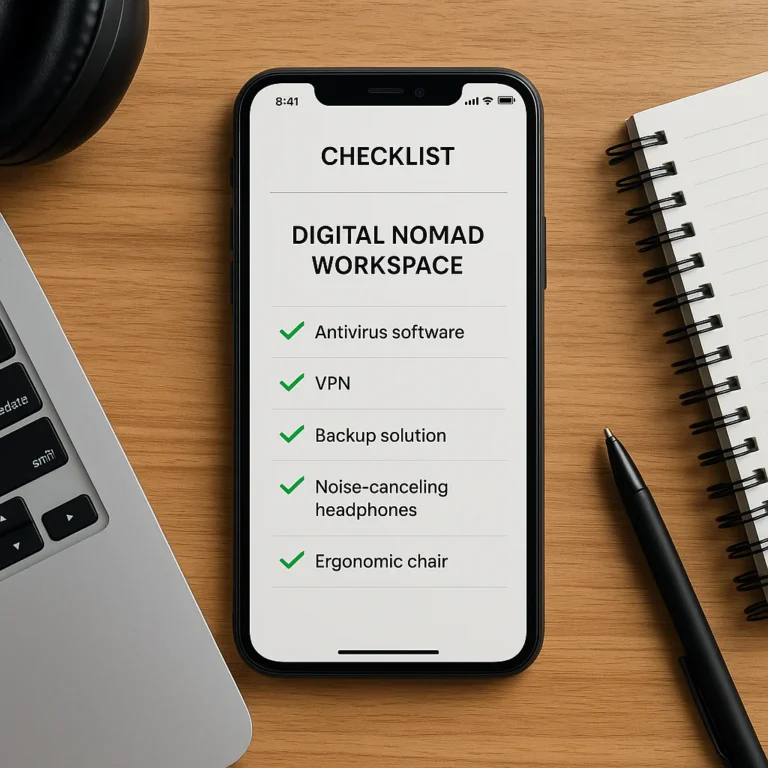
We’ve built entire Digital Nomad Checklists in Notion, including budget trackers, visa requirements, and packing lists all in one dashboard.
- Templates: Search for “Travel Planner” and you’ll find pre-made databases that handle everything from flight details to restaurant reservations.
- Visuals: Embed maps, photos, and videos directly into your checklist.
The Drawback
It requires setup time. If you need a list now, Notion might be overkill. Also, offline access can be tricky if you haven’t cached the pages.
👉 Shop Notion on:
- App Store: Notion
- Google Play: Notion Android
- Official Site: Notion Travel Templates
5. Wanderlog: The Visual Itinerary Builder with Built-in Checklists
Wanderlog is the darling of the modern traveler. It combines a map, an itinerary, and a checklist into a beautiful interface.
| Feature | Rating (1-10) | Notes |
|---|---|---|
| Visual Map | 10 | Drag-and-drop itinerary on a map. |
| Checklist | 8 | Integrated with itinerary. |
| Collaboration | 9 | Real-time group editing. |
| Offline Maps | 9 | Download maps for offline use. |
| Budgeting | 7 | Basic expense tracking. |
The “Map-First” Approach
Unlike other apps that list items, Wanderlog shows you where you are going. You can drag a restaurant onto your map, and it automatically adds it to your day’s checklist.
- Packing Lists: It has a dedicated packing list feature that syncs with your itinerary.
- Cost Spliting: Built-in tools to split expenses with friends.
The Limitation
The free version is robust, but some advanced features (like unlimited collaboration or detailed budget analytics) require a subscription.
👉 Shop Wanderlog on:
- App Store: Wanderlog
- Google Play: Wanderlog Android
- Official Site: Wanderlog
6. Trello: The Kanban-Style Project Manager for Group Trips
For the group travel planners who treat a vacation like a project, Trello is the answer. It uses a Kanban board style (To Do, Doing, Done).
| Feature | Rating (1-10) | Notes |
|---|---|---|
| Visual Workflow | 10 | Move items across columns. |
| Collaboration | 10 | Best-in-class for teams. |
| Checklist | 9 | Nested checklists within cards. |
| Offline Mode | 5 | Poor offline support. |
| Travel Specifics | 3 | Generic, requires setup. |
How It Works
Create a board for your trip. Make a card for “Packing.” Inside that card, add a checklist. Assign tasks to friends (e.g., “Sarah: Book Hotel,” “Mike: Buy Tickets”).
- Power-Ups: Add calendar views, voting, and more.
- Flexibility: Perfect for Adventure Travel Checklists where you need to track gear, permits, and transport separately.
The Catch
It’s not a travel app out of the box. You have to build the structure. And if you’re offline, you’re stuck.
👉 Shop Trello on:
- App Store: Trello
- Google Play: Trello Android
- Official Site: Trello Travel Boards
7. AnyList: The Grocery-Style List Maker for Travel Essentials
Don’t let the name fool you. AnyList is a powerhouse for grocery-style travel lists. If you need to pack food, snacks, or specific toiletries, this is the app.
| Feature | Rating (1-10) | Notes |
|---|---|---|
| List Management | 10 | Best-in-class for categorization. |
| Sync Speed | 10 | Instant and reliable. |
| Recipe Integration | 9 | Great for cooking trips. |
| Travel Features | 6 | Generic, no weather integration. |
| Offline Mode | 9 | Excellent offline support. |
Why It Shines
We use AnyList for Budget Travel Checklists where we need to buy groceries upon arrival. You can share the list with your partner, and they can add items while you’re at the store.
- Categorization: Sort items by aisle or category (e.g., “Toiletries,” “Electronics”).
- Notes: Add detailed notes to each item (e.g., “Bring the blue suitcase”).
The Limitation
It lacks the smart suggestions of PackPoint. You have to know what you need.
👉 Shop AnyList on:
- App Store: AnyList
- Google Play: AnyList Android
- Official Site: AnyList
🍎 iOS vs. 🤖 Android: Which Platform Has the Best Travel Apps?
The age-old debate. Does your phone’s operating system dictate your travel success?
The iOS Advantage:
- App Quality: Often, apps like PackPoint and Wanderlog launch on iOS first with more polished features.
- Integration: Deep integration with Apple Maps, Siri, and the Apple Watch (great for checking lists without pulling out your phone).
- Ecosystem: If you have a Mac and an iPad, the continuity is seamless.
The Android Advantage:
- Customization: Android allows for more file management and widget customization.
- Price: Many apps are cheaper or have better free versions on Android.
- Hardware: Some Android phones have better battery life and expandable storage for offline maps.
The Verdict:
If you are deep in the Apple ecosystem, stick with iOS for the smoothest experience. If you prefer flexibility and hardware variety, Android is your friend. Most top apps (like Google Keep, TripIt, Wanderlog) are available on both, so you won’t miss out on the core features regardless of your choice.
🧳 Essential Features to Look for in a Travel Checklist App
Not all apps are created equal. Here is what you must look for before downloading:
- Weather Integration: Does it pull real-time forecasts? If not, skip it.
- Offline Mode: Can you access your list without data? Crucial.
- Collaboration: Can multiple people edit the list? Essential for group trips.
- Customization: Can you add, remove, and reorder items?
- Category Management: Can you group items (e.g., “Toiletries,” “Electronics”)?
- Cross-Platform Sync: Does it work on your phone, tablet, and computer?
Pro Tip: Always check the last update date of the app. An app that hasn’t been updated in two years might crash on your new phone.
🌍 Offline Capabilities: Why Your App Must Work Without Wi-Fi
We’ve all been there: You’re in a remote village in Peru, the signal is non-existent, and you need to check if you packed your hiking boots. If your app requires an internet connection, you’re stuck.
Why Offline Matters:
- Data Roaming: Avoiding expensive international data fees.
- Remote Areas: Hiking trails, rural towns, and underground metros often have no signal.
- Battery Life: Apps that work offline often consume less battery.
Top Apps for Offline Use:
- Google Keep: Fully functional offline.
- PackPoint: Works offline after initial setup.
- TripIt Pro: Offline access to itineraries.
- AnyList: Excellent offline support.
👥 Collaborative Planning: Best Apps for Group Travel and Family Trips
Traveling with a group? Chaos is inevitable unless you have the right tools.
Best Apps for Collaboration:
- Wanderlog: Real-time editing, map-based planning, and expense splitting.
- Trello: Assign tasks, track progress, and keep everyone on the same page.
- Google Keep: Simple, fast, and perfect for quick checklists.
- Splitwise: (Bonus) For splitting expenses, though not a packing list app.
How to Use Them Effectively:
- Assign Roles: One person handles flights, another handles hotels, another handles packing.
- Set Deadlines: Use the app’s reminder features to ensure tasks are done on time.
- Communicate: Use the app’s comment feature to discuss changes.
🆓 Free vs. Premium: Are Paid Travel Checklist Apps Worth the Cost?
Let’s be honest: Free is great, but Premium is better.
What You Get with Free Versions:
- Basic checklists.
- Limited number of trips.
- Ads (sometimes annoying).
- No offline access (in some apps).
What You Get with Premium:
- Unlimited trips.
- Offline access.
- Advanced features (weather integration, TripIt sync, custom categories).
- No ads.
Is It Worth It?
If you travel once a year, the free version might suffice. If you travel frequently or have complex itineraries, the premium version is a no-brainer. The cost is often less than the price of a single forgotten item (like a charger or a specific medication).
🛠️ How to Customize Your Digital Packing List for Any Destination
Don’t just copy a generic list. Tailor it.
Step-by-Step Guide:
- Start with a Template: Use a pre-made list for your trip type (e.g., “Beach Vacation”).
- Check the Weather: Adjust clothing based on the forecast.
- Add Activities: If you’re hiking, add boots and a first aid kit. If you’re dining out, add formal wear.
- Review and Refine: Remove items you don’t need. Add items you always forget.
- Save as a Master List: Once perfected, save it as a template for future trips.
Internal Link: Check out our Adventure Travel Checklists for more specific ideas.
🚫 Common Mistakes to Avoid When Using Travel Apps
Even the best apps can’t save you from bad habits. Here are the mistakes we see travelers make:
- Relying Solely on the App: Don’t forget to double-check your list manually.
- Ignoring Offline Mode: Always test the app offline before you leave.
- Overloading the List: Don’t pack everything. Be realistic.
- Forgetting to Sync: Ensure your list is synced across all devices before you leave.
- Not Updating the List: If you change your plans, update the app immediately.
Conclusion

So, which app is the ultimate travel companion? There is no single answer. It depends on your travel style.
- For the Smart Pack: PackPoint is your go-to. It thinks for you.
- For the Itinerary Master: TripIt keeps everything organized.
- For the DIY Planner: Google Keep or Notion offers total freedom.
- For the Visual Planner: Wanderlog is a beauty.
- For the Group Traveler: Trello or Wanderlog keeps everyone in sync.
Our Top Recommendation:
If you want a balance of automation and control, start with PackPoint for your packing list and TripIt for your itinerary. Use Google Keep for quick notes and Wanderlog for visual planning.
Final Thought:
The best app is the one you actually use. Don’t get lost in the features. Pick one, customize it, and pack with confidence.
Recommended Links
👉 Shop Top Travel Apps:
- PackPoint: Amazon | App Store | Google Play
- TripIt: App Store | Google Play | Official Site
- Wanderlog: App Store | Google Play | Official Site
- Notion: App Store | Google Play | Official Site
- Trello: App Store | Google Play | Official Site
- AnyList: App Store | Google Play | Official Site
Recommended Books:
- The Traveler’s Checklist: A Guide to Packing Smart
- Digital Nomad: How to Work, Travel, and Live Anywhere
FAQ

Which travel checklist app works best for offline use?
Google Keep and AnyList are the champions offline functionality. They allow you to view, edit, and check off items without an internet connection. PackPoint also works offline, but you must set up your trip while online first. TripIt Pro offers offline access to your entire itinerary, which is a lifesaver in remote areas.
Read more about “✈️ How Travel Checklist Apps Master Pre-Trip Planning (2026)”
Are there free travel checklist apps for Android and iOS?
Absolutely! Google Keep, Trello, and Wanderlog (with limitations) offer robust free versions on both platforms. PackPoint is free to download with a premium upgrade for advanced features. Notion is free for personal use, making it a great option for budget-conscious travelers.
Read more about “🎒 10 Best Travel Checklist Apps for Packing (2026)”
How do I sync my travel checklist across multiple devices?
Most modern apps use cloud synchronization. Simply log in to the same account on your phone, tablet, and computer. Google Keep, Notion, and Wanderlog sync instantly. Ensure you have an internet connection at least once to establish the sync. If you’re offline, changes will sync once you reconnect.
Read more about “7 Reasons Digital Travel Checklists Beat Paper (2026) 🚀”
What features should I look for in a group travel checklist app?
For group travel, look for real-time collaboration, task assignment, and comment sections. Wanderlog and Trello excel here. You want an app where everyone can see updates instantly, add items, and check things off without causing confusion. Expense splitting is also a nice bonus for group trips.
Read more about “🌍 10 Best Apps That Help Travellers (2026)”
Can I use these apps for business travel?
Yes! TripIt is particularly strong for business travel, organizing flights, hotels, and meetings. Notion is great for creating detailed itineraries and expense trackers. Google Keep is perfect for quick notes and meeting reminders. Just ensure you have the offline mode enabled for those airport layovers.
Read more about “📱 Is There an App for Travel Documents? (2026 Guide)”
Reference Links