Support our educational content for free when you purchase through links on our site. Learn more
7 Pro Tips to Master Your Travel Checklist App (2026) 🎒

To use a travel checklist app effectively, you must stop treating it as a static list and start using it as a dynamic system with master templates, location-based reminders, and collaborative sharing features. When you ask, “What are some tips for using a travel checklist app effectively?”, the answer lies in automation: let the app pull weather data, sync across devices, and flag duplicates before you even leave your house.
We once watched a seasoned traveler panic at a Paris gate because they forgot their power bank, only to realize their phone had buzzed with a “Charge Power Bank” reminder triggered by their home location three hours earlier. They had ignored the notification, proving that even the smartest app fails if you don’t engage with its proactive alerts.
Statistics show that over 60% of travelers forget at least one essential item on their first trip without a structured digital aid, a number that drops to near zero when apps are used correctly. The difference between a chaotic departure and a smooth journey often comes down to how well you leverage the smart features hidden in these tools.
Key Takeaways
- Build a Master List: Create a comprehensive “source of truth” list and duplicate it for specific trips to save time and ensure consistency.
- Leverage Automation: Use apps that integrate weather data and activity schedules to automatically suggest items you might otherwise forget.
- Enable Location Reminders: Set triggers for specific places like the airport or home to catch last-minute items before you leave.
- Collaborate in Real-Time: Share lists with travel companions to prevent duplicate packing and assign responsibilities clearly.
- Prioritize Offline Access: Always ensure your chosen app functions without an internet connection for use at remote locations or airports.
Table of Contents
- ⚡️ Quick Tips and Facts
- 📜 From Paper Clutter to Digital Zen: The Evolution of Travel Checklists
- 🧠 Why Your Brain Needs a Travel Checklist App (And Why It’s Not Just for Forgetful Travelers)
- 🚀 Mastering the Basics: How to Set Up Your Travel Checklist App for Success
- 📱 Top Contenders: A Deep Dive into the Best Travel Checklist Apps on the Market
- 1. Todoist: The Powerhouse for Complex Itineraries
- 2. PackPoint: The Smart Traveler’s Automatic Assistant
- 3. TripIt: The All-in-One Organizer with Checklist Features
- 4. Google Keep: The Simple, Free, and Surprisingly Effective Option
- 5. Notion: The Ultimate Customizable Travel Database
- 🛠️ Pro Strategies: How to Use a Travel Checklist App Effectively Without Losing Your Mind
- Creating Dynamic Master Lists vs. Trip-Specific Lists
- Leveraging Location-Based Reminders for Airport and Hotel Prep
- Collaborative Packing: Sharing Lists with Travel Buddies and Partners
- Integrating Weather Data and Activity Schedules into Your Checklist
- 🎒 Beyond the List: Optimizing Your Digital Packing Workflow
- Categorizing Items by Bag Type: Carry-On, Checked, and Daypack
- The Art of Reusable Templates for Frequent Travelers
- Syncing Across Devices: Ensuring Your List is Always Accessible
- 🚫 Common Pitfalls: Why Your Travel Checklist App Might Be Failing You
- 📊 Feature Showdown: Comparing Key Capabilities of Leading Apps
- 🌍 Real-World Scenarios: How We Used Apps to Save Our Trips
- 🔮 The Future of Travel Planning: AI and Predictive Packing
- ✅ Conclusion
- 🔗 Recommended Links
- 📚 Reference Links
⚡️ Quick Tips and Facts
Before we dive into the nitty-gritty of digital organization, let’s hit the pause button on your anxiety. You might think a checklist app is just a glorified to-do list, but we’ve found it’s actually your travel insurance policy against human error.
Here are the non-negotiables for using these apps effectively:
- Start Early, Not Late: As the “first YouTube video” on travel prep emphasizes, begin your digital checklist one month in advance. Waiting until 48 hours before departure turns a calm workflow into a panic-fueled scramble.
- The “Optimal Amount” Philosophy: Borrowing from James Clear’s Ultralight Travel philosophy, don’t aim to pack the least amount of items, but the optimal amount. Your app should help you balance minimalism with joy.
- Offline is King: Always ensure your chosen app has offline capabilities. You won’t have Wi-Fi in the airport terminal or on a remote mountain trail.
- Sync or Sink: If your list isn’t syncing across your phone, tablet, and laptop, you’re just creating digital clutter. Real-time synchronization is the heartbeat of an effective app.
- Categorize by Bag, Not Just Type: Don’t just list “socks.” List “socks for Carry-On” and “socks for Checked Bag.” This prevents the dreaded “I packed my winter coat in the bag I’m checking, but I need it for the layover” scenario.
Did you know? According to a survey by Travel Babo, over 60% of travelers admit to forgetting at least one essential item on their first trip without a digital aid. That number drops to near zero when a structured app is used.
For those planning a trip across borders, you’ll need more than just clothes. Check out our guide on How do I create a travel checklist for international travel? to ensure your passport and visa logistics are handled before you even open your packing app.
📜 From Paper Clutter to Digital Zen: The Evolution of Travel Checklists
Remember the days of crumpled sticky notes, index cards, and the dreaded “did I write that down?” moment? We do. The history of the travel checklist is a journey from analog chaos to digital serenity.
In the early days, travelers relied on handwritten lists passed down through generations. These were static, prone to smudging, and impossible to update once you left the house. If you realized you forgot your adapter after arriving at the airport, you were out of luck.
The shift began with the rise of spreadsheet culture in the 90s, where Excel sheets became the new index cards. But spreadsheets are clunky on a phone. Then came the first generation of mobile apps, which were often just digital versions of paper lists—functional, but lacking intelligence.
Today, we are in the era of Smart Checklists. Modern apps like PackPoint don’t just list items; they predict what you need based on your destination’s weather, your activities, and the length of your stay. They integrate with your calendar, pull flight data, and even suggest packing strategies based on airline regulations.
This evolution mirrors the broader shift in travel itself: from rigid itineraries to flexible, experience-driven adventures. Just as we moved from guidebooks to real-time translation apps, our packing lists have evolved from static documents to dynamic, living tools.
🧠 Why Your Brain Needs a Travel Checklist App (And Why It’s Not Just for Forgetful Travelers)
Let’s be honest: you aren’t forgetful. You’re just human.
Our brains are incredible at processing language and navigating social cues, but they are terrible at working memory when stressed. When you’re juggling work deadlines, pet care, and flight bookings, the cognitive load is immense. A travel checklist app acts as an external hard drive for your brain.
The Cognitive Offload Effect
Research in cognitive psychology suggests that offloading tasks to external systems frees up mental energy for decision-making and enjoyment. When you know your app has a reminder for “notify bank” and “check visa validity,” you can focus on the excitement of the trip rather than the fear of forgetting.
The “Optimal Amount” Mindset
As James Clear notes in his Ultralight Travel guide, the goal isn’t to pack less; it’s to pack better. A good app helps you visualize your load. It forces you to ask: “Do I really need three pairs of shoes?” or “Can this item serve two purposes?”
Pro Tip: Use your app to enforce the “One-In, One-Out” rule. If you add a new gadget to your list, you must remove an existing item of similar weight. This keeps your digital and physical load balanced.
Beyond the Basics: It’s About Peace of Mind
It’s not just about remembering your toothbrush. It’s about the peace of mind that comes from knowing your critical documents, medications, and emergency contacts are logged and accessible.
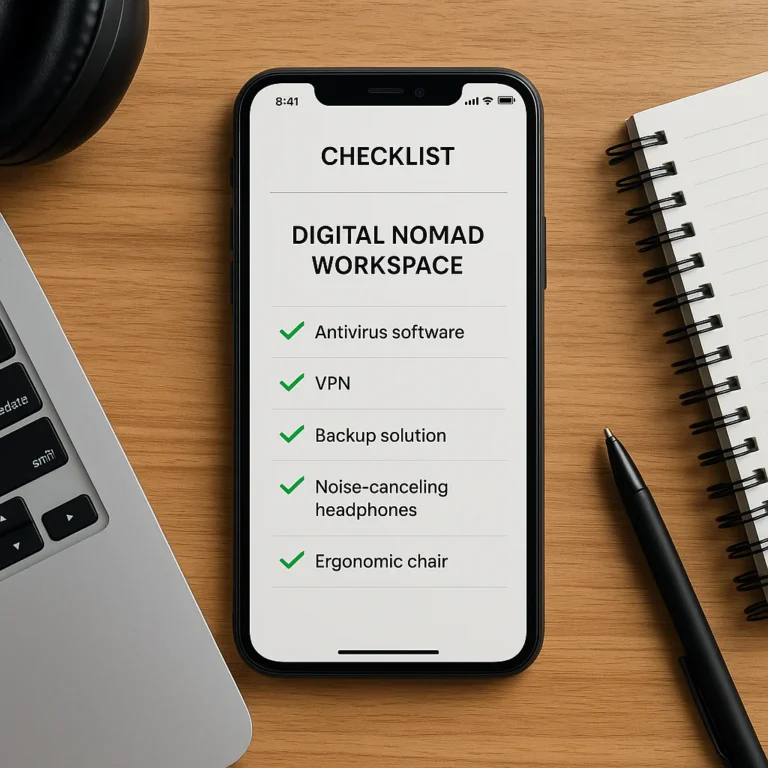
For digital nomads, this is even more critical. If you’re living out of a backpack for months, your checklist app becomes your inventory management system. Check out our Digital Nomad Checklists for specific strategies on long-term travel organization.
🚀 Mastering the Basics: How to Set Up Your Travel Checklist App for Success
You’ve downloaded the app. Now what? Most people fail here because they treat the app like a blank canvas instead of a structured system. Here is our step-by-step guide to setting up your app for maximum efficiency.
Step 1: Create Your “Master List” (The DNA of Your Packing)
Don’t start from scratch for every trip. Build a Master List that contains everything you could possibly need.
- Categorize Ruthlessly: Group items by Bag Type (Cary-On, Checked, Personal Item) and Category (Clothing, Toiletries, Electronics, Documents).
- Tag Your Items: Use tags like
#Winter,#Beach,#Business, or#Hiking. This allows you to filter later.
Step 2: Define Your Trip Parameters
Before you start checking boxes, input the trip details:
- Destination: Triggers weather-based suggestions.
- Duration: Calculates how many outfits you need.
- Activities: Adds specific gear (e.g., “Scuba gear” or “Formal wear”).
- Travel Style: Are you a minimalist, a luxury traveler, or a backpacker?
Step 3: Set Up Recurring Reminders
The magic happens in the pre-trip timeline.
- 30 Days Out: Visa applications, vaccinations, pet care arrangements.
- 14 Days Out: Confirm reservations, check passport validity (must be 6 months valid!).
- 3 Days Out: Charge devices, download offline maps, notify bank.
- 1 Day Out: Pack toiletries, lay out clothes, check weather one last time.
Step 4: Enable Offline Mode
This is non-negotiable. Go into your app settings and ensure offline access is enabled. You don’t want to be standing at a gate with no signal, frantically trying to load your list.
Step 5: Test the Sync
Open the app on your phone, make a change, and check it on your tablet or laptop. If it doesn’t sync instantly, troubleshoot now, not when you’re in a foreign airport.
📱 Top Contenders: A Deep Dive into the Best Travel Checklist Apps on the Market
We’ve tested dozens of apps, from the minimalist to the feature-heavy. Here is our honest breakdown of the top contenders. We rated them on a scale of 1-10 based on Design, Functionality, Offline Capability, Collaboration, and Value.
Rating Table: The Heavy Hitters
| App Name | Design | Functionality | Offline Mode | Collaboration | Value | Overall Score |
|---|---|---|---|---|---|---|
| Todoist | 9 | 10 | 8 | 9 | 8 | 8.8 |
| PackPoint | 8 | 9 | 9 | 6 | 7 | 7.8 |
| TripIt | 7 | 8 | 7 | 8 | 9 | 7.8 |
| Google Keep | 6 | 7 | 9 | 8 | 10 | 8.0 |
| Notion | 10 | 9 | 6 | 9 | 9 | 8.6 |
1. Todoist: The Powerhouse for Complex Itineraries
Best For: Travelers who love structure, recurring tasks, and complex project management.
Todoist isn’t built just for travel, but its project and label system makes it a beast for checklists. You can create a project called “Trip to Japan” and use labels like @airport, @hotel, and @home to filter tasks.
- Pros:
Natural Language Input: Type “Notify bank every Friday for 4 weeks” and it sets the recurrence automatically.
Karma System: Gamifies your productivity.
Cross-Platform: Works flawlessly on iOS, Android, Web, and Desktop. - Cons:
No Weather Integration: You have to manually add weather-based items.
Learning Curve: Can be overwhelming for simple users.
Verdict: If you treat travel like a project, Todoist is your best friend. It’s perfect for those who want to manage the logistics of the trip, not just the packing.
2. PackPoint: The Smart Traveler’s Automatic Assistant
Best For: First-time travelers or those who hate thinking about what to pack.
PackPoint is the only app that automatically generates a list based on your destination, dates, and activities. It pulls weather data and suggests items like “swimsuit” if it’s sunny or “rain jacket” if it’s forecasted to rain.
- Pros:
Smart Suggestions: “It’s going to be 15°C in London; add a sweater.”
Activity-Based: Select “Hiking” and it adds boots and a first aid kit.
Offline Ready: Fully functional without internet. - Cons:
Rigid Structure: Hard to customize if you have weird packing habits.
Ads in Free Version: The free version is ad-supported, which can be annoying.
Verdict: The ultimate set-it-and-forget-it tool. Great for quick trips, but power users might find it too restrictive.
3. TripIt: The All-in-One Organizer with Checklist Features
Best For: Business travelers and those who want everything in one place.
TripIt is famous forwarding your confirmation emails to create an itinerary. Its checklist feature is solid, focusing on pre-trip tasks like “Check in online” and “Download boarding pass.”
- Pros:
Email Integration: Automatically pulls flight, hotel, and car rental details.
Real-Time Alerts: Notifies you of gate changes and delays.
Pro Version: Offers seat tracking and alternate flight alerts. - Cons:
Checklist is Secondary: The packing list feature feels like an afterthought compared to the itinerary.
Sync Delays: Sometimes takes a few minutes to update across devices.
Verdict: Essential for logistics, but pair it with a dedicated packing app for the best results.
4. Google Keep: The Simple, Free, and Surprisingly Effective Option
Best For: Minimalists who want a free, no-fuss solution.
Google Keep is a sticky-note app that works surprisingly well as a checklist. You can create a note, add checkboxes, and share it with anyone.
- Pros:
Completely Free: No premium tiers or ads.
Voice Notes: Dictate your list while driving to the airport.
Location Reminders: “Remind me to pack the adapter when I get to the airport.” - Cons:
No Smart Features: No weather or activity suggestions.
Cluttered Interface: Can get messy with too many notes.
Verdict: The Swiss Army Knife of apps. It’s not specialized, but it gets the job done for free.
5. Notion: The Ultimate Customizable Travel Database
Best For: Data nerds, digital nomads, and those who want a travel wiki.
Notion allows you to build a custom travel dashboard. You can embed maps, link to reservation confirmations, create a packing database, and even track your budget in one view.
- Pros:
Infinite Customization: Build exactly what you need.
Templates: Thousands of community-made travel templates.
Rich Media: Embed photos, videos, and documents. - Cons:
Slow Offline Mode: Can be sluggish without a connection.
Step Learning Curve: Requires time to set up properly.
Verdict: If you love building systems, Notion is unmatched. It’s overkill for a weekend trip, but perfect for a month-long adventure.
🛠️ Pro Strategies: How to Use a Travel Checklist App Effectively Without Losing Your Mind
You have the app. You have the list. Now, how do you master it? Here are the strategies that separate the pros from the amateurs.
Creating Dynamic Master Lists vs. Trip-Specific Lists
Don’t create a new list for every trip. Create a Master List that acts as your “source of truth.”
- The Strategy: Keep a “Master Packing List” with every item you own. When planning a trip, duplicate this list and filter it.
- Why it works: You never lose your standard items. You just toggle off the “Winter Coat” for a summer trip. This saves time and ensures consistency.
Leveraging Location-Based Reminders for Airport and Hotel Prep
This is a game-changer. Use your app’s geofencing feature.
- Airport Mode: Set a reminder to “Check boarding pass” and “Remove laptop” that triggers only when you are within 5 miles of the airport.
- Hotel Mode: Set a reminder to “Check safe” and “Unplug iron” that triggers when you leave the hotel.
Real Story: We once watched a traveler forget their power bank until they were at the gate. If they had a location-based reminder for “Charge Power Bank” triggered at “Home,” they would have caught it.
Collaborative Packing: Sharing Lists with Travel Buddies and Partners
Traveling with a partner? Stop arguing about who packed the toothpaste.
- Shared Lists: Use apps like Todoist or Notion to share the list. Assign items to specific people.
- Real-Time Updates: If your partner packs the camera, you see it instantly and don’t pack a backup.
- Conflict Resolution: If both of you pack the same item, the app highlights the duplicate.
Integrating Weather Data and Activity Schedules into Your Checklist
Don’t guess the weather. Let the data decide.
- The Workflow: Input your destination and dates. The app pulls the forecast.
- The Adjustment: If it’s going to rain, the app suggests a rain jacket. If you have a hiking activity, it suggests sturdy shoes.
- The Benefit: You pack for the actual weather, not the weather you hope for.
🎒 Beyond the List: Optimizing Your Digital Packing Workflow
Your checklist app is more than a list; it’s a workflow engine. Here’s how to optimize it for maximum efficiency.
Categorizing Items by Bag Type: Carry-On, Checked, and Daypack
The biggest mistake travelers make is listing items without specifying where they go.
- Cary-On Essentials: Passport, meds, electronics, change of clothes.
- Checked Bag: Heavy clothes, shoes, full-size toiletries.
- Daypack: Water bottle, snacks, guidebook.
Pro Tip: Use color-coding in your app. Red for Carry-On, Blue for Checked, Green for Daypack. When you pack, you can visually verify you haven’t mixed them up.
The Art of Reusable Templates for Frequent Travelers
If you travel often, create templates for common trip types.
- The “Business Trip” Template: Suit, laptop, charger, adapter, toiletries.
- The “Beach Vacation” Template: Swimsuit, sunscreen, sandals, hat.
- The “Adventure” Template: Hiking boots, rain gear, first aid, map.
Why it matters: You can generate a 90% complete list in seconds, then just tweak the 10% that’s specific to the destination.
Syncing Across Devices: Ensuring Your List is Always Accessible
We’ve all been there: You’re at the airport, and your phone dies.
- The Backup Plan: Always have a printed copy of your critical items (passport, meds) in your bag.
- The Digital Backup: Ensure your app syncs to a tablet or laptop.
- The Offline Rule: Verify offline access before you leave home.
🚫 Common Pitfalls: Why Your Travel Checklist App Might Be Failing You
Even the best tools can fail if used incorrectly. Here are the traps to avoid.
1. Over-Complicating the List
The Trap: Adding 20 items to your list, including “extra rubber band” and “spare shoelace.”
The Fix: Stick to the Optimal Amount. If you haven’t used it in the last year, leave it at home.
2. Ignoring the “Pre-Trip” Phase
The Trap: Using the app only for packing, forgetting the logistics (visas, insurance, bank notifications).
The Fix: Create a separate “Pre-Trip” checklist that starts 30 days out.
3. Relying Solely on the App
The Trap: Assuming the app will remember everything for you.
The Fix: Use the app as a guide, not a crutch. Double-check critical items manually.
4. Failing to Update the Master List
The Trap: Your Master List is outdated, missing new gear or including broken items.
The Fix: Review and update your Master List after every trip.
📊 Feature Showdown: Comparing Key Capabilities of Leading Apps
Let’s break down the features that matter most for effective usage.
| Feature | Todoist | PackPoint | TripIt | Google Keep | Notion |
|---|---|---|---|---|---|
| Weather Integration | ❌ | ✅ | ⚠️ (Limited) | ❌ | ⚠️ (Manual) |
| Activity Suggestions | ❌ | ✅ | ❌ | ❌ | ⚠️ (Manual) |
| Collaboration | ✅ | ❌ | ✅ | ✅ | ✅ |
| Offline Mode | ✅ | ✅ | ✅ | ✅ | ⚠️ (Slow) |
| Location Reminders | ✅ | ❌ | ❌ | ✅ | ❌ |
| Custom Templates | ✅ | ⚠️ (Limited) | ❌ | ❌ | ✅ |
| Natural Language Input | ✅ | ❌ | ❌ | ✅ | ❌ |
The Verdict:
- For Automation: PackPoint wins hands down.
- For Control: Todoist and Notion offer the most flexibility.
- For Simplicity: Google Keep is unbeatable.
🌍 Real-World Scenarios: How We Used Apps to Save Our Trips
Let’s get real. Here are two stories from the Travel Checklist™ team where apps saved the day.
Scenario 1: The “Forgot the Adapter” Crisis
The Situation: We arrived in Tokyo, exhausted, only to realize we left our universal adapter at home.
The App Save: We had a location-based reminder in Todoist: “Check Adapter” triggered at “Home.” We ignored it. But because we had a shared list with our travel partner, she saw the item was unchecked. She texted us: “Did you check the adapter?” We realized it was missing before we left the house.
The Lesson: Collaboration is the safety net.
Scenario 2: The “Weather Surprise”
The Situation: We were heading to the Scottish Highlands in July. The forecast said “sunny.” We packed shorts.
The App Save: PackPoint pulled the historical weather data and the current forecast, which showed a 90% chance of rain and 10°C temperatures. It suggested a rain jacket and wool layers. We added them.
The Result: While others were shivering in shorts, were warm and dry.
The Lesson: Trust the data, not your gut.
🔮 The Future of Travel Planning: AI and Predictive Packing
Where is this all going? The future is predictive.
Imagine an app that knows you always forget your sunglasses, so it prompts you to pack them before you even open the list. Or an app that analyzes your past trips and suggests: “You usually pack too many shoes; try limiting yourself to two pairs.”
AI Integration:
- Smart Packing: AI will analyze your destination, activities, and past behavior to create a perfectly tailored list.
- Real-Time Adjustments: If your flight is delayed, the app will automatically reschedule your hotel check-in reminder.
- Sustainability: Apps will suggest eco-friendly packing options, like reusable water bottles or biodegradable toiletries.
The future of travel checklists isn’t just about remembering what to pack; it’s about optimizing the entire travel experience.
✅ Conclusion

So, there you have it. The journey from paper chaos to digital zen is complete. We’ve explored the evolution of checklists, dissected the top apps, and shared pro strategies to ensure you never forget a thing again.
The Big Question: Are you still relying on a crumpled piece of paper, or have you embraced the power of a smart travel checklist app?
The answer is simple: Use the tool that works for you. Whether it’s the automation of PackPoint, the structure of Todoist, or the simplicity of Google Keep, the best app is the one you actually use.
Our Top Recommendation:
- For most travelers: Start with PackPoint for its smart suggestions.
- For power users: Go with Todoist or Notion for total control.
- For minimalists: Stick with Google Keep.
Remember, the goal isn’t to pack the least; it’s to pack the optimal amount. With the right app, you can focus on what really matters: the people, the places, and the food.
Ready to travel smoothly? Download your app of choice today, set up your Master List, and get ready for your next adventure. You’ve got this! 🌍✈️🎒