Support our educational content for free when you purchase through links on our site. Learn more
10 Benefits of a Digital Travel Checklist 🧳

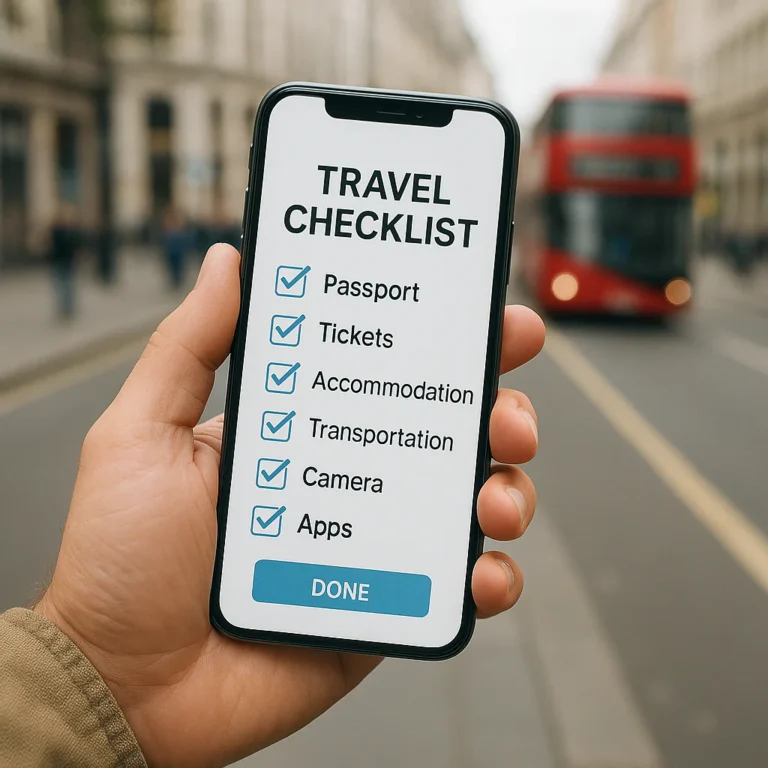
What are the benefits of using a digital travel checklist over a physical one? It’s easier to update, reuse, organize, and share—especially when you’re packing for different trips or coordinating with travel companions. For most frequent travelers, a digital checklist makes the best master list, while a paper backup is handy when your phone is offline or out of battery.
We learned the value of a reusable list after packing the same charger, toiletries, and “I’ll remember it this time” item for several trips—then forgetting that very item again. A digital checklist lets you add it once and keep it on your next packing list, instead of starting from scratch or deciphering a paper page full of arrows.
Still, paper has its moments: it needs no battery, and there’s something satisfying about checking off the last item with a pen. We’ll compare both formats and show you how to build a digital packing list that’s useful without becoming a second itinerary to manage.
Key Takeaways
- Digital checklists are easy to edit, duplicate, search, and organize for different destinations and trip types.
- Shared lists help travel companions coordinate packing and divide responsibilities.
- Offline access and battery life need a plan: test your app before departure and keep a simple backup for essential details.
- Paper still shines for screen-free, battery-free simplicity.
- Best overall approach: use a digital master checklist and keep a small paper backup when you may need one.
Table of Contents
- ⚡️ Quick Tips and Facts: Digital vs. Physical Travel Checklists
- 🧭 How Travel Checklists Went from Paper to Digital
- 📋 Digital vs. Physical Travel Checklists at a Glance
- ✅ 10 Benefits of Using a Digital Travel Checklist
- 1. Update Your Packing List in Seconds
- 2. Reuse and Customize Lists for Every Trip
- 3. Share Planning Tasks with Travel Companions
- 4. Get Helpful Reminders and Notifications
- 5. Keep Travel Documents and Notes Together
- 6. Access Your Checklist Across Devices
- 7. Save Space and Reduce Paper Clutter
- 8. Organize Items by Category, Destination, or Trip Day
- 9. Make Last-Minute Changes Without Rewriting Everything
- 10. Support More Sustainable Trip Planning
- 📝 Where Paper Travel Checklists Still Shine
- ⏱️ The Real Time-Saver: Faster Packing and Fewer Forgotten Essentials
- 📱 What to Look for in a Travel Checklist App
- Offline Access, Syncing, and Battery Life
- Sharing, Reminders, and Custom Categories
- Privacy and Protecting Sensitive Travel Information
- 🧳 How to Build a Digital Packing List That Works
- Create a Reusable Master Packing Checklist
- Customize It for Your Destination and Trip Type
- Add Documents, Tasks, and Pre-Departure Reminders
- 🔋 Common Drawbacks of Digital Checklists—and How to Avoid Them
- 🤝 The Best of Both Worlds: A Digital-and-Paper Travel Checklist
- 🎯 Who Benefits Most from a Digital Travel Checklist?
- ❓ Frequently Asked Questions
- Are digital travel checklists better than paper packing lists?
- Can I use a digital checklist without internet access?
- What should I include on a digital travel checklist?
- Are travel checklist apps safe for storing personal information?
- Should I still print important travel documents?
- 🏁 Conclusion
- 🔗 Recommended Links
- ❔ FAQ
- 📚 Reference Links
⚡️ Quick Tips and Facts: Digital vs. Physical Travel Checklists
A digital travel checklist is a packing list or trip-preparation checklist stored in an app, notes tool, or cloud document. Its biggest advantages over paper are easy editing, reusable templates, search, and sharing. Paper still wins when your phone is out of battery, you want a screen-free option, or you simply enjoy the satisfying little tick of a pen. 🖊️
| Quick fact | What it means for your trip |
|---|---|
| Digital lists are easy to reuse | Duplicate your routine list, then tailor it for a city break, beach holiday, or camping trip. |
| Shared lists can divide the work | A family or travel group can coordinate who packs shared items and who checks essential tasks. |
| Offline access is not automatic | Confirm that your app keeps lists available offline; cloud sync and offline access are separate features. |
| A checklist supports memory, but does not replace judgment | Use it to track tasks and belongings, while checking official requirements for documents, baggage, and safety. |
| A paper backup can be useful | Keep a printed copy of essential details if you’ll be without reliable access to your device. |
For a practical starting point, see our guide to often-forgoten items that belong on every travel checklist. For trip-specific packing ideas, browse our beach vacation checklists, backpacking checklists, or adventure travel checklists.
Our quick recommendation: Use a digital checklist as your flexible master copy, enable offline access where possible, and print or write down the small set of information you cannot afford to lose. Later, we’ll show you how to make a reusable list that saves time without becoming a 147-item monument to “just in case.”
🧭 How Travel Checklists Went from Paper to Digital
Travel lists started as the simplest technology available: a scrap of paper, a pen, and the hope that someone remembered the charger. Digital tools have added search, duplication, categories, reminders, and sharing—but they haven’t made paper useless.
Today, you can make a travel checklist in a notes app such as Apple Notes, a document tool such as Google Keep, or a workspace like Notion. Dedicated packing-list apps, including PackPoint and Packy, may offer trip-specific templates or packing features. Their exact capabilities can vary by platform and version, so check current app listings and settings before relying on a particular feature.
The shift isn’t really “paper bad, phone good.” It’s about reducing the work involved in making, revising, and reusing a list. One comparison of digital and paper packing lists describes reusable templates as a way to make “small adjustments to a proven template.” That’s a useful principle whether you use Notion, a dedicated app, or a notebook.
A digital checklist can also be more than a pile of clothing names. You might organize it by:
- Packing category: clothes, toiletries, electronics, medication
- Luggage: personal item, carry-on, checked bag
- Timing: before leaving home, airport, arrival, hotel checkout
- Owner: you, your partner, child, or shared group gear
That structure matters when the trip gets complicated. But for one night at your cousin’s house? A sticky note may be entirely adequate. The best checklist is the one you’ll actually use.
📋 Digital vs. Physical Travel Checklists at a Glance
Here’s the practical comparison. Neither format earns a perfect score for every traveler.
| Feature | Digital travel checklist | Physical travel checklist |
|---|---|---|
| Editing | Add, remove, reorder, and revise items quickly | Requires handwriting changes or rewriting |
| Reuse | Duplicate a template for the next trip | Save the page, photocopy it, or start again |
| Sharing | Often easy through shared apps or documents | Usually means handing over or copying the list |
| Search and sorting | Search, filters, categories, and checkboxes may be available | You scan the page or mark it up by hand |
| Access | Convenient if your device is available and charged | Available without a device or battery |
| Offline reliability | Depends on app settings and saved data | Works without internet, software, or power |
| Backup | May sync or back up if configured correctly | A single sheet can be lost or damaged |
| Distractions | Notifications and other apps can interrupt you | Screen-free and focused |
| Environmental footprint | Avoids printing but relies on electronic devices | Uses paper, though one reusable notebook can last |
| Best for | Frequent trips, changing plans, group packing, reusable lists | Simple trips, screen-free planning, and backup notes |
The distinction between sync and offline access is worth remembering. Syncing can keep information consistent across devices when connected; it doesn’t guarantee that a checklist will open without internet. Check your chosen app’s offline settings before heading somewhere with limited connectivity.
Likewise, a list stored in the cloud is not automatically a safe place for sensitive information. Keep passport numbers, payment details, and other private data in an appropriate secure service rather than putting everything in a general packing list. The U.S. Cybersecurity and Infrastructure Security Agency offers practical guidance on protecting accounts and devices.
✅ 10 Benefits of Using a Digital Travel Checklist
A digital packing list is especially useful when you travel often, pack for more than one person, or find that every trip somehow requires a different assortment of cables. Here are ten reasons we like using one.
1. Update Your Packing List in Seconds
Forgot sunscreen last time? Add it once, and it can stay in your template for future warm-weather trips. Digital lists make it easy to edit items without scribling arrows into the margins or rewriting the whole page.
You can also adjust your list as plans change:
- Add a rain jacket when the forecast shifts.
- Remove ski gloves when the mountain portion of your itinerary disappears.
- Add a travel adapter after booking an international trip.
- Change the quantity of everyday items, such as socks or medication.
That flexibility is one reason digital packing-list guides praise the ability to rearrange items without “messy cross-outs and arrows.” It’s not glamorous, but your future self will appreciate a list that doesn’t look like it lost a fight with a highlighter.
2. Reuse and Customize Lists for Every Trip
The most valuable digital checklist may be the one you’ve already built. Keep a master list of routine items, then duplicate it for each trip and remove what you won’t need.
For example, a reusable base might include:
- Phone and charging cable
- Everyday medication
- Toiletries
- Underwear and sleepwear
- Wallet and keys
- Travel documents to verify
Then create trip-specific versions:
- Beach vacation checklist: swimwear, sun protection, and beach gear
- Backpacking checklist: trail layers, navigation, and camp equipment
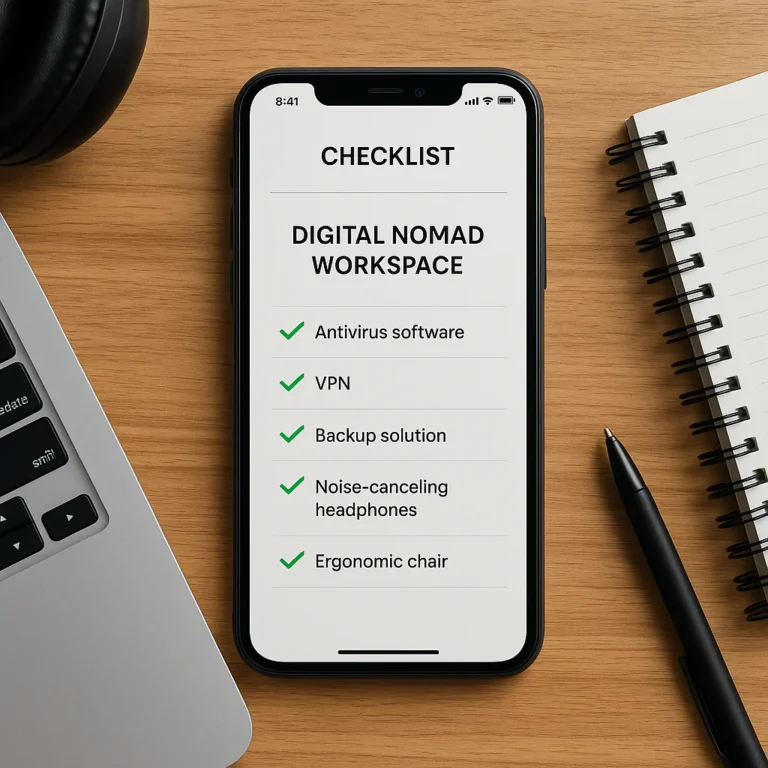
- Digital nomad checklist: work devices, adapters, and connectivity essentials
- Budget travel checklist: reusable bottles, practical layers, and low-cost trip planning
- Adventure travel checklist: activity-specific clothing and safety gear
A Notion packing-list tutorial featured in the video linked in this article demonstrates a similar idea: create a customizable template, organize it into categories, and duplicate it for each new trip. The important part isn’t making a pretty dashboard; it’s making a list you can adapt quickly.
3. Share Planning Tasks with Travel Companions
A shared digital checklist can help a group see what’s packed, what’s still missing, and who’s responsible. That’s handy for family travel, camping trips, and anyone who has ever arrived with two hairdryers but no toothpaste.
Use shared lists to:
- Assign individual items to each traveler.
- Track communal gear, such as a first-aid kit or portable charger.
- Avoid packing duplicates.
- Let one person confirm that another has packed a must-have item.
- Add group tasks, such as checking reservations or arranging transport.
Some apps support collaboration directly; other tools let you share a document or note. Confirm each person can edit or view the list as intended, and check whether changes appear on everyone’s devices. A shared list is only helpful if everyone is looking at the same version.
For families, make separate sections for each traveler rather than blending everything into one long inventory. “Maya’s swimwear” is easier to act on than “swimwear,” which may trigger a small household debate.
4. Get Helpful Reminders and Notifications
Digital checklists can pair packing items with timed tasks. You might set a reminder to:
- Refill a prescription before departure.
- Check passport validity well ahead of an international trip.
- Download boarding passes or offline maps.
- Charge a camera or power bank the night before.
- Water plants and lock windows before leaving.
This is where a checklist becomes a trip-preparation system, not just a clothing inventory. For entry requirements and passport information, verify details with official sources such as the U.S. Department of State’s travel information or your own government’s equivalent. Rules vary by nationality and destination, so a generic app reminder cannot replace official guidance.
One caution: reminders only help if they’re timely and not buried in a notification avalanche. Keep critical travel alerts enabled, but don’t turn every sock into a push notification. Your phone has enough opinions already.
5. Keep Travel Documents and Notes Together
A checklist app or digital workspace can group packing tasks with useful trip notes, such as:
- Reservation confirmation details
- Address and check-in instructions
- Emergency contacts
- A note to verify travel insurance
- A reminder to check baggage and airline rules
Keep sensitive information in the right place. A general checklist is suitable for reminders such as “confirm passport is packed,” but not necessarily for storing full payment-card details or scans of identity documents. Use trusted, secure services and follow the provider’s safety guidance. The Federal Trade Commission’s advice on protecting personal information is a sensible starting point.
For air travel, review current guidance from the relevant airline and airport, as well as official rules for your route. In the United States, the Transportation Security Administration provides traveler information, including security guidance; other countries have their own authorities.
6. Access Your Checklist Across Devices
A synced checklist may be available on a phone, tablet, or computer, depending on your service and settings. That means you can draft your list at home, make a last-minute change on your phone, and check it again while packing.
But cloud sync is not a substitute for testing offline access. Before departure:
- Open the checklist on the device you’ll carry.
- Confirm that it loads while connected to the internet.
- If the app supports offline access, follow its instructions to save or sync the relevant list.
- Turn off Wi-Fi briefly to test whether the list still opens.
- Keep a backup for information that would cause trouble if inaccessible.
This is particularly helpful for backpackers and digital nomads who may change locations frequently or have unpredictable connectivity. Still, don’t assume every app handles offline data in the same way.
7. Save Space and Reduce Paper Clutter
A digital list weighs nothing in your bag and doesn’t need a folder, clipboard, or increasingly mysterious “travel papers” envelope. That can be useful for light packers and people already carrying enough gear.
Digital storage also avoids printing a fresh checklist for every trip. The environmental comparison, however, is not as simple as “paper bad, digital good”: electronic devices require materials and energy too. The most practical low-waste approach is to reuse a digital master list or keep one durable paper checklist, rather than printing disposable copies every time.
And yes, some travelers prefer a paper notebook because they enjoy handwriting. If that’s you, keep using it. A checklist should make travel easier, not turn your packing routine into a referendum on stationery.
8. Organize Items by Category, Destination, or Trip Day
Categories make longer lists easier to scan. A well-organized digital list can separate:
- Clothing: tops, bottoms, outerwear, sleepwear
- Toiletries: toothbrush, skincare, hair products
- Electronics: phone, cables, camera, headphones
- Documents and essentials: wallet, tickets, identification
- Activity gear: hiking, beach, work, or sports equipment
- Departure tasks: locks, lights, plants, and final room check
You can go further by sorting items into luggage: personal item, carry-on, checked bag, and toiletry kit. The Notion template shown in the featured video uses categories and luggage-based organization, with items that can be moved and customized.
That structure can prevent the “I packed it, but where?” problem. A travel adapter checked off under “electronics—carry-on” is more useful than one checked off somewhere in a sprawling master list.
9. Make Last-Minute Changes Without Rewriting Everything
Weather changes. Plans change. You suddenly remember that the guesthouse has no towels. Digital checklists make it easy to add a new task or remove an item without turning your packing sheet into a collage.
We’ve found this especially useful when a trip has multiple stages—say, a city stop followed by a hike. Keep one base list, then add a separate section for each leg:
- City clothing and daily essentials
- Hiking equipment
- Items to leave behind or store between stops
- Laundry and repacking tasks
This reduces the need to maintain several almost-identical lists. It also makes it easier to spot the item that belongs only to one part of the itinerary.
10. Support More Sustainable Trip Planning
A digital checklist can help you reuse packing plans and avoid buying duplicate items because you forgot what you already own. It can also help you remember reusable gear, such as a water bottle or shopping bag, where appropriate.
That said, the sustainability benefit depends on how you use it. A digital list won’t make a trip sustainable by itself, and replacing a working device just to get a checklist app would be a spectacularly unnecessary plot twist. The simplest win is to reuse what you have: a notes app, an existing smartphone, or one durable notebook.
📝 Where Paper Travel Checklists Still Shine
Paper is not obsolete. It’s battery-free, straightforward, and available without opening an app. For a short overnight stay, a simple handwritten list can be all you need.
| Paper checklist advantage | Why it can matter |
|---|---|
| No charging required | Useful if your phone is out of power or you want to conserve battery. |
| No connectivity or account needed | You can read the page without internet, syncing, or an app login. |
| Fewer digital distractions | A paper list won’t tempt you with messages, social media, or a weather rabbit hole. |
| Easy to hand over | One printed sheet can be shared with someone who doesn’t use your app. |
| Tactile satisfaction | Some people enjoy writing items down and physically crossing them off. |
Paper can also serve as a useful backup for essential information. Write down a few key contacts or travel details if losing access to your phone would be inconvenient. Avoid leaving sensitive personal data visible or unattended.
For longer or shared lists, paper becomes less flexible: it can be misplaced, damaged, hard to reorganize, and awkward to update. One competitor notes that paper can become cumbersome for lists with 50 or more items. That’s not a universal breaking point—some people love a long paper checklist—but it’s a fair warning about readability and maintenance.
A separate comparison about travel journals makes a related point: digital formats can be lightweight and accessible, while paper provides a more tangible, screen-free experience. Journals and checklists aren’t the same thing, but the trade-off between portability and tactile use applies to both. See Digital vs. Physical Travel Journals: Which Suits Your Style?.
⏱️ The Real Time-Saver: Faster Packing and Fewer Forgotten Essentials
The biggest time saving is not typing faster than handwriting. It’s not rebuilding the same list every trip.
A digital checklist helps most when you turn recurring packing into a repeatable routine:
- Make a master list of items you usually take.
- Remove items that don’t belong on the upcoming trip.
- Add destination-specific gear based on activities, weather, and trip length.
- Group items by category or bag so packing is easier to verify.
- Check off items as they go into luggage, rather than relying on memory.
- Review the list after you return and add anything you wished you had packed—or remove the “never used it” extras.
That final review is where a list gets smarter. We once noticed that the same small item kept migrating between bags unrecorded, like a sock with a travel itinerary of its own. Adding it to the master list stopped the recurring pre-departure scavenger hunt.
A checklist reduces the mental work of remembering routine items, but it cannot know what your particular trip requires unless you tell it. Check official destination guidance, your airline’s baggage information, and your itinerary before packing. For things travelers commonly overlook, our guide to often-forgoten travel checklist items is a useful companion.
📱 What to Look for in a Travel Checklist App
You don’t need a dedicated app to get the benefits of a digital checklist. A notes app or shared document may be enough. If you’re choosing a tool, look for features that solve your actual packing problems—not a dashboard with so many widgets it needs its own suitcase.
| Feature | Why it helps | What to check |
|---|---|---|
| Reusable templates | Makes repeat trips faster to plan | Can you duplicate and edit a list easily? |
| Categories and sections | Helps you scan long checklists | Can you group by item type, bag, traveler, or task? |
| Sharing and collaboration | Keeps a group working from one list | Can others view or edit? Do changes sync reliably? |
| Offline access | Lets you check the list without internet | Does the list remain available offline, and how do you enable it? |
| Reminders | Supports time-sensitive preparation | Can reminders be set without creating notification overload? |
| Cross-device access | Makes planning and packing more flexible | Which devices and accounts are supported? |
| Privacy controls | Helps protect personal information | What data does the service store, and what should not be added? |
Examples include general-purpose tools like Notion, Google Keep, and Apple Notes, as well as travel packing apps such as PackPoint and Packy. Features, availability, and terms may change, so review current product details before choosing.
Offline Access, Syncing, and Battery Life
These are related but different questions:
- Syncing: Are list updates shared across devices?
- Backup: Can you recover data if a device is lost or damaged?
- Offline access: Can you open the list without a connection?
- Battery: Can you use your device long enough to check what you need?
Before your trip, open your list offline as a test. If it’s important, keep a printed or written backup of essential items. And don’t drain your phone’s battery checking off every item if you also need it for boarding passes, maps, or contact details.
Sharing, Reminders, and Custom Categories
Shared lists work best when ownership is clear. Try labels such as “Sam: medication,” “shared: first-aid kit,” or “carry-on: chargers.” That way, a checked box means something specific.
Custom categories also make a difference. A family may want one section per traveler; a backpacker might organize by clothing, cooking kit, and safety gear; a remote worker may separate work equipment from personal electronics. Explore our digital nomad checklists for work-trip planning ideas.
Privacy and Protecting Sensitive Travel Information
A packing list is not a digital vault. Keep it focused on what to bring and what to do, not unnecessary personal data.
Good checklist entry: “Check passport and travel documents.”
Less sensible entry: a collection of full identity-document details, account passwords, and payment information stored in a broadly shared list.
Use secure accounts, strong authentication where available, and the privacy settings offered by your tool. For general guidance, consult CISA’s online safety resources and the FTC’s identity-theft and online-security advice.
🧳 How to Build a Digital Packing List That Works
A useful checklist is personal, reusable, and short enough to follow. Start simple; add detail only when it prevents a real problem.
Create a Reusable Master Packing Checklist
Open a notes app, document, or checklist tool and create a base list. Begin with the items you use on most trips, then organize them into sections.
A simple master list could look like this:
- Travel essentials: wallet, keys, phone, everyday medication
- Clothing: underwear, socks, outfits, sleepwear, weather layers
- Toiletries: toothbrush, toothpaste, skincare, hairbrush
- Electronics: chargers, headphones, camera, adapters if needed
- Departure tasks: check doors, lights, bookings, and transport
Then make the list reusable. In a tool that supports duplication, create a fresh copy for each trip instead of marking up your master version.
Customize It for Your Destination and Trip Type
A city weekend and a week of trekking do not require identical packing. Customize based on:
- Trip length and itinerary
- Expected weather
- Activities and terrain
- Accommodation facilities
- Baggage allowance and luggage style
- Personal needs, including medication and mobility considerations
For a beach holiday, add items from our beach vacation checklists. For a hike or outdoor trip, use our adventure travel checklists and backpacking checklists. For a work-and-travel itinerary, our digital nomad checklists may help you separate work gear from regular travel essentials.
The featured Notion packing-list video also demonstrates adapting categories and sorting belongings by luggage type. It suggests packing cubes for organizing clothes and choosing compact toiletries where suitable. These are practical options, not universal requirements: check airline rules and your own preferences before packing liquids or specialty products.
Add Documents, Tasks, and Pre-Departure Reminders
A travel checklist can include more than belongings. Add a separate before you leave section:
- Confirm travel documents and entry requirements using official sources.
- Verify bookings and transport arrangements.
- Check current baggage rules with your airline.
- Download relevant tickets, maps, or information if needed offline.
- Pack essential medication and any items needed during transit.
- Complete household tasks such as securing doors and arranging pet care.
Use official resources for information that can change. The U.S. Department of State, TSA, airlines, and destination authorities are more reliable for current rules than an old checklist copied from a stranger’s blog.
🔋 Common Drawbacks of Digital Checklists—and How to Avoid Them
Digital lists are convenient, but they come with a few catches.
| Drawback | How to reduce the risk |
|---|---|
| Phone battery runs low | Charge before departure; keep a simple backup for essential details. |
| Internet isn’t available | Test the app’s offline access before you travel. |
| A device is lost or damaged | Check that sync or backup is configured, and avoid storing sensitive information in a shared list. |
| Notifications distract you | Use reminders selectively and mute nonessential alerts while packing. |
| Too many items make the list unwieldy | Use categories, filters, or separate lists by trip type and traveler. |
| Everyone edits the shared list | Assign clear ownership and agree on how changes will be handled. |
| You depend on a feature that changes | Check current app documentation and keep a backup of important information. |
The travel-journal comparison at The Explorer’s Nook identifies similar digital trade-offs: devices need power, screens can distract, and technology may be less convenient in some settings. That article is about journals rather than packing lists, so its observations apply to checklist use mainly where the same device and screen constraints matter.
The practical fix is not to abandon digital lists. It’s to avoid making one app the single point of failure for the small number of details you truly need to access.
🤝 The Best of Both Worlds: A Digital-and-Paper Travel Checklist
A hybrid approach works well for travelers who want digital flexibility and a backup that doesn’t need charging.
Try this:
- Keep a digital master checklist for reusable packing and trip planning.
- Make a trip-specific copy and tailor it to the destination.
- Share it digitally if you’re coordinating with other travelers.
- Save it for offline use if your app supports that feature.
- Write down or print only essential backup details, rather than printing the entire list.
- Review and update the digital master after you return.
The digital-journal comparison at The Explorer’s Nook recommends choosing a format that “fits your life.” For a checklist, that might mean a phone-first workflow with a small paper backup—or a paper notebook supported by a digital copy for travel companions.
🎯 Who Benefits Most from a Digital Travel Checklist?

A digital checklist is particularly helpful if you:
- Travel frequently and want to reuse a packing template.
- Pack for a family or group and need to divide responsibilities.
- Take varied trips that require different gear.
- Change plans often and need to update your list quickly.
- Prefer searchable, organized notes to loose paper.
- Want to keep packing and pre-departure tasks together.
Paper may suit you better if you’re taking a simple trip, prefer writing by hand, want fewer screen distractions, or don’t want to learn another app. And if you’re a hybrid traveler—digital at home, paper on the road—you’re not doing it wrong. You’ve simply picked the tools that suit your trip.
So, which format saves more time? For repeat trips and shared packing, digital usually has the edge because it’s easier to revise, duplicate, and coordinate. For a one-off overnight visit, paper may be faster. Either way, the checklist that actually gets used beats the beautiful one sitting unopened in an app folder.